
Ana içeriğe geç
Onarım Topluluğuna Katılın - Hesap Oluşturun

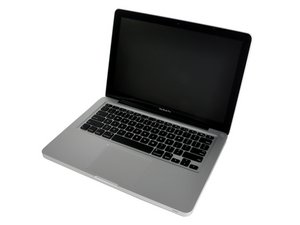
Mid 2009 Model A1278 / 2.26 or 2.53 GHz Core 2 Duo processor EMC 2326

MAC OS doesn't load.

MacBook Pro 13" does not start loading, it chimes, apple logo appears and after all it display message saying "You need to start your computer. Hold down the Power Button until turns OFF, the press power button again". I've tried reinstalling the MAC OS X, change the HDD with new, install new RAM but still the same problem....plss help me figure out this problem...would it be a logic board problem?? thankss

Update

Before the problem occured, the system which i called it MAC OS X does not load and display the message "You need to start your computer. Hold down the Power Button until turns OFF, the press power button again". The first thing I did is to boot up from the MAC OS(leopard) installation CD,so that i can run/used DISK UTILITY but after several minutes(2-3 mins) it will not booting up and display the message. Secondly, i tried installing new HDD but the problem still persist.Third thing i do is reseatting the RAM and replacing with new RAM but still the same problem...WOULD IT BE THE PROBLEM IS THE CONNECTOR OF THE HDD TO THE LOGIC BOARD, IT SEEMS THAT THE SYSTEM CAN NOT DETECT THE HDD??

Bu soruyu yanıtla Ben de bu sorunu yaşıyorum

Bu iyi bir soru mu?

Puan 1
1 Yorum

Do you know how to start up from the System Installation Disk? Were you able to do it?

tarafından

Yorum Ekle

2 Cevap

Filtre ölçütü:
En Yararlı Yanıt

Hold down Cmd-Opt-O-F while turning on the computer to drop into Open Firmware. Type these lines:

reset-nvram

set-defaults

reset-all

That will clear NVRAM etc. and will automatically restart the system.

That failing try to remove and reinstall the RAM. When u do make sure u apply enough pressure so that you feel a slight "thump", then you'll know the RAM is properly seated. Please try that, and get back to me. But, try with the old RAM first if your new RAM is third party RAM.

Bu yanıt yardımcı oldu mu?

Puan 2

2 Yorum:

+ good

tarafından

+

tarafından

Yorum Ekle

Try starting up from your system installation disk then run disk utilities and repair your drive.

Bu yanıt yardımcı oldu mu?

Puan 1

7 Yorum:

I was thinking the same, but the PO stated that he tried with a new HDD, which I can imagine was properly formatted, so I didnt think disk utilities would help.

tarafından

why do you think it was properly formatted?

tarafından

f the PO installs a new drive, installs new RAM, re-installs OS, then its safe to assume the new drive is formatted properly, and even if it wasn't, it wouldn't demonstrate the same exact symptoms as the old drive, don't you think? I don't have to be a "Certified Technician" to utilize common sense

tarafından

I cant start my system/computer so that i can run disk utility.... i even try to boot up using the MAC OS installation CD...but still it display the same message/problem. I suspect its the cable which connect the HDD to logic board....

tarafından

Your question is unclear. You said you "tried reinstalling the Mac OS X" , were you successful? Majesty - I was just pointing out that we didn't have a clear picture here of what's actually happened. The question header is "MAC OS doesn't load."

tarafından

2 tane daha yorum göster

Yorum Ekle

Yanıtını ekle

Cled Tayamen sonsuza kadar minnettar olacak.
İstatistikleri Görüntüle:

Son 24 Saat: 0

Son 7 gün: 0

Son 30 gün: 2

Her zaman: 3,486