
Ana içeriğe geç
Onarım Topluluğuna Katılın - Hesap Oluşturun

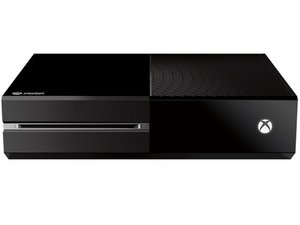
Microsoft'un 22 Kasım 2013'te piyasaya sürülen üçüncü nesil oyun konsolu.

Why won't my console sync button work?

Over time my sync button on the left side if my console worked but now it's gone. When I press the button on the left side it makes a ding noise but the console symbol suppose to blink indicates in trying to sync. My controllers work when I press it but not the console button. I have to play with my controllers wired but I really need help with this to have it fixed. I tried hard reset and everything so I assume its an issue inside the console.

Yanıtlandı! Cevabı görüntüle Ben de bu sorunu yaşıyorum

Bu iyi bir soru mu?

Puan 49
34 Yorum

whats a soft power down

tarafından

Wow! I read this wrong by the slightest bit, tried it again but this time unplugged the usb from the Xbox as well, even tho it’s a loose chord I didn’t understand that it needed to be removed

tarafından

ty this worked the controller i bought from gamestop has a broken syc button thought i was gonna have to drive 29 miles to return it so much for the tested sticker n the package

tarafından

Even if the sync button never works again, plug the controller in using an android charging cable if you don't have the one specifically for the xbox. Once its plugged in, turn controller on and press the controllers sync button. The controller will sync to the xbox. Then unplug the controller and you'll be good to go. Just went through this nonsense 5min ago. I had to do it again once powering off the Xbox and turning it back on but small price to pay.

tarafından

Thank you bro you're a lifesaver!!!!

tarafından

29 tane daha yorum göster

Yorum Ekle

9 Cevap

Filtre ölçütü:
Seçilen Çözüm

Hard reset your Xbox. (Hold the power button until it shuts off.)

Bu yanıt yardımcı oldu mu?

Puan 43

68 Yorum:

lol its been acting up for awhile and I came I saw and I fixed lol in like 2 seconds

lmaoo I feel slow thank you tho bro

tarafından

thank you but now I feel really stuped

tarafından

thanks i was having this problem to

tarafından

Thanks so much I was struggling for ages with this but you helped me so thanks!!!

tarafından

Thanks that was just needed it just happed to me but now it's back on and had usb to remote and they sync

tarafından

63 tane daha yorum göster

Yorum Ekle
En Yararlı Yanıt

1. Plug Controller in USB.

2. Hold Power Button for 10 seconds.

3. Unplug the Power Cord for 10 seconds.

4. Plug Power Cord back in to Xbox.

5. Power On Xbox Press Power Button on Console.

6. Soft Power down Xbox Press Button once.

7. Disconnect USB from Xbox and Controller.

8. Power on Xbox with Controller.

You're Welcome. Enjoy!

Bu yanıt yardımcı oldu mu?

Puan 53

43 Yorum:

This didn’t work for me

tarafından

Thank you! It worked

tarafından

THANK YOU SOOOOO MUCH!!!This actually worked

tarafından

I did all of this but on step 8, the controller just kept blinking and the xbox didnt power back on

tarafından

Ayyy you saved me I thought I might have fried my console because of a power out. Time to get a surge protector I guess I don't need anymore of these scares!

tarafından

38 tane daha yorum göster

Yorum Ekle

So i have been having this issue, also.

I tried everything that everyone else has suggested, but it wouldn't fix the problem.

But I realized that I always have my chat mixer hooked up to my controller that has been synced to my system for weeks now. I unplugged the chat mixer and it automatically connected to my console lol maybe try that if your using a 3rd party headset.

Lemme know if that helps

Bu yanıt yardımcı oldu mu?

Puan 3

1 Yorum:

Yeah this helped I had a charger in the xbox unplugged it so far so good .

tarafından

Yorum Ekle

You guys can skip all the steps here, because all you want to do is Hard Reset.

1. Wake up your xbox by pressing the power button on the console (xbox logo)

2. Hold the power button on the console (xbox logo) for 10 seconds, or until the console makes an audible and visible shutoff.

3. Turn the xbox one back on.

Done. No messing with power cables, no fiddling with the actual controller itself. All you need to do is follow these steps in order to Hard Reset the console.

Bu yanıt yardımcı oldu mu?

Puan 3

3 Yorum:

^ Negative ghost rider. Had to unplug the controller cable from the side before it would detect. (detected immediately after that)

tarafından

It does work thank you

tarafından

It says they tried this why is this showing up still people can't read for real.

tarafından

Yorum Ekle

Sometimes having a USB cable connected causes this try disconnecting it then

Bu yanıt yardımcı oldu mu?

Puan 3

1 Yorum:

Yup. My ssd being plugged in was the problem.

tarafından

Yorum Ekle

Alright, if doing a hard reset, pulling the sync button back a lil bit doesn’t work then I have a solution ( it worked for me) lets begin.

  1. open your xbox shell ( Follow this: https://youtu.be/bF1V1QiB17c tutorial up to 5:35
  2. Reseat the ribbon cable (remove it then reinstall it — i found this video extremely useful https://youtu.be/ghcWusCrh30.
  3. close your xbox shell
  4. Just a tip - before closing your xbox shell test that the power button, eject disk and sync are working. https://youtu.be/bF1V1QiB17c Follow this guy from around 40:00 onwards ( he also reinstalls the ribbon cable here I just thought if the other video was not proving useful you can try his ‘method’ or style.

Bu yanıt yardımcı oldu mu?

Puan 2

4 Yorum:

i have the same problem and I don't have the xbox one I have the (s) and I don't know how to do it its a whole different console

tarafından

I had this problem, followed the instructions above and it worked!

tarafından

Hi Im also having this problem and I have the xbox one s... The sync button don't want to flash at all when pressing it...

tarafından

LMAO it works. It really works. I love people thanks

tarafından

Yorum Ekle

Did you get it fixed?

Could be ribbon cable, RF board or WiFi board.

If holding the power button for 10 seconds to shut it down and clear the cache doesn't work it's probably a hardware issue.

Have you unplugged it for 30 seconds?

Also can you connect to WiFi?

Update (08/07/2017)

Sorry I hadn't been following this post more closely. Many times the WiFi/Bluetooth board stops working. WiFi modules are pretty cheap on Amazon and eBay. They are very easy to replace. Can't sync if the xbox can't see the controller.

Bu yanıt yardımcı oldu mu?

Puan 0

10 Yorum:

My sync button doesn't work at all. When press it doesn't click just pushes right in. I can't even connect a controller via USB cable its like the whole sync system is broke. Will a replacement ribbon fix this or will it be something else. I really need help as can't play my Xbox and I can't find any info anywhere. Thanks in advance

Kay

tarafından

Could be hardware problem in the Xbox. Have you tried hard reset, or resetting to factory saving all your files? Please let me know if you got it to work and if so what you did to get it fixed. Thanks

tarafından

Yeah iv tried all that. Literally everything. I just left it a while and it started to work again. The xbox still clicks randomly and flashes. And the sync button on the side doesn't work at all. But managed get USB lead work. Will just put up with it until new Xbox is out. Thank you for your reply and your help. Much appreciated.

tarafından

So weird this worked.. Think ultimately my rechargeable batteries are going to junk cause my controllers keep disconnecting and reconnecting.. This helps me narrow it down as I couldn't try a reconnect of the controllers because the box wouldn't search for controllers.. Thank you very much.. Very odd sequence.. Highly didn't expect that'd work..

tarafından

This is something that hardly ever happens but I had one come into my shop that had been dropped on its back from just a few inches up and the plate that slides in behind the sink button had slid back to where the little nipple on the plate had moved just enough to where it wasn't behind the button. Long shot but it's a possibility for those of you who have the problem with the sink button not working.

tarafından

5 tane daha yorum göster

Yorum Ekle

I tried all of these and nothing worked:

1) charge batteries

2) hard reset

3) cable attached

4) holding the controller cack handed - the lot

I then removed ALL cables from the console apart form power and did another hard reset - hey presto, the controllers all synchronised first time!

Maybe this is the last resort before you bite the bullet and send it in for repair!!!

Hopefully this helps someone who gets stuck and nothing else works!

Bu yanıt yardımcı oldu mu?

Puan 0
Yorum Ekle

For me I had a power bank plugged via USB in so I turned off my Xbox by the plug switch so there’s absolute no power, I took out the power bank then I could sync my Xbox!
I didn’t know power banks could prevent the Bluetooth button from having an affect but to be honest I’m pretty sure it was making the power bank blink like it was trying to connect to something Bluetooth lol anyways hope this helps!

Bu yanıt yardımcı oldu mu?

Puan 0
Yorum Ekle

Yanıtını ekle

Jeremy sonsuza kadar minnettar olacak.
İstatistikleri Görüntüle:

Son 24 Saat: 18

Son 7 gün: 144

Son 30 gün: 519

Her zaman: 372,151