
Ana içeriğe geç
Onarım Topluluğuna Katılın - Hesap Oluşturun

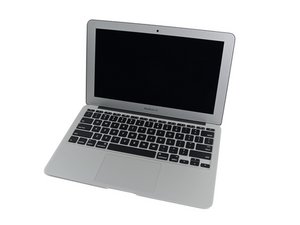
The April 2014 update of the 11" MacBook Air packs refreshed dual-core i5 and i7 Haswell processors and slightly increased battery performance.

Microphone cable & liquid damage

A MBA early 2014 that suffered liquid damage. I just replaced the motherboard and the IO board. The witness dot on the cable between 2 boards is red, but still functional. However, the microphone connection shows strong corrosion on the replaced IO board; and the microphone connection cable is also little damaged. The microphone doesn't work.

Has anyone ever changed the microphone?

Yanıtlandı! Cevabı görüntüle Ben de bu sorunu yaşıyorum

Bu iyi bir soru mu?

Puan 0
Yorum Ekle

1 Cevap

Filtre ölçütü:
Seçilen Çözüm

Here’s the IFIXIT guide you’ll need to work off of MacBook Air 11" Early 2014 Upper Case Replacement Follow the first steps stopping at Step3, then jump to Step12 & 13 removing the battery. Then jump down to Step25 to disconnect the mic cable, next remove the speaker following Step36 and then take the mic out the rest of the way following Step37

As far as the part its self: The BookYard UK - MacBook Air 11" Microphone & Cable (13/14/15) - 821-1748

Bu yanıt yardımcı oldu mu?

Puan 1
Yorum Ekle

Yanıtını ekle

anne guillaume sonsuza kadar minnettar olacak.
İstatistikleri Görüntüle:

Son 24 Saat: 0

Son 7 gün: 10

Son 30 gün: 14

Her zaman: 170
