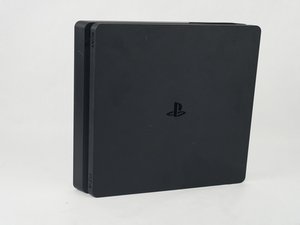

My PS4 doesn't play dvds
When I try to play regular DVD on my PS4 it will say on the screen unknown disk What should I do
Bu iyi bir soru mu?
Puan
0
When I try to play regular DVD on my PS4 it will say on the screen unknown disk What should I do
Bu iyi bir soru mu?
İtibar: 3,5b
 5
5
 9
9
 1
1
Some discs may not be playable due to scratches, dust, the quality of recording, or the characteristics of the recording device. In rare instances, DVDs, BDs and other media may not play properly on your PS4 system. This is primarily due to variations in the manufacturing process or encoding of the software.
All the DVD formats including DVD-ROM, DVD-R/RW and DVD+R/RW are supported by PS4, but to make sure you can play your DVDs successfully, you had better update your PS4 to the latest system version. The playback of DVDs on PS4 is pretty easy, and you can begin by inserting a DVD disc into the disc tray of your PS4.
If the method doesn’t help, please kindly check out more methods at https://www.minitool.com/news/ps4-unreco....
Bu yanıt yardımcı oldu mu?
The problem is My PlayStation 4 play Blu ray disc just fine it's only dvds it could not read
@Jahn Henrik Jul Thank you for keeping me updated, you can just try with a working dvd.
İtibar: 13
1
Your PS4 absolutely should play standard DVDs, but the "Unknown Disc" error is usually one of a few things:
Honestly, troubleshooting disc playback on consoles is a total headache. Between region locks, mandatory updates, and scratched discs, it feels like it's designed to be difficult. It's one of the main reasons I barely use my console for physical media anymore. If I actually own the DVD or Blu-ray, I just use keeprix to rip and download a digital copy once, and stream it to my TV. Way less hassle than fighting with the console's disc drive and region codes. Good luck figuring it out!
Bu yanıt yardımcı oldu mu?
When PS4 can't recognize your DVDs, you have 7 solutions to try.
Solution 1. Take the disc out and reboot your PS4.
Solution 2. Clean your disc with a microfiber cloth. The disc reader is really sensitive to scratches and fingerprints.
Solution 3. If the problematic DVD is a game DVD, you can try deleting the game app data and reinstalling it. If failed, try PS4 safe mode options.
Solution 4. If your disc is BF4, try another one. Some users report they just have problems only on BF4.
Solution 5. Check your disc format and make sure it is supported by PS4. PS4 doesn't support DVDs that have not been finalized.
Solution 6. Access Safe Mode and select option 5 Rebuild Database or option 7 Initialize PS4 (Reinstall System Software).
Solution 7. Dissemble your disc drive. Visit YouTube to know the detailed steps.
For more details and solutions for other PS4 disc issues, check Can PS4 Play DVDs? How to Fix PS4 Won't Play DVD?
Bu yanıt yardımcı oldu mu?
Son 24 Saat: 4
Son 7 gün: 20
Son 30 gün: 101
Her zaman: 7,713



