
Ana içeriğe geç

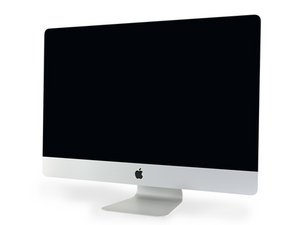
A2115 / 2020 / Processors from 3.1 GHz 6-core i5, up to 3.8 GHz 8-core i7. Released August 4, 2020.

Where is the hard drive?

Block Image

Inside of mid 2020 27" iMac.

Hard drive? Next step is to open covers. This is much more complicated than the older imacs. No visible hard drive that I could see.

It looks to me like the HD is under the logic board. I'm not taking that out unless you know. I don't need to change the drive since it's not broken. I do a lot of investing and at the moment I have two mini macs with max memory and ssd's on my desk and they are doing fine. Using the HP24mh monitors with speakers. 4stars.

Yanıtlandı! Cevabı görüntüle Ben de bu sorunu yaşıyorum

Bu iyi bir soru mu?

Puan 1
Yorum Ekle

2 Cevap

Filtre ölçütü:
Seçilen Çözüm

As far as I know the 2020 27" iMac has 2 matched SSD chips that are soldered onto the main logic board and cannot be upgraded by the layman, you need access to the correct matched chips and a reballing station.

Bu yanıt yardımcı oldu mu?

Puan 3

2 Yorum:

@Biily32966 - Yes you are correct! The 2020 is different! On the low end versions the chips are soldered to the logic board the higher storage models have a odd module setup similar to the iMac Pro but a bit different.

tarafından

The 2 chips are each 128GB...there 4 "slots" for each one of these...on the "front side" (the side when you remove the display and 2 "slots" on the inside. The slots are mirrored and look silver shiny right next to the CPU...so it would be possible to get a 256 and a 512GB on the board. What's is it on the one you can buy upwards (1TB....up to 8TB) are the 1TB already on the old "NVMe-Slot"? Are there any pictures of a 1 TB Version LogicBoard?

tarafından

Yorum Ekle

@ldonj - Depending on the model 2019 or 2020 and which configuration you bought it could have a blade SSD which is mounted on the back side of the logic board. If bought with a HDD it would be just above the power supply.

Apple uses a custom PCIe/NVMe blade SSD.

Bu yanıt yardımcı oldu mu?

Puan 1

4 Yorum:

I don't remember an SSD being offered when I bought this in 19 or 20. If it was I'm sure it was expensive.

tarafından

@ldonj - Then you have a blade SSD as you can see in this guide iMac Intel 27" Retina 5K Display 2019 Blade SSD Replacement

tarafından

As you can see from the photo above in the 2020 the layout is different and the drive, whatever it might be, must be on the back of the logic board. I decided it wasn't worth effort to remove the board so I just closed it back up.

tarafından

@ldonj - Correct! Apple sold two versions a Fusion Drive which was a dual drive setup an HDD and the Blade SSD or a Blade SSD only system.

You clearly have a SSD only system no spinning disk HDD. Over time SSD’s get full and need to be cleaned of no longer need stuff and ideally, you should have an external drive to extend your storage if you need more space.

tarafından

Yorum Ekle

Yanıtını ekle

Leonard Jessup sonsuza kadar minnettar olacak.
İstatistikleri Görüntüle:

Son 24 Saat: 5

Son 7 gün: 35

Son 30 gün: 149

Her zaman: 2,372

