
Ana içeriğe geç
Onarım Topluluğuna Katılın - Hesap Oluşturun

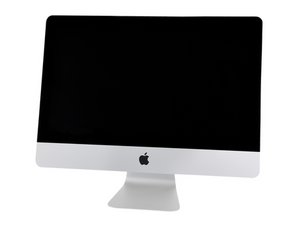
A2115 / 2019 / Processors from 3.0 GHz 6-core i5, up to 3.6 GHz 8-core i9. Released March 19, 2019.

Microphone won't work after Fusion Drive replacement

Hi!
I did a lot of iMac with fusion drive to ssd. All the time there is a similar problem after putting together and installing the newest system (in the moment 15.6): The microphone won't work.
The microphone is seen in software (sound as also System Report), but it doesnt work. I mad NVRAM-reset, did a lot of research, but didn't find a solution. I don't think it's a hardware failure, because we have this problem every time. What could it be?
Thanks! Peter, DoktorMac, Bern, Switzerland

Yanıtlandı! Cevabı görüntüle Ben de bu sorunu yaşıyorum

Bu iyi bir soru mu?

Puan 0
Yorum Ekle

1 Cevap

Filtre ölçütü:
Seçilen Çözüm

Often times the small gap and channel between the aluminum shell and the display glass to the microphone gets blocked so the sound can't get to the mic. If you open the audio control panel it offers a volume level display with the internal mic selected if you hit the glass bottom middle edge does the mark move? If it does that a good sign the opening is clogged. This could be from your adhesive removal process when cleaning the surface, or the tapes you used did not offer the needed gap so they cover the mic hole. Reference Step 14 in this guide iMac Intel 27" Retina 5K Display 2019 Adhesive Strips Replacement.

If you don't see any response from the level meter, make sure the mic cable is not damaged and the ZIF connector on the logic board is correctly set. Reference Step 53 in this guide iMac Intel 27" Retina 5K Display 2019 Blade SSD Replacement and lastly also check the cable from the headphone jack in Step 52. You might also want to see if a headphone with mic works as well as that is also a useful diagnostic step if it fails to either record or allow you to hear then the jack & cable Is bad (damaged).

iMac Intel 27" Retina 5K Display 2019 Adhesive Strips Görseli

Kılavuz

iMac Intel 27" Retina 5K Display 2019 Adhesive Strips Replacement

Zorluk:

Orta

20 minutes - 1 hour

iMac Intel 27" Retina 5K Display 2019 Blade SSD Görseli

Kılavuz

iMac Intel 27" Retina 5K Display 2019 Blade SSD Replacement

Zorluk:

Orta

1 - 3 hours

Bu yanıt yardımcı oldu mu?

Puan 1

3 Yorum:

Hi!

Wow, this was very helpful. I didn't know about this guide iMac Intel 27" Retina 5K Display 2019 Adhesive Strips Replacement

About the guide step 53 and 52 - yes I know very well - and I never damaged those connectors.

Thanks a lot

tarafından

@doktormac - Where you able to check to see if the mic is even alive? If you're set don't forget to score and accept the answer so others can find it

tarafından

Just had the chance to check it now! It was the small gap…

tarafından

Yorum Ekle

Yanıtını ekle

DoktorMac sonsuza kadar minnettar olacak.
İstatistikleri Görüntüle:

Son 24 Saat: 0

Son 7 gün: 1

Son 30 gün: 8

Her zaman: 80
