

Battery replacement - Won't even charge now
So I bought a replacement battery (cause the bios told me the battery needed to be replaced). Took out the old battery and put in the new battery. I let the laptop charge for 5 hours. Tried to turn it on - nothing but a quick flash of the keyboard and then back to nothing. I googled some, tried taking out ram, pressing "D” and the power button. Plugged in the old battery again and the keyboard remained lit for a little while longer, then nothing. Plugged in the new battery and now it won't even charge.
Please help cause I'm lost. How did it get worse all of a sudden
Bu iyi bir soru mu?
Puan
0

 1,5b
1,5b  978
978  2,4b
2,4b 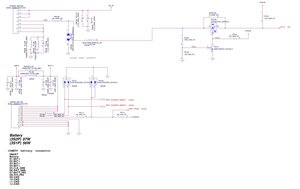

2 Yorum
Looks like your new battery has run out charge, but charging circuits of the motherboard are in fail, so they can't charge neither old or new battery.
pikudo tarafından
@anonfixer does your computer still work as it should with the AC adapter connected? Have you checked the battery connector and the components around it? What else have you already checked.
You've selected the Dell XPS 15 9570 as your device. If so then it uses a LA-G341P motherboard. Is that correct?
oldturkey03 tarafından