Ana içeriğe geç

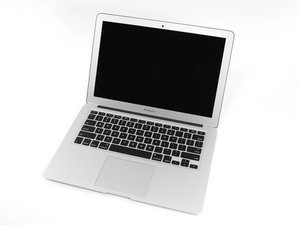
In June 2017 Apple updated its 13" MacBook Air with a newer Broadwell Intel Core i5 processor, resulting in slightly increased performance and battery life.

Strange Boot Behaviour Never Seen Before

When we turn on this MBA 2017 instead of getting the black screen with the Apple logo and the progress bar we immediately get the (Monterey) color wallpaper with the login password prompt, we then input the password and then we get the progress bar under where the password was, and once that has completed it boots into the OS (12.7.6) as normal with no issues. We have never changed any display or wallpaper settings etc..... Single user account, Guest user account never activated. Curious to know what has likely caused this to be. Has anyone encountered this before?

Bu soruyu yanıtla Ben de bu sorunu yaşıyorum

Bu iyi bir soru mu?

Puan 0
Yorum Ekle

1 Cevap

Filtre ölçütü:
En Yararlı Yanıt

This sounds like FileVault is turned on. The whole disk is encrypted and so it presents that password prompt at startup, as it needs the password to decrypt the disk and continue booting.

Bu yanıt yardımcı oldu mu?

Puan 1

1 Yorum:

I will double check that when they bring the MBA back to me, but they said they never ever have changed any settings because they don't know how to do anything and mostly used the Windows 11 dual system LOL

tarafından

Yorum Ekle

Yanıtını ekle

livfe sonsuza kadar minnettar olacak.
İstatistikleri Görüntüle:

Son 24 Saat: 0

Son 7 gün: 0

Son 30 gün: 1

Her zaman: 37