Popüler Forum Soruları
Bir soru sorHiç soru yok. İlk soru soran siz olun!
Arka plan
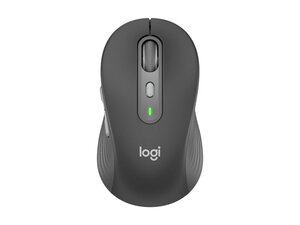
Logitech Signature Plus M750, günlük kullanımda konfor ve hassas kaydırma için tasarlanmış kablosuz bir verimlilik faresidir. Dayanıklılık ve sürdürülebilirliğe odaklanan bu cihazda, geri dönüştürülmüş içeriklere sahip dayanıklı plastik malzemeler ve ambalaj tasarımları kullanılmıştır. Ürün sayfasında öne çıkan temel özellikler arasında SmartWheel kaydırma ve çeşitli el boyutlarına uyum sağlayan ergonomik tasarım yer alır. İş ve özel hayat arasında sorunsuz geçiş sağlaması amaçlanan ürün, özelleştirme için Logi yazılımını destekler.
Kimlik Belirleme
Logitech Signature Plus M750, model numarasıyla (M/N CU0021) tanımlanabilir. Model etiketi, cihazın alt kısmındaki ürün etiketinde yer alır. Bu etikette model (M/N), parça (P/N) ve seri (S/N) numaraları listelenir.
Teknik Özellikler
- Model Numarası: M750
- Yapı Biçimi: Ergonomik kablosuz fare (tam boy)
- Bağlanırlık: Kablosuz — Bluetooth Low Energy ve USB alıcı (üretici sayfası kablosuz bağlantıyı referans alır; belirli alıcı modeli ürün/destek sayfalarında listelenmemiştir)
- Kaydırma: SmartWheel kaydırma (Logitech markalı uyarlanabilir/hassas kaydırma)
- Düğmeler: Standart çoklu düğme düzeni (birincil/ikincil, tıklanabilir kaydırma tekerleği, geri/ileri) — tam düğme anahtarı parça numaraları belirtilmemiştir
- Güç / Pil: Kullanıcı tarafından değiştirilebilir pil (tür ve kapasite ürün/destek sayfalarında belirtilmemiştir)
- Sensör / Takip: Optik sensör; tam sensör modeli ve DPI, ürün/destek sayfalarında belirtilmemiştir
- Malzemeler ve Sürdürülebilirlik: Geri dönüştürülmüş içerik göz önünde bulundurularak üretilmiş dayanıklı plastikler; ürün sayfası sürdürülebilirliğe ve azaltılmış karbon ayak izine vurgu yapar
- Alıcı Saklama: USB alıcı (dahilse) genellikle pil bölmesinin içinde saklanır; özel alıcı modeli listelenmemiştir
- Uyumluluk: Başlıca masaüstü işletim sistemleriyle uyumludur; özelleştirme için Logi Options+ önerilir (destek sayfası bildirimlerine göre)
- Çevresel / Karbon Ayak İzi: Ürün sayfası 2,4 kg CO2e karbon ayak izi değeri listelemektedir
Sorun Giderme
Onarımla ilgili yaygın arızalar arasında kesintili bağlanırlık, çalışmayan kaydırma tekerleği ve takip kaybı yer alır; pili değiştirerek veya kontrol ederek, USB alıcıyı yeniden eşleştirerek veya başka bir bağlantı noktasında/bilgisayarda test ederek, sensör ve tekerlek bölgesini temizleyerek tanı koyun. Düğmeler veya anahtarlar arızalanırsa, kalıntı olup olmadığını kontrol edin ve anahtar kontaklarını inceleyin; dahili anahtar değişimi çoğu durumda sökme ve lehimleme gerektirir. Alıcı mı kayıp? Kayıp olduğunu varsaymadan önce pil bölmesinin içini kontrol edin.
Ek sorun giderme yardımı için şu adresi ziyaret edin: Ürün desteği, indirmeler ve Logi Options+ yazılımı için https://support.logi.com adresini ziyaret edin.
Ek Bilgiler
Garanti Bilgileri
Garanti bölgeye göre değişiklik gösterir; ayrıntılar ve talep oluşturmak için support.logi.com üzerinden Logitech garanti sayfasına bakın.

