Ana içeriğe geç
Onarım Topluluğuna Katılın - Hesap Oluşturun

APEX AP-GS918 Battery Replacement

Neye ihtiyacın var

    1. APEX AP-GS918 Battery Replacement, Power/Volume Button: adım 1, 3 resimden 1. APEX AP-GS918 Battery Replacement, Power/Volume Button: adım 1, 3 resimden 2. APEX AP-GS918 Battery Replacement, Power/Volume Button: adım 1, 3 resimden 3.
      • To begin, locate the two 4.9mm Phillips #00 screws at the top corners of the case and remove them.

      FixBot'a Sor

      Yorum Ekle

    2. APEX AP-GS918 Battery Replacement: adım 2, 3 resimden 1. APEX AP-GS918 Battery Replacement: adım 2, 3 resimden 2. APEX AP-GS918 Battery Replacement: adım 2, 3 resimden 3.
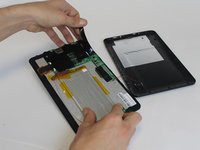
      • Squeeze the plastic opening tool in between the seam where the screen joins the plastic case.

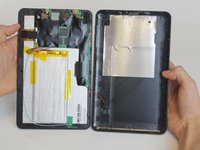
      • Begin separating the bottom of the case from the screen by carefully going around the whole edge of the case and slowly prying it apart.

      • Be careful when separating the lids because the wires holding the speaker to the motherboard are very short.

      FixBot'a Sor

      Yorum Ekle

    3. APEX AP-GS918 Battery Replacement: adım 3, 2 resimden 1. APEX AP-GS918 Battery Replacement: adım 3, 2 resimden 2.
      Bu adımda kullanılan alet:
      Tweezers
      $4.99
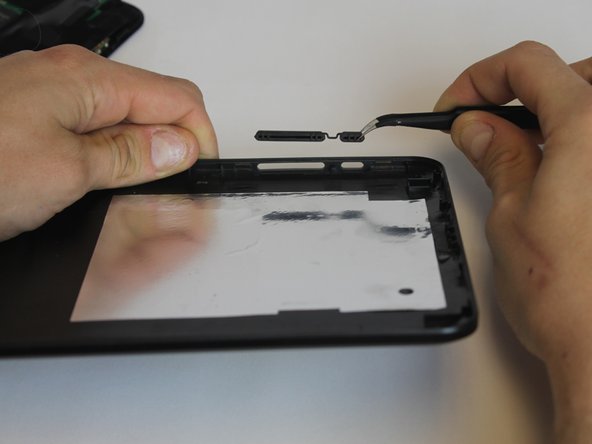
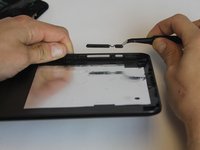
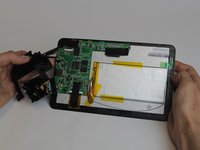
      • Carefully place the bottom lid next to the screen case. The power/speaker buttons should be visible at the corner of the lid. Remove the buttons with the tweezers.

      FixBot'a Sor

      Yorum Ekle

    1. APEX AP-GS918 Battery Replacement, Battery: adım 4, 2 resimden 1. APEX AP-GS918 Battery Replacement, Battery: adım 4, 2 resimden 2.
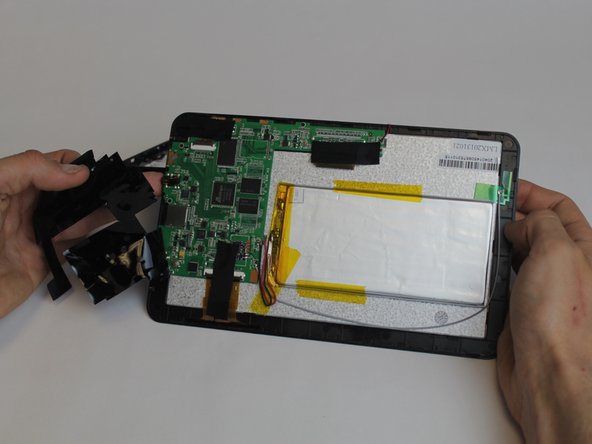
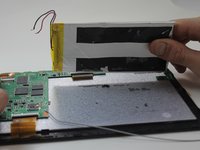
      • Begin removing the black tape covering the motherboard inside the tablet.

      FixBot'a Sor

      Yorum Ekle

    2. APEX AP-GS918 Battery Replacement: adım 5, 1 resimden 1.
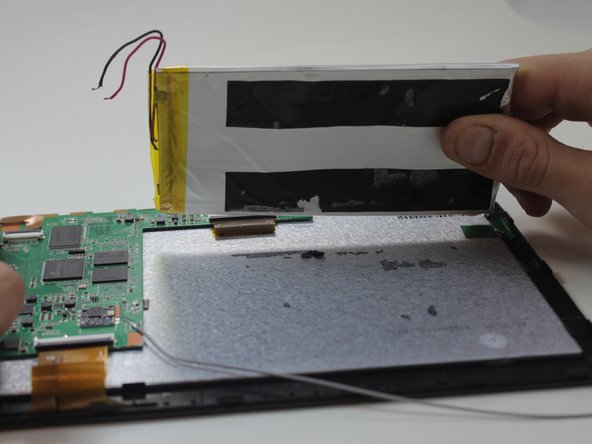
      • You will need to desolder the two contact points that connect the battery to the mother board.

      • Make sure to allow ample time (at least 5-8 minutes or more) for the soldering iron to heat up. Otherwise, the solder won't melt.

      • Touch the hot iron to the contact points and gently pull on the wires to loosen them from the solder. They should release easily.

      • Make sure not to touch the contact points after desoldering them because they will remain very hot for a short while afterwards.

      FixBot'a Sor

      Yorum Ekle

    3. APEX AP-GS918 Battery Replacement: adım 6, 2 resimden 1. APEX AP-GS918 Battery Replacement: adım 6, 2 resimden 2.
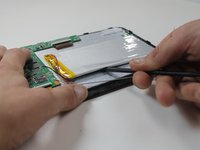
      • Using the black nylon spudger, get underneath the battery and begin prying it loose from the rest of the tablet.

      • The tape holding the battery to the tablet has a very strong hold so be prepared for resistance.

      FixBot'a Sor

      Yorum Ekle

Sonuç

To reassemble your device, follow these instructions in reverse order.

İptal et: Bu kılavuzu tamamlamadım.

3 farklı kişi bu kılavuzu tamamladı.

Megan Lozicki

Üyelik tarihi: 02/19/15

416 İtibar

4 adet Kılavuz yazıldı

Ekip

USF Tampa, Team 9-1, Leahy Winter 2015 USF Tampa, Team 9-1, Leahy Winter 2015 üyesi

USFT-LEAHY-W15S9G1

3 Üyeler

19 adet Kılavuz yazıldı

1Rehber Yorum

bien consejo, creo que es sencillo por todos para seguin estos pasos

harkhoscole - Yanıt Paylaş

Yorum Ekle

İstatistikleri Görüntüle:

Son 24 Saat: 1

Son 7 gün: 10

Son 30 gün: 36

Her zaman: 975