Giriş
Batteries get old and stop holding a charge. This guide will show you how to remove and replace that bad battery.
Neye ihtiyacın var
-
-
-
Slide the tab over to unlock the battery cover located on the bottom-left corner of the laptop.
 FixBot'a Sor
-
-
-
-
Press the tabs on the battery and lift them. The battery should come out easily.
-
-


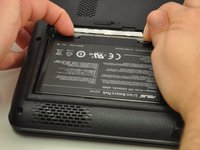
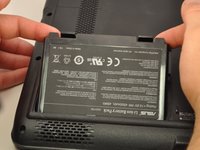
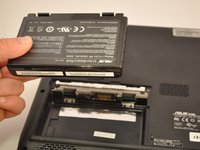
To reassemble your device, follow these instructions in reverse order.
İptal et: Bu kılavuzu tamamlamadım.
Bir başkası bu kılavuzu tamamladı.

Ekip

Eastern Washington University, Team S1-G3, Carnegie Fall 2017 Eastern Washington University, Team S1-G3, Carnegie Fall 2017 üyesi
EWU-CARNEGIE-F17S1G3
4 Üyeler
35 adet Kılavuz yazıldı
