Giriş
This is a "quick and dirty" guide on how to add images to existing questions or answers.
-
-
-
Mouse-over Options on the top right corner of the Question field to reveal a dropdown menu.
-
Click on Edit to open the Edit Post page.
-
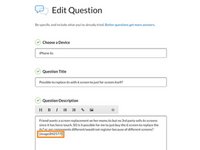
Before adding your image, position the cursor at the place in your text where you want to add the image. We suggest placing it at the end of the question.
-
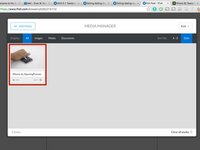
Click on the image icon to open the Media Manager.
-
Click on Add Media and select files from your computer to upload.
 FixBot'a Sor
-
-
-
In the Add Media window, you can add images from the internet or your local machine.
-
To add images from your computer:
-
Click on the browse for files to find photos on your computer, or simply drag and drop them onto the window.
-
To add images from the internet:
-
Get the link to your desired image. You can usually do this by right-clicking the image and selecting Copy link address.
-
Paste the link into the field provided.
-
Click Grab Media to add the image to your Media Manager.
-
-
-
-
Once the image is in your Media Manager, click on it to insert into your question.
-
The image should appear in-line at the spot where your cursor was positioned when you opened the Media Manager.
-
-
-
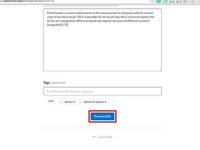
After inserting the image, scroll to the bottom of the page and click Preview Edit.
-
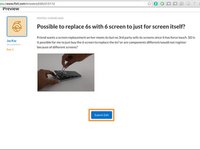
A preview will be automatically inserted below the fields for you to review.
-
If everything looks good, click Submit Edit. If not, scroll back up and adjust your question as necessary.
-
-




The image size for insertion must be 800 x 600 pixels otherwise there will be an error message in the Media Manager. It looks complicated, but is actually straightforward.
İptal et: Bu kılavuzu tamamlamadım.
114 farklı kişi bu kılavuzu tamamladı.

