Ana içeriğe geç
Onarım Topluluğuna Katılın - Hesap Oluşturun

Alienware M14xR2 RAM Replacement

Neye ihtiyacın var

  1. Alienware M14xR2 RAM Replacement, Battery: adım 1, 1 resimden 1.
    • Turn the computer off.

    • Disconnect the charging cable from the computer.

    • Failure to unplug the charging cable could result in electric shock and serious injury.

    • Flip the computer upside down.

    FixBot'a Sor

    Yorum Ekle

  2. Alienware M14xR2 RAM Replacement: adım 2, 3 resimden 1. Alienware M14xR2 RAM Replacement: adım 2, 3 resimden 2. Alienware M14xR2 RAM Replacement: adım 2, 3 resimden 3.
    • Loosen the two 6.35 mm size 1 Phillips screws on the back cover.

    • The two screws are spring loaded and will not separate from the cover.

    • Slide the back cover towards you and then lift upwards to remove.

    FixBot'a Sor

    Yorum Ekle

  3. Alienware M14xR2 RAM Replacement: adım 3, 1 resimden 1.
    • Loosen the two 6.35 mm size 1 Philips screws attaching the battery to the laptop.

    • The two screws are clipped into the battery and will not detach.

    FixBot'a Sor

    Yorum Ekle

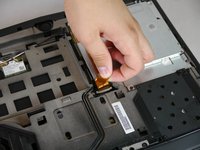
  4. Alienware M14xR2 RAM Replacement: adım 4, 3 resimden 1. Alienware M14xR2 RAM Replacement: adım 4, 3 resimden 2. Alienware M14xR2 RAM Replacement: adım 4, 3 resimden 3.
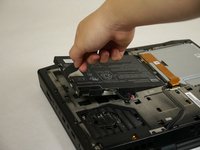
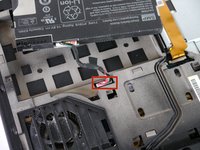
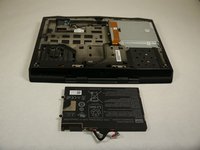
    • Pull up on the black tab on the battery to reveal the connection between the battery and laptop.

    • Pull up on the white connector to disconnect it from the laptop.

    • The battery is now free to remove from the laptop and can be set aside.

    FixBot'a Sor

    Yorum Ekle

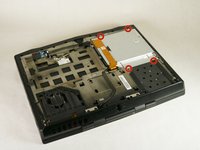
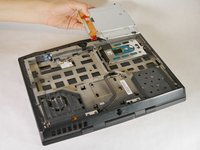
  5. Alienware M14xR2 RAM Replacement, Optical Drive: adım 5, 3 resimden 1. Alienware M14xR2 RAM Replacement, Optical Drive: adım 5, 3 resimden 2. Alienware M14xR2 RAM Replacement, Optical Drive: adım 5, 3 resimden 3.
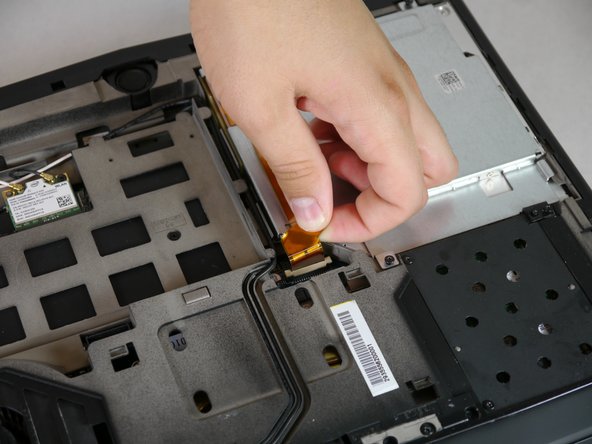
    • Unscrew the four 6.35 mm size 1 screws.

    • Pull up on the end of the orange tab to detach it from the white connector.

    • Lift the optical drive up and out of the laptop and set it aside.

    FixBot'a Sor

    Yorum Ekle

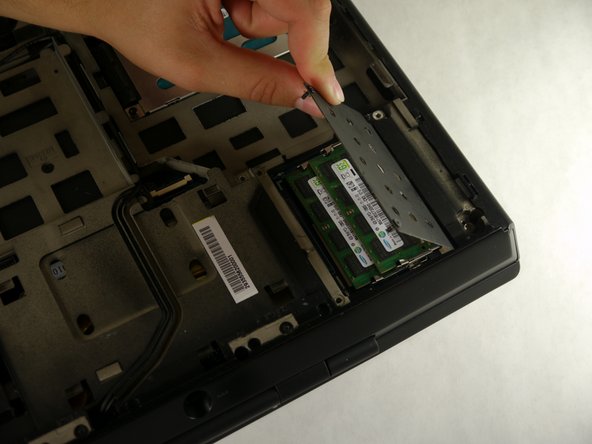
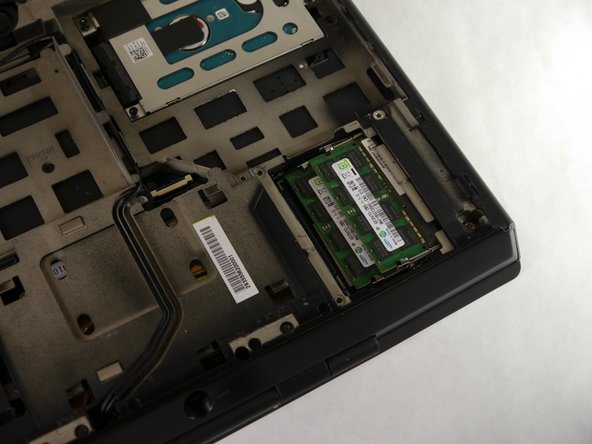
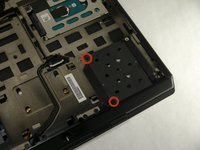
  6. Alienware M14xR2 RAM Replacement, RAM: adım 6, 3 resimden 1. Alienware M14xR2 RAM Replacement, RAM: adım 6, 3 resimden 2. Alienware M14xR2 RAM Replacement, RAM: adım 6, 3 resimden 3.
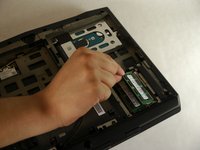
    • Unscrew the two 6.35 mm size 1 screws.

    • Lift up and remove the panel covering the RAM sticks.

    FixBot'a Sor

    Yorum Ekle

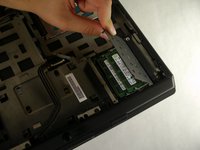
  7. Alienware M14xR2 RAM Replacement: adım 7, 2 resimden 1. Alienware M14xR2 RAM Replacement: adım 7, 2 resimden 2.
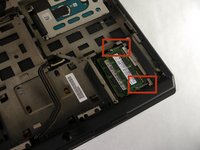
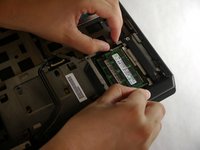
    • Push outward on both prongs that secure the RAM sticks in place.

    • The RAM sticks will rise upward when released from the prongs.

    FixBot'a Sor

    Yorum Ekle

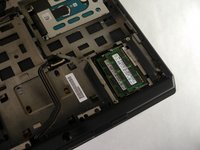
  8. Alienware M14xR2 RAM Replacement: adım 8, 2 resimden 1. Alienware M14xR2 RAM Replacement: adım 8, 2 resimden 2.
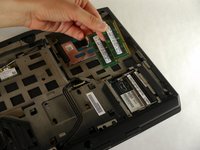
    • Grab and pull the RAM sticks up and out of their casing and set them aside.

    FixBot'a Sor

    Yorum Ekle

Sonuç

To reassemble your device, follow these instructions in reverse order.

İptal et: Bu kılavuzu tamamlamadım.

4 farklı kişi bu kılavuzu tamamladı.

Eugene Park

Üyelik tarihi: 09/30/13

195 İtibar

1 Kılavuz yazıldı

Ekip

Cal Poly, Team 13-4, Forte Fall 2013 Cal Poly, Team 13-4, Forte Fall 2013 üyesi

CPSU-FORTE-F13S13G4

5 Üyeler

6 adet Kılavuz yazıldı

3Kılavuz Yorumları

How max is the ram upgrade compatible with the m14x ifixit?!

doantuan85 - Yanıt Paylaş

I meaned r1 model

doantuan85 - Yanıt Paylaş

Yo, man! If my RAM slot is damaged somehow, is there any possibility to change/repair it? It won't detect a RAM card, keeps beeping 4 times at the start.

tasanov - Yanıt Paylaş

Yorum Ekle

İstatistikleri Görüntüle:

Son 24 Saat: 0

Son 7 gün: 4

Son 30 gün: 34

Her zaman: 2,676