Ana içeriğe geç
Onarım Topluluğuna Katılın - Hesap Oluşturun

Alienware M15x Memory Modules Replacement

Neye ihtiyacın var

    1. Alienware M15x Memory Modules Replacement, Turn the Computer: adım 1, 1 resimden 1.
      • WARNING: Before working inside your computer, read the safety information that shipped with your computer.

      • Turn the computer over.

      FixBot'a Sor
      Yorum Ekle

    2. Alienware M15x Memory Modules Replacement, Sliding the Battery: adım 2, 1 resimden 1.
      • Slide the battery latch to the unlock position as shown.

      FixBot'a Sor
      Yorum Ekle

    3. Alienware M15x Memory Modules Replacement, Removing the Battery Pack: adım 3, 1 resimden 1.
      • After the Battery Pack pops up, remove the Battery Pack.

      FixBot'a Sor

      Yorum Ekle

    4. Alienware M15x Memory Modules Replacement, Aligning the Battery Pack Tabs: adım 4, 1 resimden 1.
      • Align the battery pack tabs with the slots in the battery bay.

      FixBot'a Sor

      Yorum Ekle

    5. Alienware M15x Memory Modules Replacement, Pushing the Battery Pack: adım 5, 1 resimden 1.
      • Push the NEW battery pack into the battery bay until the battery pack clicks into place.

      FixBot'a Sor

      Yorum Ekle

    1. Alienware M15x Memory Modules Replacement, Loosen the Screws: adım 6, 1 resimden 1.
      • WARNING: Before working inside your computer, read the safety information that shipped with your computer.

      • CAUTION: To avoid electrostatic discharge, ground yourself by using a wrist grounding strap or by periodically touching an unpainted metal surface (such as a connector on the back of the computer).

      • Loosen the two captive screws that secure the memory-module door to the computer base.

      FixBot'a Sor

      Yorum Ekle

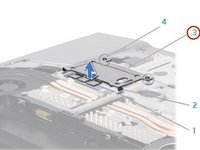
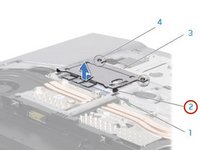
    2. Alienware M15x Memory Modules Replacement, Lifting the Memory Module Door: adım 7, 2 resimden 1. Alienware M15x Memory Modules Replacement, Lifting the Memory Module Door: adım 7, 2 resimden 2.
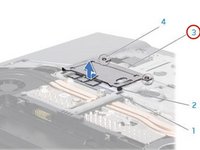
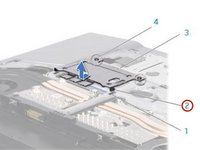
      • Slide the memory-module door to release the tabs and lift the memory-module door out of the computer base.

      FixBot'a Sor

      Yorum Ekle

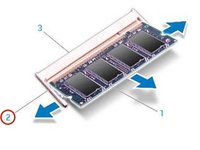
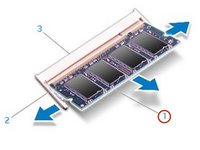
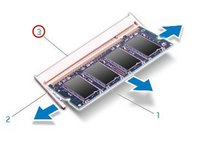
    3. Alienware M15x Memory Modules Replacement, Popping up the Memory Module: adım 8, 2 resimden 1. Alienware M15x Memory Modules Replacement, Popping up the Memory Module: adım 8, 2 resimden 2.
      • CAUTION: If you need to remove memory modules from both connectors, remove the memory module in the upper connector before you remove the module in the lower connector.

      • CAUTION: To prevent damage to the memory module connector(s), do not use tools to spread the memory module spring-locks.

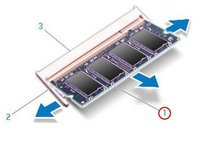
      • Use your fingertips to carefully spread apart the spring-locks on the memory-module connector until the memory module pops up.

      FixBot'a Sor

      Yorum Ekle

    4. Alienware M15x Memory Modules Replacement, Remove the Memory Module: adım 9, 1 resimden 1.
      • Remove the memory module.

      FixBot'a Sor

      Yorum Ekle

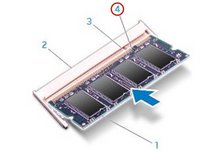
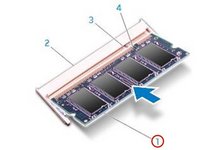
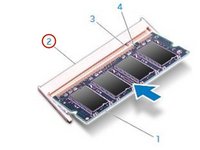
    5. Alienware M15x Memory Modules Replacement, Align the Notch: adım 10, 3 resimden 1. Alienware M15x Memory Modules Replacement, Align the Notch: adım 10, 3 resimden 2. Alienware M15x Memory Modules Replacement, Align the Notch: adım 10, 3 resimden 3.
      • Align the notch on the NEW memory module with the tab on the memory-module connector.

      FixBot'a Sor

      Yorum Ekle

    6. Alienware M15x Memory Modules Replacement, Insert the Module: adım 11, 2 resimden 1. Alienware M15x Memory Modules Replacement, Insert the Module: adım 11, 2 resimden 2.
      • Insert the module into the memory-module connector at a 45-degree angle, and press the memory module down until it clicks into place. If you do not hear the click, remove the module and reinstall it.

      FixBot'a Sor

      Yorum Ekle

    7. Alienware M15x Memory Modules Replacement, Align and Insert the Memory Module Tabs: adım 12, 2 resimden 1. Alienware M15x Memory Modules Replacement, Align and Insert the Memory Module Tabs: adım 12, 2 resimden 2.
      • CAUTION: If the memory-module door is difficult to close, remove the memory module and reinstall it. Forcing the memory-module door to close may damage your computer.

      • NOTE: If the memory module is not installed properly, the computer may not boot.

      • Align and insert the memory-module door tabs into the slots on the computer base.

      FixBot'a Sor

      Yorum Ekle

    8. Alienware M15x Memory Modules Replacement, Replacing and Tightening the Screws: adım 13, 1 resimden 1.
      • Replace and tighten the two captive screws that secure the memory-module door to the computer base.

      FixBot'a Sor

      Yorum Ekle

Sonuç

To reassemble your device, follow these instructions in reverse order.

İptal et: Bu kılavuzu tamamlamadım.

Terrence15

Üyelik tarihi: 12/18/17

80.125 İtibar

441 adet Kılavuz yazıldı

Ekip

RampUP America, Inc. RampUP America, Inc. üyesi

Community

45 Üyeler

4.028 adet Kılavuz yazıldı

0Kılavuz Yorumları

Yorum Ekle

İstatistikleri Görüntüle:

Son 24 Saat: 0

Son 7 gün: 3

Son 30 gün: 34

Her zaman: 633