Giriş
Sometimes batteries get damaged or lose their ability to hold charge over time. In this guide we will show you how to open up your AmazonBasics BTV1 to replace a defective battery.
Neye ihtiyacın var
-
-
-
Hold the speaker firmly and wedge a plastic opening tool in between the faceplate and the body of the speaker.
-
Move the tool back and forth along the entire perimeter of the face plate until you feel the plate loosen, then pry the plate off.
 FixBot'a Sor
-
-
-
Using a Phillips #1 screwdriver, remove the four black 10mm screws around each of speakers.
-
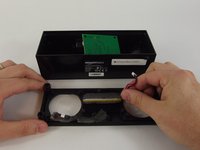
Using a Phillps #1 screwdriver, remove the four black 10mm screws securing the inside panel to the case.
-
-
-
-
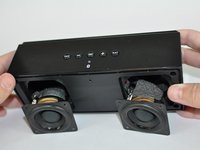
Tilt the case downwards until the speakers fall out of their housings.
-
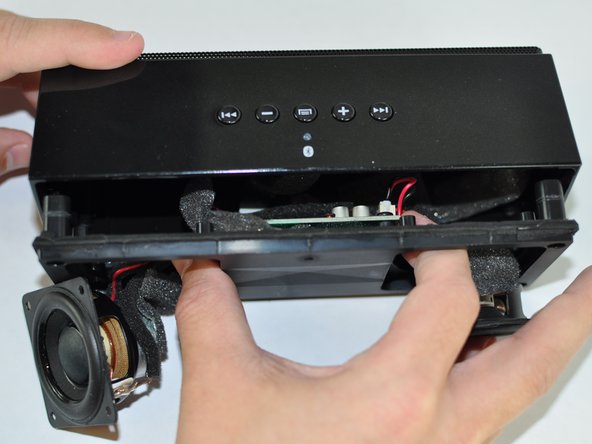
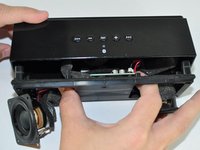
Reach your thumb and forefinger past the speakers and detach the front speaker panel from the unit.
-
-
-
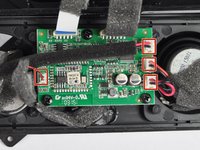
Gently pull each plastic connector from the motherboard.
-
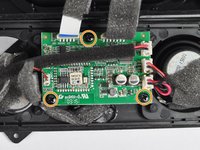
Use a Phillips #1 screwdriver to remove each of the three black 9.6mm screws from the motherboard.
-
-
-
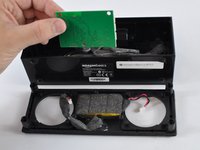
Lift the motherboard off the face plate, exposing the battery.
-
Lift the battery out of its housing.
-
-






To reassemble your device, follow these instructions in reverse order.
İptal et: Bu kılavuzu tamamlamadım.
10 farklı kişi bu kılavuzu tamamladı.

Ekip

USF Tampa, Team 14-2, Lacy Spring 2016 USF Tampa, Team 14-2, Lacy Spring 2016 üyesi
USFT-LACY-S16S14G2
3 Üyeler
10 adet Kılavuz yazıldı
8Kılavuz Yorumları
Nice job, Chris! Thank you.
Whar kind of battery is it? I need to know so that I can order a new one.
