Bu çeviri bir makine tarafından oluşturulmuştur ve henüz bir kişi tarafından incelenmemiştir. Bu dili konuşuyor musunuz? İnceleme için.
Giriş
Bu kılavuz, Apple Wireless Keyboard'un pillerinin nasıl değiştirileceğini göstermektedir
Neye ihtiyacın var
-
-
-
-
İki adet (önceki nesilde üç adet) değişim pilini pil yuvasına kaydırarak yerleştirin. Pozitif ve negatif batarya terminallerinin doğru yönde olduğundan emin olun.
-

 FixBot'a Sor
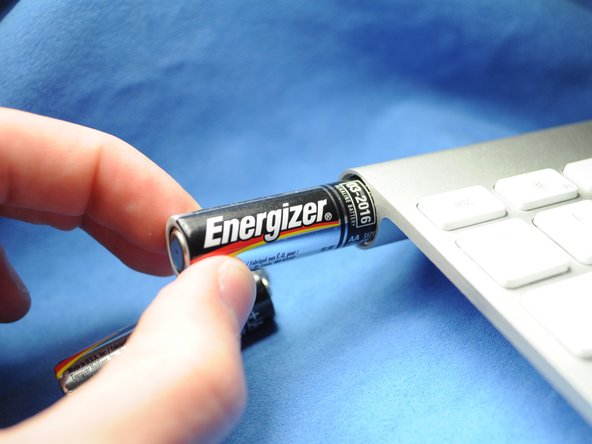
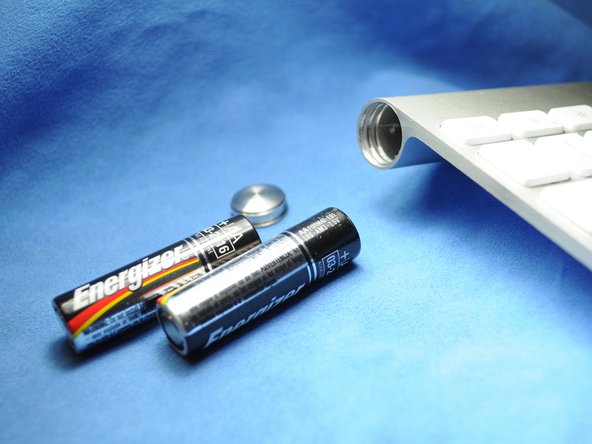

Cihazınızı tekrar toplamak için bu talimatları ters sırayla uygulayın.
İptal et: Bu kılavuzu tamamlamadım.
35 farklı kişi bu kılavuzu tamamladı.


5Kılavuz Yorumları
This works great - as long as the batteries inside did not leak and create a permanent seal for the cap. I managed to get the keyboard working again by removing the batteries through the electronics compartment (remove grey center cover, slide electronics out). It did take some effort (including driving a screw into the stuck battery and yanking it out with pliers) to remove the stuck batteries and all the remains of the leakage, but I ended up with a working keyboard. Only thing is that I need to use the 'backdoor' every time my batteries need replacing, since the battery cover is permanently sealed...
Also have a perma sealed battery cover. Poured vinegar in from middle and let soak over night. Wanna drill into coin slot to try and remove cover but need to get batteries out first. Can I just remove the one screw from logic board and disconnect ribbon cable, to have it slide out the power button end? How careful w cable? Looks like it has 2 tiny clips, do these need to be addressed or can I just pry it off?
