Ana içeriğe geç
Onarım Topluluğuna Katılın - Hesap Oluşturun

Asus A52F RAM Replacement

Neye ihtiyacın var

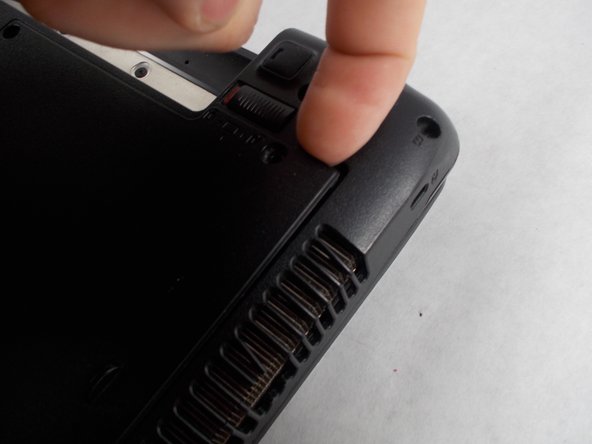
    1. Asus A52F RAM Replacement, Battery: adım 1, 2 resimden 1. Asus A52F RAM Replacement, Battery: adım 1, 2 resimden 2.
      • Place the laptop face down with the battery facing away from you.

      • Locate the two buttons next to the battery.

      • Slide the right slider to the unlocked (red) position.

      FixBot'a Sor

      Yorum Ekle

    2. Asus A52F RAM Replacement: adım 2, 2 resimden 1. Asus A52F RAM Replacement: adım 2, 2 resimden 2.
      • Hold the left button to the left.

      • Slide the battery with your other hand away from you and it should disconnect.

      FixBot'a Sor

      Yorum Ekle

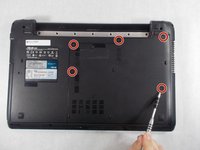
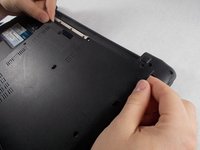
    1. Asus A52F RAM Replacement, Lower Case: adım 3, 3 resimden 1. Asus A52F RAM Replacement, Lower Case: adım 3, 3 resimden 2. Asus A52F RAM Replacement, Lower Case: adım 3, 3 resimden 3.
      • Remove the five Phillips # 0 screws from the back panel.

      • Using your finger or a plastic spudger start to carefully pry up the back planel.

      FixBot'a Sor

      Yorum Ekle

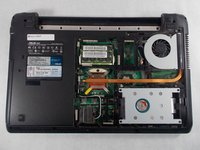
    2. Asus A52F RAM Replacement: adım 4, 2 resimden 1. Asus A52F RAM Replacement: adım 4, 2 resimden 2.
      • Slide the back panel away and remove the panel.

      FixBot'a Sor

      Yorum Ekle

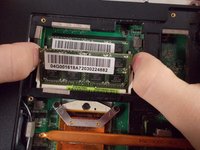
    1. Asus A52F RAM Replacement, RAM: adım 5, 1 resimden 1.
      • Gently push the metal retaining arms away from the center of the RAM module.

      FixBot'a Sor

      Yorum Ekle

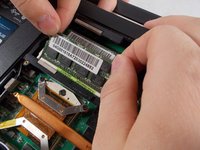
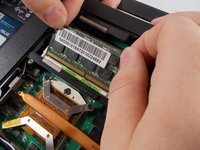
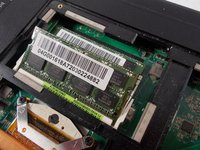
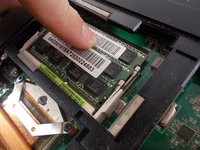
    2. Asus A52F RAM Replacement: adım 6, 3 resimden 1. Asus A52F RAM Replacement: adım 6, 3 resimden 2. Asus A52F RAM Replacement: adım 6, 3 resimden 3.
      • The RAM should now be sticking up at a 30° angle.

      • Carefully grab the top edge of the RAM and gently pull it it out at it's angle.

      FixBot'a Sor

      Yorum Ekle

    3. Asus A52F RAM Replacement: adım 7, 1 resimden 1.
      • Repeat removal process for the RAM underneath.

      FixBot'a Sor

      Yorum Ekle

    4. Asus A52F RAM Replacement: adım 8, 2 resimden 1. Asus A52F RAM Replacement: adım 8, 2 resimden 2.
      • To insert new RAM line up notch in the connector and slide in at a 30° angle.

      • RAM only goes in one way!

      • Push straight down until the metal clips on both sides click into place

      FixBot'a Sor

      Yorum Ekle

Sonuç

To reassemble your device, follow these instructions in reverse order.

İptal et: Bu kılavuzu tamamlamadım.

3 farklı kişi bu kılavuzu tamamladı.

Bradley Varnum

Üyelik tarihi: 03/09/17

345 İtibar

2 adet Kılavuz yazıldı

Ekip

UMass Dartmouth, Team S5-G1, Botvin Spring 2017 UMass Dartmouth, Team S5-G1, Botvin Spring 2017 üyesi

UMASSD-BOTVIN-S17S5G1

4 Üyeler

49 adet Kılavuz yazıldı

0Kılavuz Yorumları

Yorum Ekle

İstatistikleri Görüntüle:

Son 24 Saat: 1

Son 7 gün: 5

Son 30 gün: 31

Her zaman: 1,319