Ana içeriğe geç
Onarım Topluluğuna Katılın - Hesap Oluşturun

BLU Dash JR D140 Digitizer Replacement

Neye ihtiyacın var

    1. BLU Dash JR D140 Digitizer Replacement, Battery: adım 1, 1 resimden 1.
      • Turn off the phone first. Press the power button continuously for 2-3 seconds to shut down the phone.

      • Using a plastic opening tool, pry open the back cover from the slit on the bottom right corner of the phone.

      FixBot'a Sor

      Yorum Ekle

    2. BLU Dash JR D140 Digitizer Replacement: adım 2, 1 resimden 1.
      • Using a plastic opening tool or finger, pull out the battery.

      FixBot'a Sor

      Yorum Ekle

    1. BLU Dash JR D140 Digitizer Replacement, Digitizer: adım 3, 1 resimden 1.
      • Remove the four 4.0mm Phillips #1 screws.

      FixBot'a Sor

      Yorum Ekle

    2. BLU Dash JR D140 Digitizer Replacement: adım 4, 1 resimden 1.
      • Starting from a corner, separate the panel from the frame using the plastic opening tool.

      • The volume button will pop out.

      FixBot'a Sor

      Yorum Ekle

    3. BLU Dash JR D140 Digitizer Replacement: adım 5, 1 resimden 1.
      • Unscrew the 3.6mm Phillips #0 screw from the motherboard.

      FixBot'a Sor

      Yorum Ekle

    4. BLU Dash JR D140 Digitizer Replacement: adım 6, 1 resimden 1.
      • Using a spudger, lift the black ZIF connector at the top left corner of the phone.

      FixBot'a Sor

      Yorum Ekle

    5. BLU Dash JR D140 Digitizer Replacement: adım 7, 1 resimden 1.
      • Pull the ribbon cable out of the ZIF connector.

      FixBot'a Sor

      Yorum Ekle

    6. BLU Dash JR D140 Digitizer Replacement: adım 8, 1 resimden 1.
      • When the ribbon cable is removed from the ZIF connector, peel off the power, sticky button using a plastic opening tool.

      FixBot'a Sor

      Yorum Ekle

    7. BLU Dash JR D140 Digitizer Replacement: adım 9, 1 resimden 1.
      • Peel off the volume sticky button.

      FixBot'a Sor

      Yorum Ekle

    8. BLU Dash JR D140 Digitizer Replacement: adım 10, 2 resimden 1. BLU Dash JR D140 Digitizer Replacement: adım 10, 2 resimden 2.
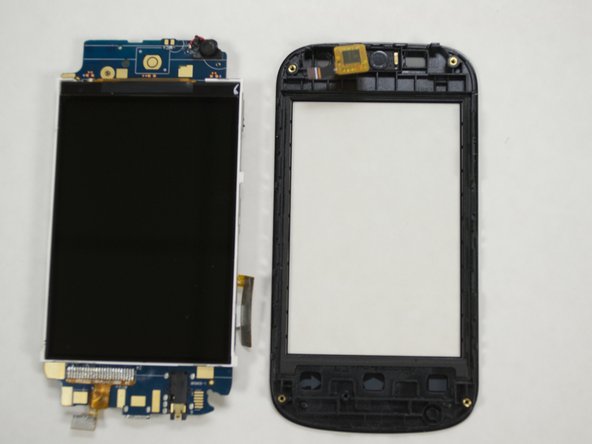
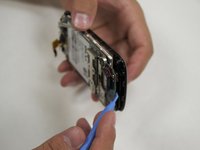
      • Separate the screen cover from the motherboard using the plastic opening tool. And don't forget that your phone can mess up if u separate the motherboard from the screen cover

      • Make sure that the LCD screen stays attached to the motherboard while doing this.

      FixBot'a Sor

      Yorum Ekle

Sonuç

To reassemble your device, follow these instructions in reverse order.

İptal et: Bu kılavuzu tamamlamadım.

5 farklı kişi bu kılavuzu tamamladı.

Nathanael

Üyelik tarihi: 07/23/15

233 İtibar

1 Kılavuz yazıldı

0Kılavuz Yorumları

Yorum Ekle

İstatistikleri Görüntüle:

Son 24 Saat: 1

Son 7 gün: 6

Son 30 gün: 26

Her zaman: 1,490