Ana içeriğe geç
Onarım Topluluğuna Katılın - Hesap Oluşturun

BMS Replacement Replacement

  1. BMS Replacement Replacement, Set up: adım 1, 1 resimden 1.
    • Start with a clean work bench

    • Remove all conductive a tools from your work bench

    • Wear safety glasses

    FixBot'a Sor

    Yorum Ekle

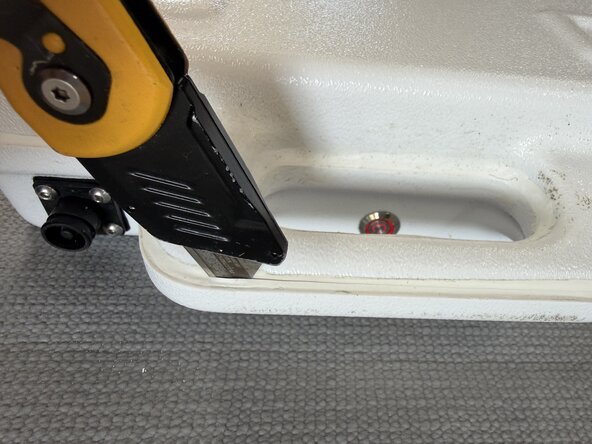
  2. BMS Replacement Replacement, Open the case: adım 2, 3 resimden 1. BMS Replacement Replacement, Open the case: adım 2, 3 resimden 2. BMS Replacement Replacement, Open the case: adım 2, 3 resimden 3.
    • Use a stanley knife to cut though the sealant of the battery case

    • Use caution when doing this

    FixBot'a Sor

    Yorum Ekle

  3. BMS Replacement Replacement, Start opening the case: adım 3, 2 resimden 1. BMS Replacement Replacement, Start opening the case: adım 3, 2 resimden 2.
    • Slowly lever the case apart.

    • Start at the bottom and work your way around to the handle

    FixBot'a Sor

    Yorum Ekle

  4. BMS Replacement Replacement, Completely open the case: adım 4, 3 resimden 1. BMS Replacement Replacement, Completely open the case: adım 4, 3 resimden 2. BMS Replacement Replacement, Completely open the case: adım 4, 3 resimden 3.
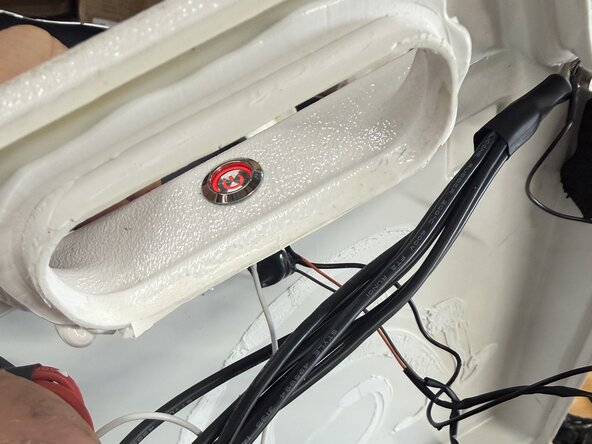
    • Fully open the case

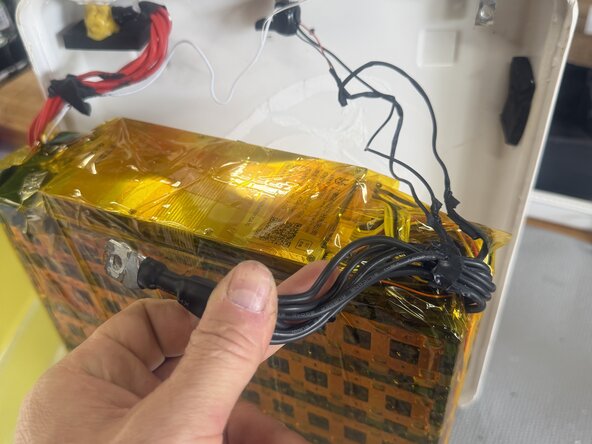
    • The glue is quite strong, use you hand inside to seperate the case from the heat shrink

    • Be careful to not damage the delicate switch wires

    FixBot'a Sor

    Yorum Ekle

  5. BMS Replacement Replacement, Removing the battery pack: adım 5, 3 resimden 1. BMS Replacement Replacement, Removing the battery pack: adım 5, 3 resimden 2. BMS Replacement Replacement, Removing the battery pack: adım 5, 3 resimden 3.
    • Cut off the thick black shrink wrap

    • The main power cables and switch remain connected to the top cover.

    • Gently release and remove the switch cables from any adhesive so that they are not under stain when opening the case.

    • Rest the top cover on a box or similar to prevent staining the cables

    FixBot'a Sor

    Yorum Ekle

  6. BMS Replacement Replacement, Remove heat shrink: adım 6, 3 resimden 1. BMS Replacement Replacement, Remove heat shrink: adım 6, 3 resimden 2. BMS Replacement Replacement, Remove heat shrink: adım 6, 3 resimden 3.
    • Remove the heat shrink from the battery pack.

    • go slowly at the cable end as to not break or stain any thinn switch cables

    FixBot'a Sor

    Yorum Ekle

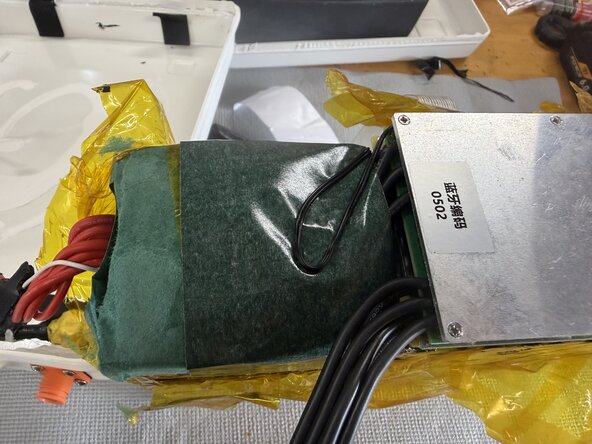
  7. BMS Replacement Replacement: adım 7, 2 resimden 1. BMS Replacement Replacement: adım 7, 2 resimden 2.
    • Remove the fiberglass sheeting from the pack

    FixBot'a Sor

    Yorum Ekle

  8. BMS Replacement Replacement, Remove the negative terminal: adım 8, 2 resimden 1. BMS Replacement Replacement, Remove the negative terminal: adım 8, 2 resimden 2.
    • Remove the negative terminal

    • Cover the negative terminal with tape

    FixBot'a Sor

    Yorum Ekle

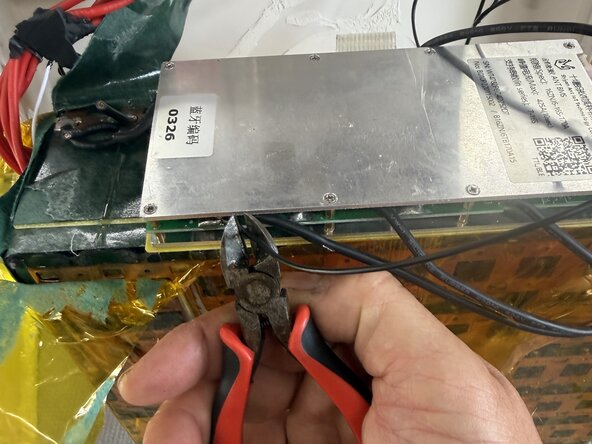
  9. BMS Replacement Replacement, Disconnect old BMS: adım 9, 3 resimden 1. BMS Replacement Replacement, Disconnect old BMS: adım 9, 3 resimden 2. BMS Replacement Replacement, Disconnect old BMS: adım 9, 3 resimden 3.
    • Unplug the 4 connectors from the BMS. these will all be reused. do not cut.

    • Cut the large main negative cables from the BMS. There are 3-4 at each end of the BMS.

    FixBot'a Sor

    Yorum Ekle

  10. BMS Replacement Replacement, Cut switch light wire: adım 10, 2 resimden 1. BMS Replacement Replacement, Cut switch light wire: adım 10, 2 resimden 2.
    • Cut the black switch light wire as close to the BMS as possible.

    • A connector is soldered to this in step 14

    FixBot'a Sor

    Yorum Ekle

  11. BMS Replacement Replacement, Remove old BMS: adım 11, 3 resimden 1. BMS Replacement Replacement, Remove old BMS: adım 11, 3 resimden 2. BMS Replacement Replacement, Remove old BMS: adım 11, 3 resimden 3.
    • Fully remove old BMS

    • Desolder short wires from the main negative

    • Ensure all old solder locations are smooth

    FixBot'a Sor

    Yorum Ekle

  12. BMS Replacement Replacement, Prepare New BMS: adım 12, 3 resimden 1. BMS Replacement Replacement, Prepare New BMS: adım 12, 3 resimden 2. BMS Replacement Replacement, Prepare New BMS: adım 12, 3 resimden 3.
    • Remove fibreglass from old BMS and install on New BMS

    • Locate new BMS as shown

    • Solder main Negatives as shown

    • The new BMS has all of the connections from one end only.

    FixBot'a Sor

    Yorum Ekle

  13. BMS Replacement Replacement: adım 13, 2 resimden 1. BMS Replacement Replacement: adım 13, 2 resimden 2.
    • Only after soldering the main negative plug in the ballance, switch and temperature connections

    • Arrange as neatly as possible to avoid pinch points

    • Tape down to secure BMS in place

    FixBot'a Sor

    Yorum Ekle

  14. BMS Replacement Replacement, Switch light cable: adım 14, 1 resimden 1.
    • The light for the switch is illuminated when the pack is turned.

    • Solder or crimp the eye terminal to the switch light wire that was cut in step 10

    FixBot'a Sor

    Yorum Ekle

  15. BMS Replacement Replacement, Cable Routing: adım 15, 3 resimden 1. BMS Replacement Replacement, Cable Routing: adım 15, 3 resimden 2. BMS Replacement Replacement, Cable Routing: adım 15, 3 resimden 3.
    • The New BMS has different cable routing than the old one

    • Cut a slot in the fibreglass for the for the new BMS cables

    • Wrap the fiberglass sheets back around the BMS

    • Use duct of fiberglass tape close and seal the fiberglass sheets around the battery pack

    FixBot'a Sor

    Yorum Ekle

  16. BMS Replacement Replacement: adım 16, 2 resimden 1. BMS Replacement Replacement: adım 16, 2 resimden 2.
    • Connect the main negative to the terminal on the battery case.

    • Correct order is Terminal - main negative lug - eyelet - bolt

    FixBot'a Sor

    Yorum Ekle

  17. BMS Replacement Replacement, Functionality check: adım 17, 2 resimden 1. BMS Replacement Replacement, Functionality check: adım 17, 2 resimden 2.
    • Turn the switch on and off to check that the red light turns on and off.

    • Check the BMS app to ensure the all cells and connected to the ballance leads

    • Use ant BMS V2 app from the app store

    FixBot'a Sor

    Yorum Ekle

  18. BMS Replacement Replacement, Heat shrink the pack: adım 18, 3 resimden 1. BMS Replacement Replacement, Heat shrink the pack: adım 18, 3 resimden 2. BMS Replacement Replacement, Heat shrink the pack: adım 18, 3 resimden 3.
    • Insert wisdom here.

    FixBot'a Sor

    Yorum Ekle

Sonuç

To reassemble your device, follow these instructions in reverse order.

İptal et: Bu kılavuzu tamamlamadım.

Mark Duyvesteyn

Üyelik tarihi: 02/11/26

1.269 İtibar

6 adet Kılavuz yazıldı

0Kılavuz Yorumları

Yorum Ekle

İstatistikleri Görüntüle:

Son 24 Saat: 0

Son 7 gün: 3

Son 30 gün: 17

Her zaman: 67