Bu çeviri bir makine tarafından oluşturulmuştur ve henüz bir kişi tarafından incelenmemiştir. Bu dili konuşuyor musunuz? İnceleme için.

BlackBerry 7280 batarya konnektörü değişimi

Andrew Catlin ve 5 diğer katkıda bulunanlar
En son 9 Ağu 2026 tarihinde güncellendi
Görüntüleme: 662
İstatistikleri görüntüle:
- Son 24 Saat:
- 6
- Son 7 Gün:
- 13
- Son 30 Gün:
- 42
- Her zaman:
- 662
Yorumlar: 0
Hiç kimse bu kılavuza yorum bırakmadı. Birinci olacak mısın?
Go to guide commentsTamamlandı: 0 1
Hiç kimse bu kılavuzu "tamamlandı" olarak işaretlemedi. İlk mi olacaksın?
1 kişi bu kılavuzu "tamamlandı" olarak işaretledi. Bu sensin - harika iş!
Sık Kullanılanlar: 0 1
Hiç kimse bu kılavuzu favorilere eklemedi (ve abone olmadı). İlk mi olacaksın?
1 kişi bu kılavuzu favorilerine ekledi (ve abone oldu) — ve bu sizsiniz!
Giriş
1. adıma git ↓Batarya konnektörü, bataryayı anakarta bağlar. Bu parça, batarya sorunlarının nedeni olabilir. Bu kılavuz, anakart çıkarıldıktan sonra batarya konnektörünün nasıl değiştirileceğini gösterecektir.
Neye ihtiyacın var
Aletler


-
-
-
Baş parmağınızla BlackBerry 7280'in arka kısmındaki kilit düğmesine bastırın.
-
Arka kapağı cihazdan kaydırarak çıkarın.
 FixBot'a Sor
-
-
-
Lityum iyon bataryayı işaret parmağınızı kullanarak cihazın arka kısmından çıkarın.
-
-
-
-
-
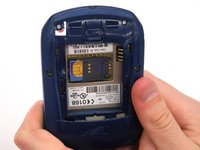
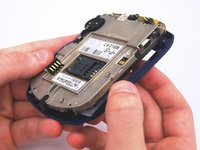
Cihazı iki elinizle tutun.
-
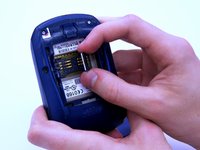
SIM kart yuvasını baş ve işaret parmağınızla kaldırın.
-
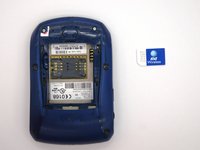
SIM kartı cihazdan çıkarın.
-
-
-
-
-
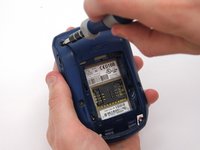
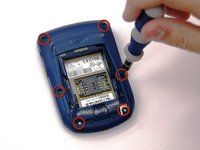
Torx T6 tornavida kullanarak, arka kasadaki altı adet 1/8 inç vidayı (kırmızı ile işaretlenmiş) çıkarın. Vidaları bir kenara koyun.
-
-
-
-
-
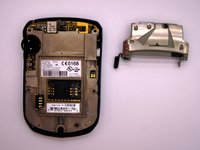
Bir Torx T6 tornavida kullanarak, üst metal braketi daha büyük metal braketin üzerinde tutan tek 1/8 inç vidayı çıkarın. Vidayı ve braketi bir kenara koyun.
-
-
-
-
-
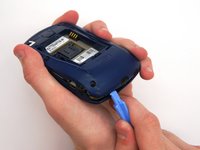
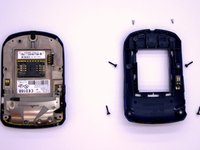
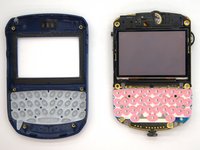
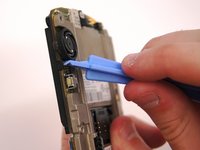
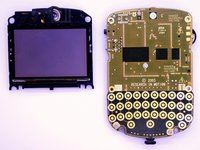
Ekranın, izleme tekerleğine (track-wheel) yakın kenarını açma aletiyle dikkatlice ayırın.
-
-
-
-
-
-
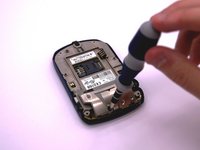
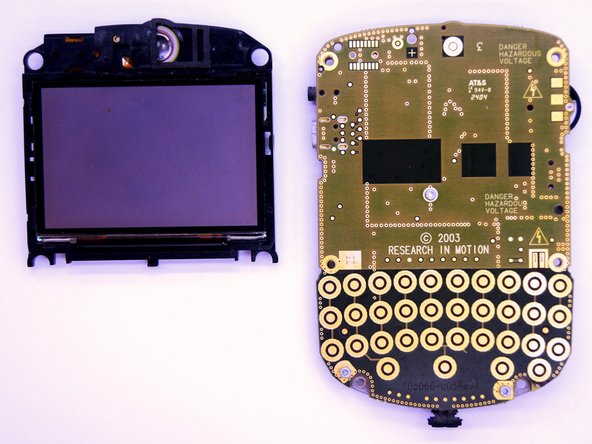
Gösterilen 3 adet 1/8 inçlik vidayı çıkarmak için bir Torx T6 tornavida kullanın.
-
-
-
-
-
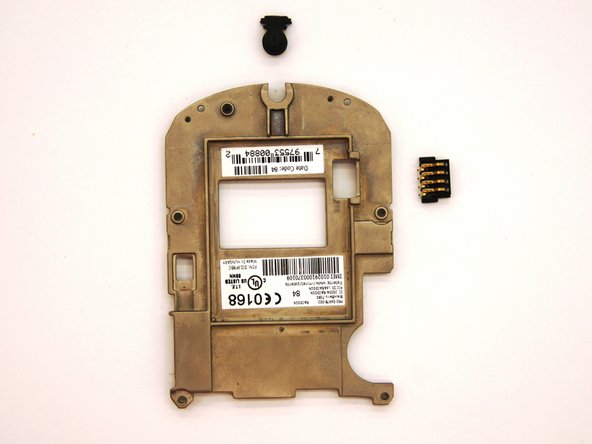
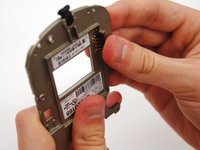
Batarya konnektörünü çıkarmak için elinizle metal braketten dışarı doğru kaydırın.
-
-













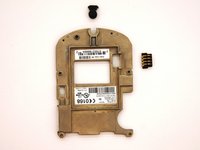
Cihazınızı yeniden toplamak için bu talimatları ters sırada uygulayın.

Ekip

Clemson, Team 12-2, Benson Spring 2013 Clemson, Team 12-2, Benson Spring 2013 üyesi
CLEM-BENSON-S13S12G2
4 Üyeler
120 adet Kılavuz yazıldı
