Ana içeriğe geç
Onarım Topluluğuna Katılın - Hesap Oluşturun

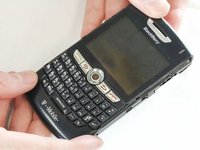
BlackBerry 8820 Trackball Replacement

Neye ihtiyacın var

  1. BlackBerry 8820 Trackball Replacement, Outer Casing: adım 1, 1 resimden 1.
    • Remove the battery cover by applying pressure and sliding the silver square on the back of the phone downwards.

  2. BlackBerry 8820 Trackball Replacement: adım 2, 2 resimden 1. BlackBerry 8820 Trackball Replacement: adım 2, 2 resimden 2.
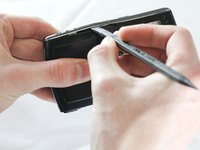
    • Remove the battery by prying under it with your finger or a plastic opening tool.

    • Remove the four small 3/8" long screws using a 1/16" diameter torx screwdriver.

  3. BlackBerry 8820 Trackball Replacement: adım 3, 2 resimden 1. BlackBerry 8820 Trackball Replacement: adım 3, 2 resimden 2.
    • Carefully remove the two plastic side bars using a nylon spudger.

  4. BlackBerry 8820 Trackball Replacement: adım 4, 1 resimden 1.
    • Carefully pry the back casing off with a nylon spudger.

    • There are two small clamps on each edge that need to be unhooked before the casing can come off.

  5. BlackBerry 8820 Trackball Replacement: adım 5, 1 resimden 1.
    • Pry off the front casing.

    • Be cautious of sensors and other sensitive areas of the newly exposed electronics.

  6. BlackBerry 8820 Trackball Replacement, Track Ball: adım 6, 1 resimden 1.
    • After removing the front from the outer casing, the track ball will come off attached to the casing.

  7. BlackBerry 8820 Trackball Replacement: adım 7, 1 resimden 1.
    • Remove the track ball from the front case.

Sonuç

To reassemble your device, follow these instructions in reverse order.

3 farklı kişi bu kılavuzu tamamladı.

ryan

Üyelik tarihi: 04/12/13

44 İtibar

5 adet Kılavuz yazıldı

Ekip

Cal Poly, Team 13-64, Johann Spring 2013 Cal Poly, Team 13-64, Johann Spring 2013 üyesi

CPSU-JOHANN-S13S13G64

4 Üyeler

7 adet Kılavuz yazıldı

0Kılavuz Yorumları

Yorum Ekle

İstatistikleri Görüntüle:

Son 24 Saat: 3

Son 7 gün: 13

Son 30 gün: 38

Her zaman: 1,055