Ana içeriğe geç
Onarım Topluluğuna Katılın - Hesap Oluşturun

BlackBerry Curve 8520 LCD Screen Replacement

Neye ihtiyacın var

    1. BlackBerry Curve 8520 LCD Screen Replacement, Back Panel: adım 1, 2 resimden 1. BlackBerry Curve 8520 LCD Screen Replacement, Back Panel: adım 1, 2 resimden 2.
      • Insert a plastic opening tool into the small notch on the rear cover of the phone.

      • Pry the rear cover up from the phone.

      FixBot'a Sor

      Yorum Ekle

    1. BlackBerry Curve 8520 LCD Screen Replacement, Battery: adım 2, 2 resimden 1. BlackBerry Curve 8520 LCD Screen Replacement, Battery: adım 2, 2 resimden 2.
      • Locate the slit between the top of the battery and the casing.

      • Gently apply pressure on the top of the battery to trigger the spring release.

      FixBot'a Sor

      Yorum Ekle

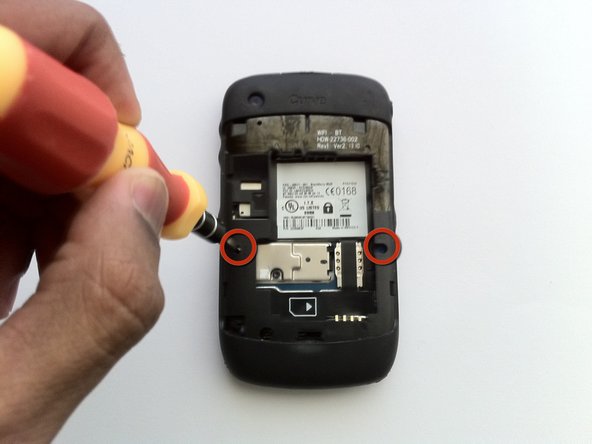
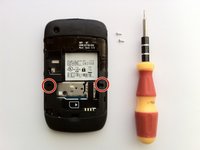
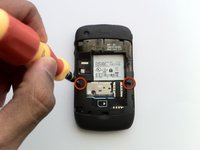
    1. BlackBerry Curve 8520 LCD Screen Replacement, Keyboard Cover: adım 3, 2 resimden 1. BlackBerry Curve 8520 LCD Screen Replacement, Keyboard Cover: adım 3, 2 resimden 2.
      • Remove the two Torx T6 screws to the left and right of the battery.

      FixBot'a Sor

      Yorum Ekle

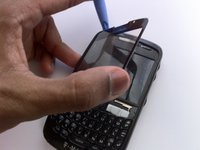
    2. BlackBerry Curve 8520 LCD Screen Replacement: adım 4, 2 resimden 1. BlackBerry Curve 8520 LCD Screen Replacement: adım 4, 2 resimden 2.
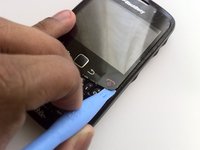
      • Using hairdryer or heat gun, warm the front panel to soften the adhesive beneath.

      • Starting from one side, use a plastic opening tool to pry up the screen cover.

      • Work carefully to avoid bending the screen cover.

      • Once one side is loose, gently peel up the entire cover.

      FixBot'a Sor

      Yorum Ekle

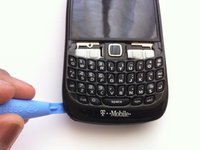
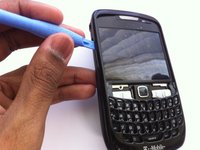
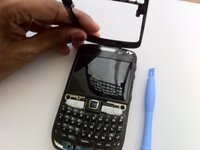
    3. BlackBerry Curve 8520 LCD Screen Replacement: adım 5, 3 resimden 1. BlackBerry Curve 8520 LCD Screen Replacement: adım 5, 3 resimden 2. BlackBerry Curve 8520 LCD Screen Replacement: adım 5, 3 resimden 3.
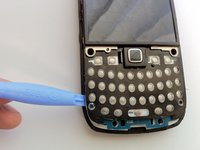
      • Insert the plastic opening tool in the seam along the side of the device.

      • Slide the tool along the length of the seam, applying moderate force with the plastic opening tool.

      • Carefully remove the faceplate.

      FixBot'a Sor

      Yorum Ekle

    4. BlackBerry Curve 8520 LCD Screen Replacement: adım 6, 3 resimden 1. BlackBerry Curve 8520 LCD Screen Replacement: adım 6, 3 resimden 2. BlackBerry Curve 8520 LCD Screen Replacement: adım 6, 3 resimden 3.
      Bu adımda kullanılan alet:
      Tweezers
      $4.99
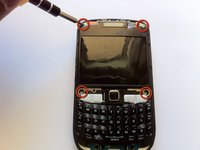
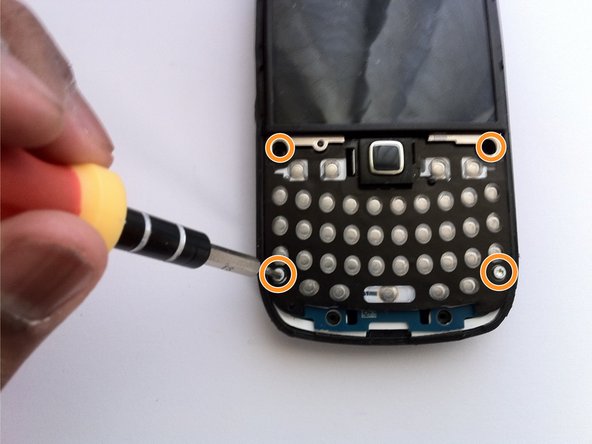
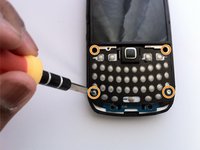
      • Remove four T6 Torx screws from the front of the phone.

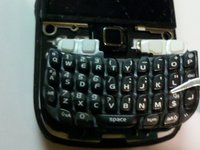
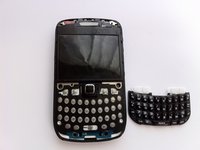
      • Using tweezers, remove the keyboard buttons from the phone.

      FixBot'a Sor

      Yorum Ekle

    1. BlackBerry Curve 8520 LCD Screen Replacement, Motherboard: adım 7, 2 resimden 1. BlackBerry Curve 8520 LCD Screen Replacement, Motherboard: adım 7, 2 resimden 2.
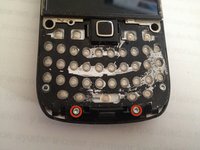
      • Remove the two T6 Torx screws securing the small plastic bracket at the bottom of the phone.

      • Remove the four T6 Torx screws from the corners of the keyboard.

      FixBot'a Sor

      Yorum Ekle

    2. BlackBerry Curve 8520 LCD Screen Replacement: adım 8, 2 resimden 1. BlackBerry Curve 8520 LCD Screen Replacement: adım 8, 2 resimden 2.
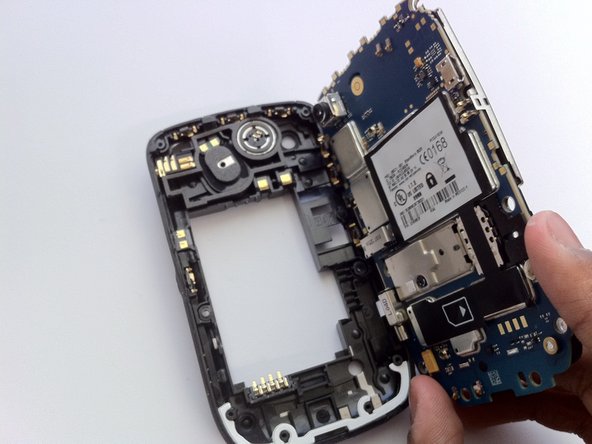
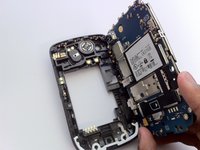
      • Using a plastic opening tool, gently pry the motherboard assembly from the device's frame.

      FixBot'a Sor

      Yorum Ekle

Sonuç

To reassemble your device, follow these instructions in reverse order.

İptal et: Bu kılavuzu tamamlamadım.

12 farklı kişi bu kılavuzu tamamladı.

Matt

Üyelik tarihi: 04/07/11

1.770 İtibar

5 adet Kılavuz yazıldı

Ekip

Cal Poly, Team 9-62, Walters Spring 2011 Cal Poly, Team 9-62, Walters Spring 2011 üyesi

CPSU-WALTERS-S11S9G62

5 Üyeler

45 adet Kılavuz yazıldı

0Kılavuz Yorumları

Yorum Ekle

İstatistikleri Görüntüle:

Son 24 Saat: 1

Son 7 gün: 11

Son 30 gün: 36

Her zaman: 36,444