Ana içeriğe geç
Onarım Topluluğuna Katılın - Hesap Oluşturun

Body Panel Removal

Neye ihtiyacın var

  1. Body Panel Removal, Remove film door: adım 1, 1 resimden 1.
    • Push down the latch to release the film door.

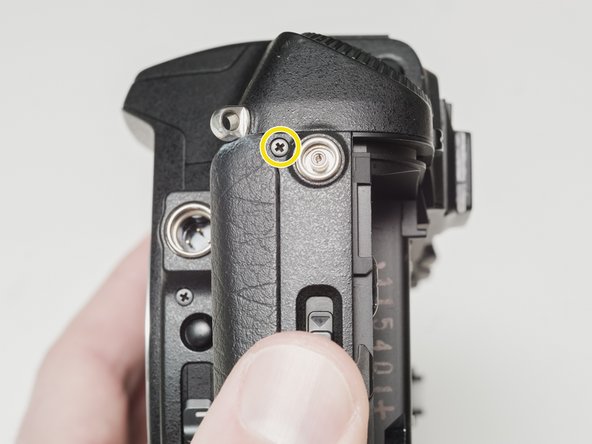
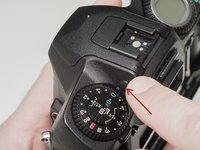
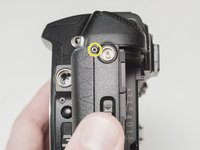
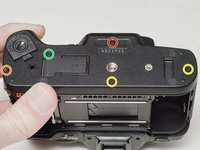
  2. Body Panel Removal, Remove top cover screws: adım 2, 3 resimden 1. Body Panel Removal, Remove top cover screws: adım 2, 3 resimden 2. Body Panel Removal, Remove top cover screws: adım 2, 3 resimden 3.
    • Remove two 7.5 mm #00 screws.

    • Remove one 9.0 mm #00 screw.

    • Remove one 13.5 mm #00 screw from inside the battery compartment.

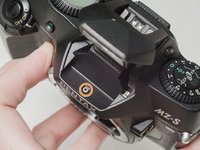
  3. Body Panel Removal, Remove top cover screws: adım 3, 3 resimden 1. Body Panel Removal, Remove top cover screws: adım 3, 3 resimden 2. Body Panel Removal, Remove top cover screws: adım 3, 3 resimden 3.
    • Push the button to pop up the flash.

    • Remove one 3.5 mm #00 screw.

    • Remove one 5.5 mm #00 screw.

  4. Body Panel Removal, Lift top cover: adım 4, 1 resimden 1.
    • Carefully lift the top cover away from the body to access wired connections.

    • The top cover is still connected in several locations.

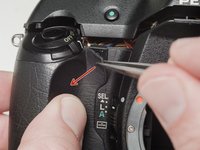
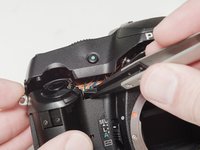
  5. Body Panel Removal, Access flash connections: adım 5, 2 resimden 1. Body Panel Removal, Access flash connections: adım 5, 2 resimden 2.
    • Peel back the corner of the rubber grip.

    • Remove the small plastic cover.

    • Be careful not to short the wires before the flash capacitors have been properly discharged.

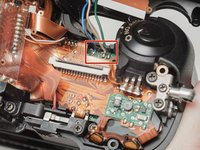
  6. Body Panel Removal, Discharge flash capacitors: adım 6, 1 resimden 1.
    • Use a 1kΩ-10kΩ high power resistor to discharge the capacitor. Place the resistor between the blue wire, exposed in the previous step, and ground.
    • The flash capacitors store energy at a very high voltage. Failing to discharge the capacitors properly could result in personal injury and/or damage to the camera.

  7. Body Panel Removal, Disconnect right flex cable: adım 7, 1 resimden 1.
    • Carefully lift the sides of the white latch.

    • Hold the flex PCB on the camera body in place as you lift to prevent damaging the flex.

  8. Body Panel Removal, Disconnect left flex cable: adım 8, 1 resimden 1.
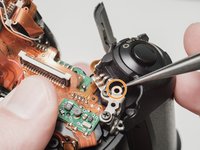
    • Desolder the red wire.

    • Carefully lift the sides of the white latch.

    • Hold the flex PCB on the camera body in place as you lift to prevent damaging the flex.

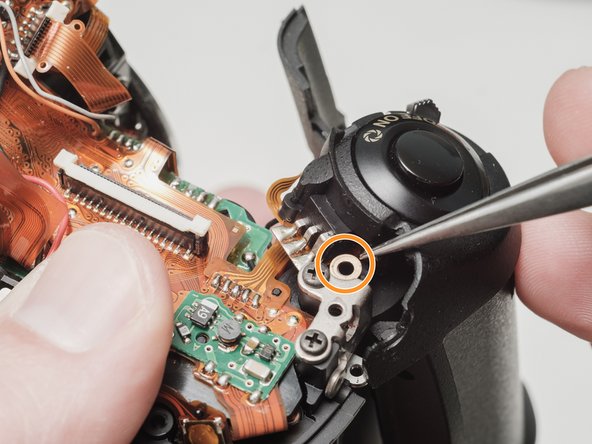
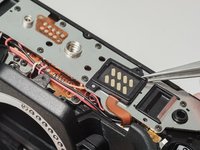
  9. Body Panel Removal, Desolder flash connections: adım 9, 2 resimden 1. Body Panel Removal, Desolder flash connections: adım 9, 2 resimden 2.
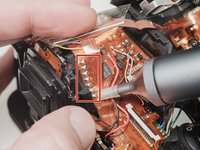
    • Desolder blue, black, brown and green wires.

    • Remove the loose shim washer if present.

  10. Body Panel Removal, Desolder the flash flex cable: adım 10, 2 resimden 1. Body Panel Removal, Desolder the flash flex cable: adım 10, 2 resimden 2.
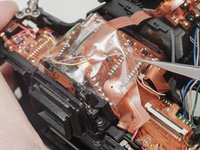
    • Remove the piece of cellophane tape covering the flex connections.

    • Desolder flex connetions.

  11. Body Panel Removal, Remove bottom cover: adım 11, 3 resimden 1. Body Panel Removal, Remove bottom cover: adım 11, 3 resimden 2. Body Panel Removal, Remove bottom cover: adım 11, 3 resimden 3.
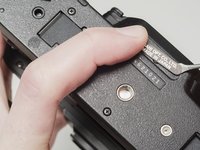
    • Use isopropyl alcohol to soften the adhesive under the country plate and remove.

    • Remove one 5mm #00 screw.

    • Remove one 7.5mm #00 screw.

    • Remove two 4.5mm #00 screws.

    • Remove one 5.5mm #00 screw.

    • Remove the plastic frame around the accessory grip contacts.

    • Reassembly Note: The camera can be checked for functionality at this point. Install the rear door, insert a fresh pair of batteries and try to fire the shutter.

  12. Body Panel Removal, Remove front left cover: adım 12, 1 resimden 1.
    • Remove one 4.0 mm #00 screw.

    • Remove left cover.

  13. Body Panel Removal, Remove front cover: adım 13, 1 resimden 1.
    • Remove front cover.

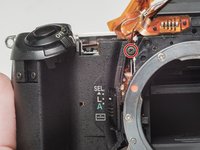
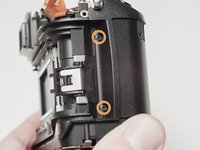
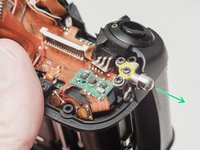
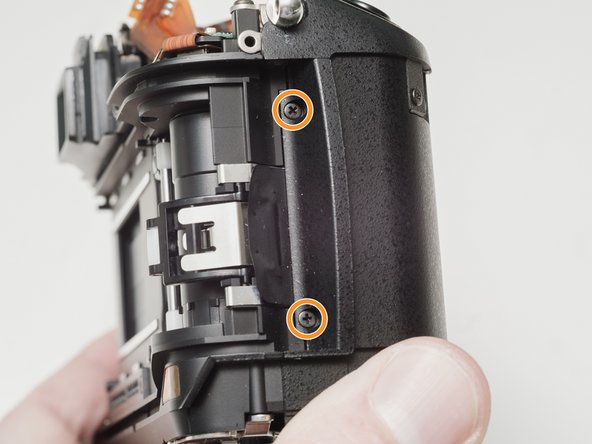
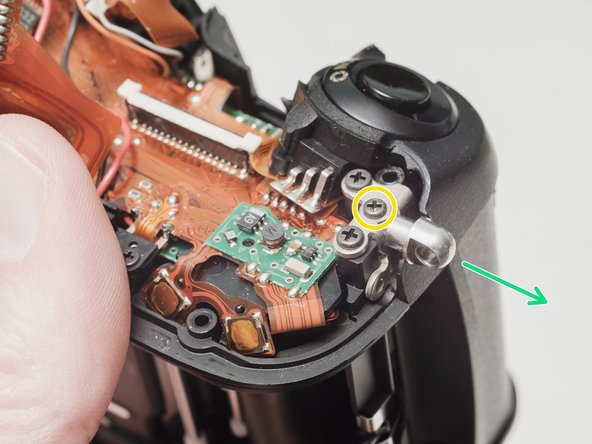
  14. Body Panel Removal, Unscrew front right cover: adım 14, 3 resimden 1. Body Panel Removal, Unscrew front right cover: adım 14, 3 resimden 2. Body Panel Removal, Unscrew front right cover: adım 14, 3 resimden 3.
    • Remove one 6.0 mm #00 screw.

    • Remove two 3.5 mm #00 screws.

    • Remove one 5.0 mm #00 screw.

    • Remove the strap lug.

  15. Body Panel Removal, Remove the front right cover: adım 15, 1 resimden 1.
    • Carefully pull the right panel away from the body. It is still attached.

    • Desolder the flex connections.

Sonuç

To reassemble your device, follow these instructions in reverse order.

Sam Gustafson

Üyelik tarihi: 09/01/22

10.476 İtibar

57 adet Kılavuz yazıldı

0Kılavuz Yorumları

Yorum Ekle

İstatistikleri Görüntüle:

Son 24 Saat: 0

Son 7 gün: 5

Son 30 gün: 18

Her zaman: 375