Ana içeriğe geç
Onarım Topluluğuna Katılın - Hesap Oluşturun

Bose SoundTouch 20 Motherboard Replacement

Neye ihtiyacın var

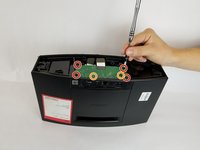
  1. Bose SoundTouch 20 Motherboard Replacement, Motherboard: adım 1, 2 resimden 1. Bose SoundTouch 20 Motherboard Replacement, Motherboard: adım 1, 2 resimden 2.
    • Remove the (6) six 1.5mm Phillips screws holding on the bottom cover of the speaker using a Phillips #0 screwdriver.

    • Lift the cover straight up and set the cover aside.

    FixBot'a Sor

    Yorum Ekle

  2. Bose SoundTouch 20 Motherboard Replacement: adım 2, 2 resimden 1. Bose SoundTouch 20 Motherboard Replacement: adım 2, 2 resimden 2.
    • Gently pull the white ribbon from the connector on the top side of the power board.

    • Make sure to pull straight back so you don't bend or damage the ribbon.

    FixBot'a Sor

    Yorum Ekle

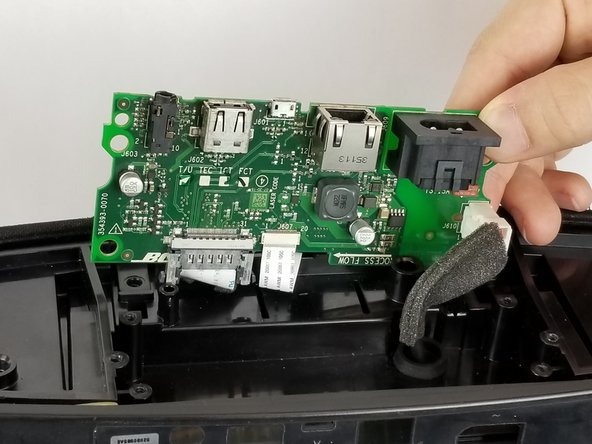
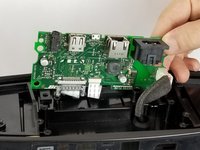
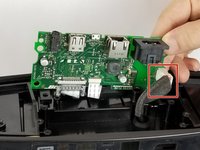
  3. Bose SoundTouch 20 Motherboard Replacement: adım 3, 2 resimden 1. Bose SoundTouch 20 Motherboard Replacement: adım 3, 2 resimden 2.
    • Remove the (4) four 1.5 cm screws connecting the power board to the speaker.

    • Remove the (2) two 1 cm screws connecting the power board to the speaker.

    • Gently lift the board up.

    • When lifting the board, be careful of the two ribbons located underneath the board. Don't lift the board straight up, instead tilt it towards the cables. As shown in picture 2.

    FixBot'a Sor

    Yorum Ekle

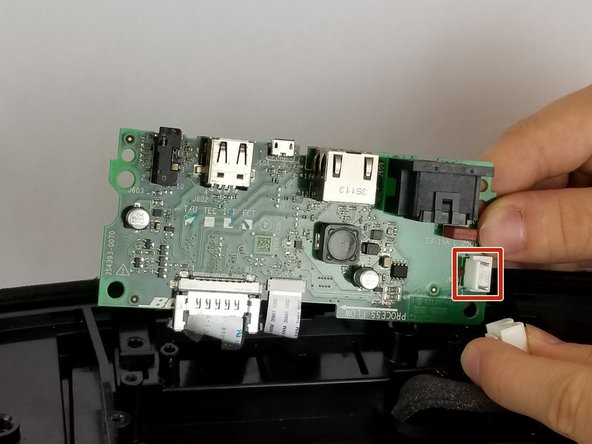
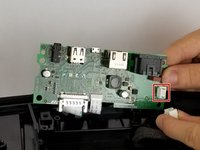
  4. Bose SoundTouch 20 Motherboard Replacement: adım 4, 2 resimden 1. Bose SoundTouch 20 Motherboard Replacement: adım 4, 2 resimden 2.
    • Remove the white cable by pressing on the side of the connector with a tab and pulling backwards.

    FixBot'a Sor

    Yorum Ekle

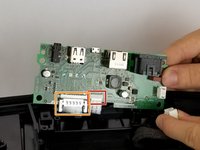
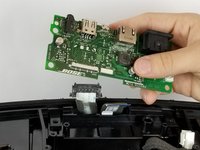
  5. Bose SoundTouch 20 Motherboard Replacement: adım 5, 2 resimden 1. Bose SoundTouch 20 Motherboard Replacement: adım 5, 2 resimden 2.
    • Gently pull the thinner white ribbon towards the center of the board.

    • Pull straight down to prevent bending or damaging the ribbon.

    • Squeeze the plastic sides of the plug and pull straight down to remove this ribbon.

    • Remove the motherboard.

    FixBot'a Sor

    Yorum Ekle

Sonuç

To reassemble your device, follow these instructions in reverse order.

İptal et: Bu kılavuzu tamamlamadım.

5 farklı kişi bu kılavuzu tamamladı.

Daniel Talanga

Üyelik tarihi: 09/28/17

381 İtibar

2 adet Kılavuz yazıldı

Ekip

USF Tampa, Team S11-G3, Passmore Fall 2017 USF Tampa, Team S11-G3, Passmore Fall 2017 üyesi

USFT-PASSMORE-F17S11G3

4 Üyeler

11 adet Kılavuz yazıldı

8Kılavuz Yorumları

But how do I purchase a new motherboard?

Donald Weber - Yanıt Paylaş

Thank you for excellent information and instruction. Can you please send some link to order a new motherboard?

leo.benjamin - Yanıt Paylaş

Thank you for the tutorial. How do I purchase a new motherboard ?

benjamin lozano - Yanıt Paylaş

Any known place to purchase a replacement board?

Marceli Palak - Yanıt Paylaş

Any luck with a place to purchase a replcement board ?

Henry - Yanıt Paylaş

Yorum Ekle

İstatistikleri Görüntüle:

Son 24 Saat: 5

Son 7 gün: 18

Son 30 gün: 96

Her zaman: 10,431