Ana içeriğe geç

Bugani M83 wireless speaker Battery Replacement

Neye ihtiyacın var

  1. Bugani M83 wireless speaker Battery Replacement, Battery: adım 1, 3 resimden 1. Bugani M83 wireless speaker Battery Replacement, Battery: adım 1, 3 resimden 2. Bugani M83 wireless speaker Battery Replacement, Battery: adım 1, 3 resimden 3.
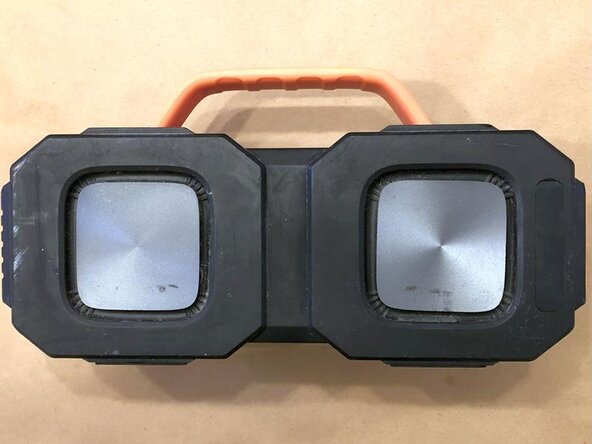
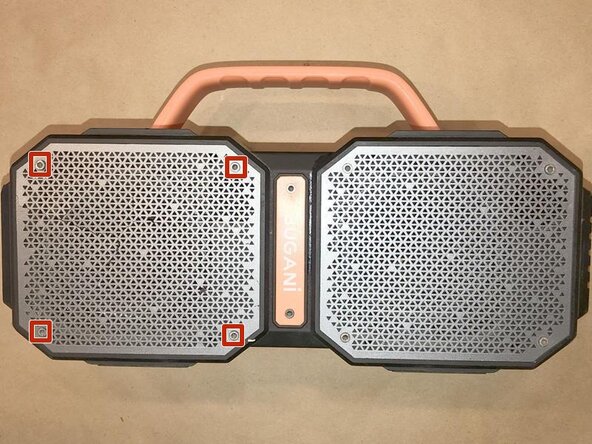
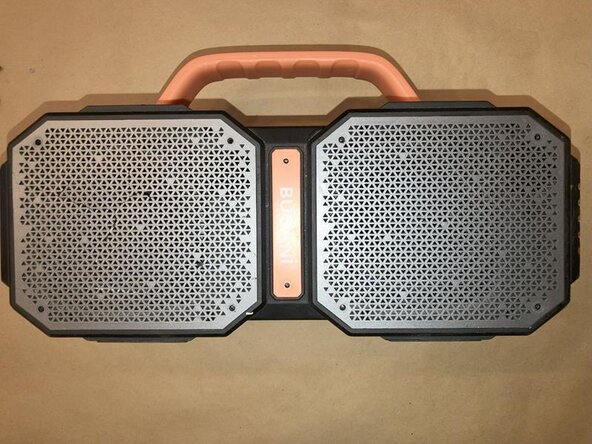
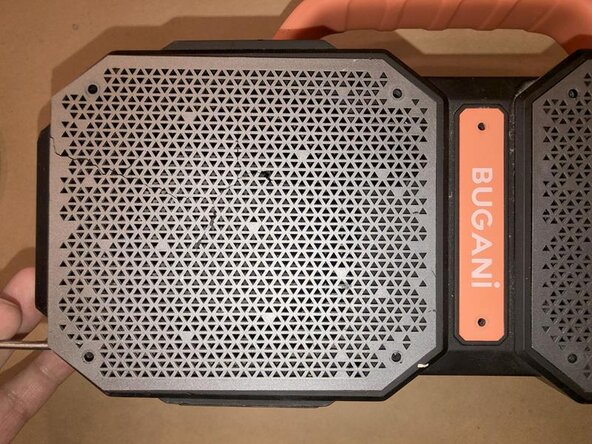
    • A well used Bugani M83. Quick inspection to check for any hidden screws etc. Only ones visible are on the 2 speaker grilles as well as the name tag in the center

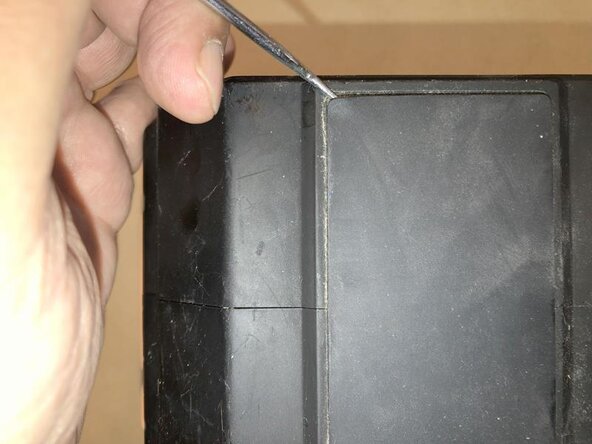
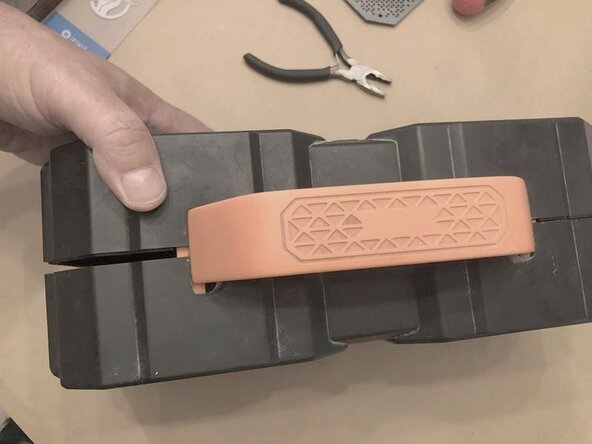
    • Top view only shows the handle with a center seam of two halves for the case.

    • No visible or hidden screws on the back side either.

  2. Bugani M83 wireless speaker Battery Replacement: adım 2, 3 resimden 1. Bugani M83 wireless speaker Battery Replacement: adım 2, 3 resimden 2. Bugani M83 wireless speaker Battery Replacement: adım 2, 3 resimden 3.
    • Same on the bottom. There are two rubber pads acting a some sort of footings. Continues seam for the two case halves.

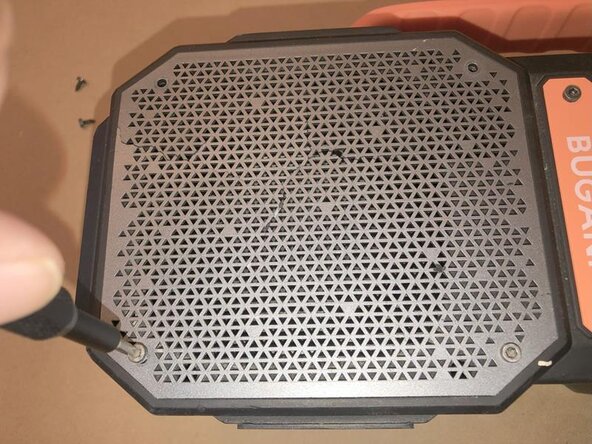
    • These are the 4 Allen screws that are going to be removed

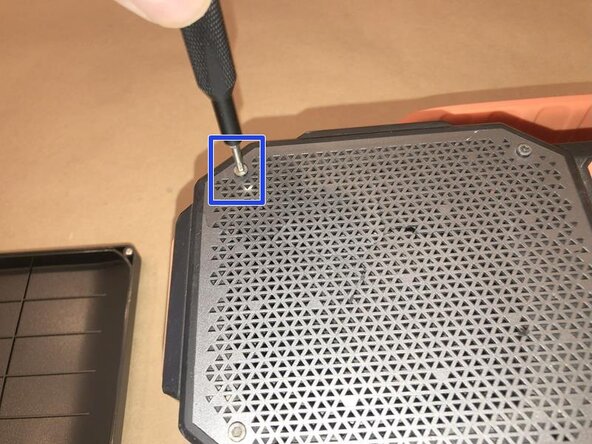
    • To remove those screws use a 2.5mm Allen wrench

  3. Bugani M83 wireless speaker Battery Replacement: adım 3, 3 resimden 1. Bugani M83 wireless speaker Battery Replacement: adım 3, 3 resimden 2. Bugani M83 wireless speaker Battery Replacement: adım 3, 3 resimden 3.
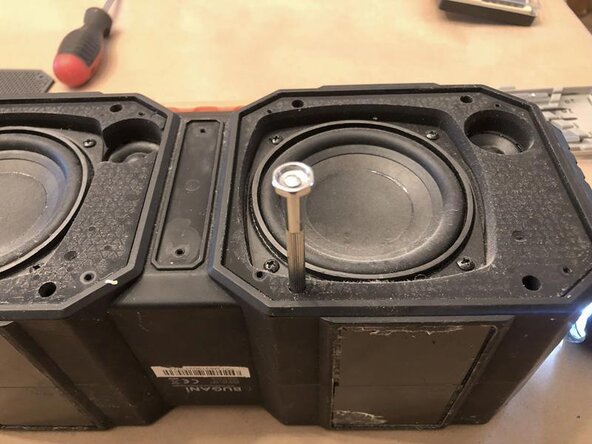
    • Continue to remove all 4 of those screws

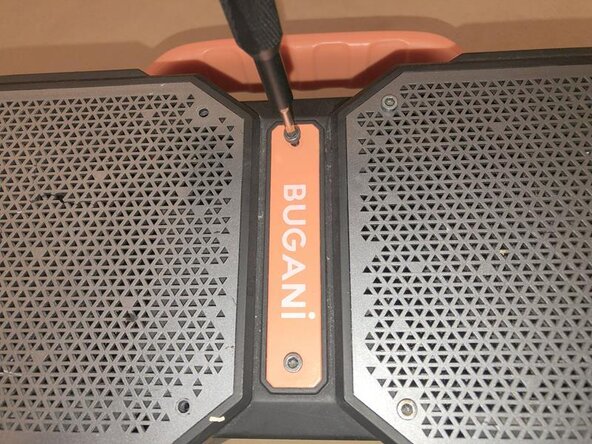
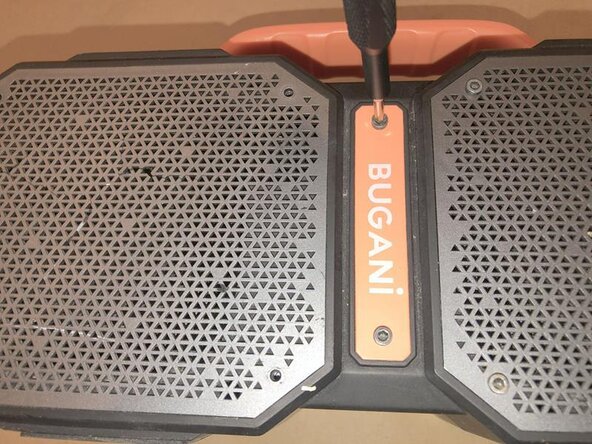
    • Next remove the ones for the name tag

    • and then the 4 screws on the second speaker grille.

  4. Bugani M83 wireless speaker Battery Replacement: adım 4, 3 resimden 1. Bugani M83 wireless speaker Battery Replacement: adım 4, 3 resimden 2. Bugani M83 wireless speaker Battery Replacement: adım 4, 3 resimden 3.
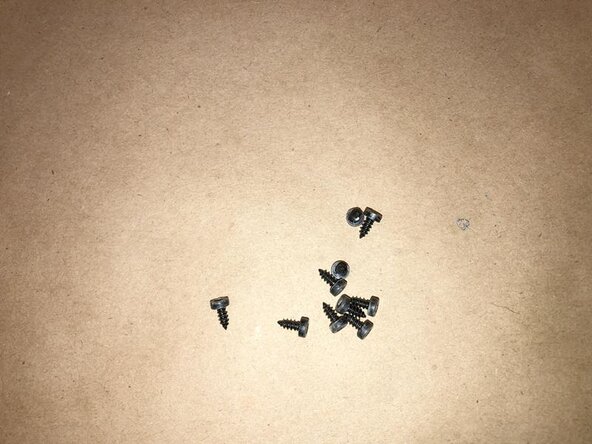
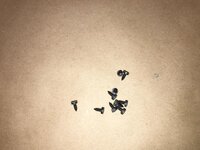
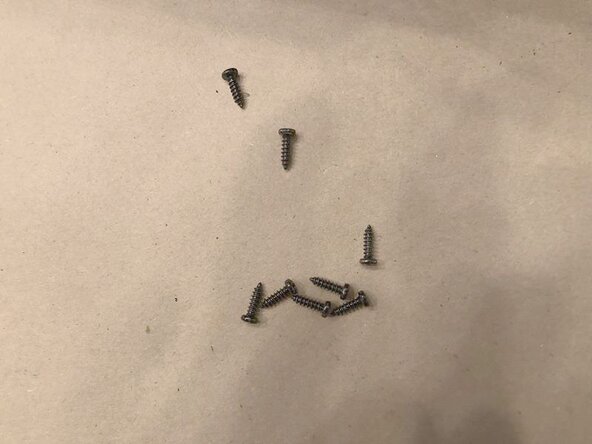
    • All 10 screws removed

    • The screws are all identical so no need to keep them separated

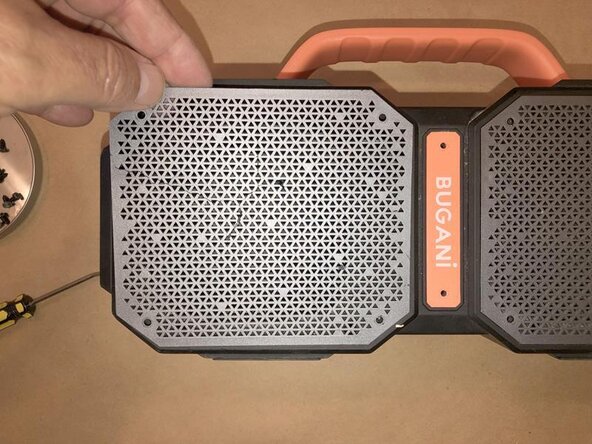
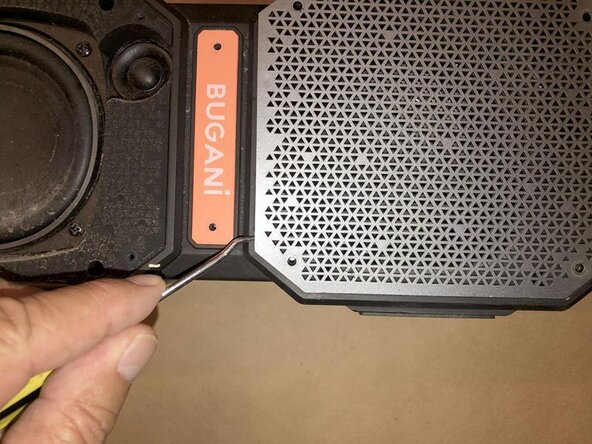
    • To remove the grille use a pointed tool, in this case a simple pick is being used. Since we do not know if there is any adhesive being used, gently press the point between the grille and the case.

  5. Bugani M83 wireless speaker Battery Replacement: adım 5, 3 resimden 1. Bugani M83 wireless speaker Battery Replacement: adım 5, 3 resimden 2. Bugani M83 wireless speaker Battery Replacement: adım 5, 3 resimden 3.
    • Continue to move the tool along the grille to remove it form the case. No adhesive between the grille and the case.

    • Once the grille has been release form the case, it can simply be lifted away.

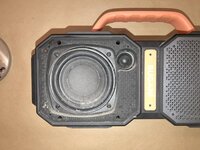
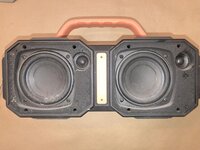
    • Speaker is now visible without the grille.

  6. Bugani M83 wireless speaker Battery Replacement: adım 6, 3 resimden 1. Bugani M83 wireless speaker Battery Replacement: adım 6, 3 resimden 2. Bugani M83 wireless speaker Battery Replacement: adım 6, 3 resimden 3.
    • Same idea on the other side. Use a pick...

    • slide it long the grille

    • remove the grille when it is loose.

  7. Bugani M83 wireless speaker Battery Replacement: adım 7, 3 resimden 1. Bugani M83 wireless speaker Battery Replacement: adım 7, 3 resimden 2. Bugani M83 wireless speaker Battery Replacement: adım 7, 3 resimden 3.
    • Last thing to remove is the name tag. No idea if there is any kind of screw etc. that will hold the case together, but we are not taking any chances :-)

    • It uses the same 2.5mm Allen bit for removal of the screws.

    • Next pop the name tag off with a pick as well

  8. Bugani M83 wireless speaker Battery Replacement: adım 8, 3 resimden 1. Bugani M83 wireless speaker Battery Replacement: adım 8, 3 resimden 2. Bugani M83 wireless speaker Battery Replacement: adım 8, 3 resimden 3.
    • Now time to focus on the bottom. Again we do not know yet if there are any screws etc. that may keep the case together.

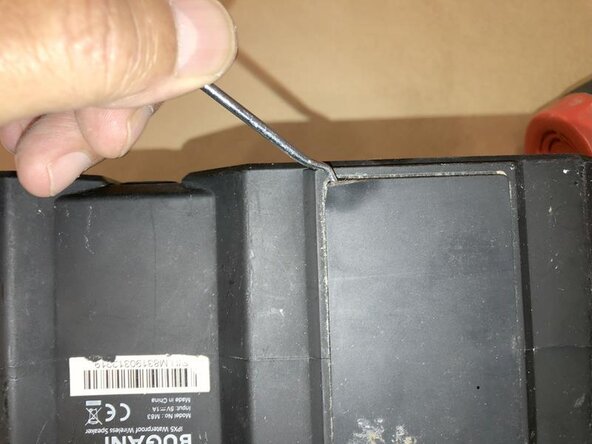
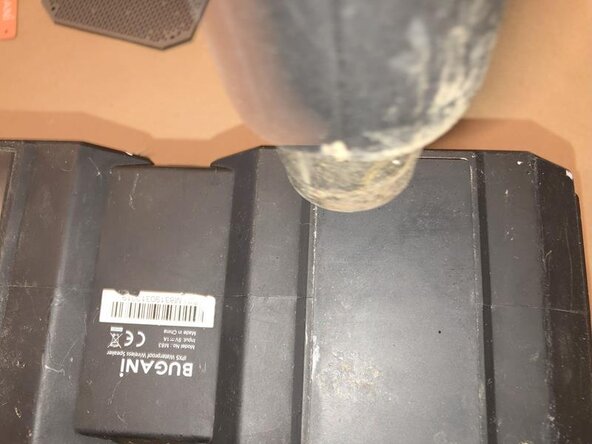
    • Now, the rubber feet are glued to the case. Use a pick or similar tool to lift a corner of the rubber foot to see if it comes off easily. In this case it did not. There was quite a bit of adhesive being used. Also, the device is not mine and I do not like to damage other peoples property ;-)

    • Here we used a hot air gun to loosen the adhesive. A good hair dryer will also be a acceptable tool.

  9. Bugani M83 wireless speaker Battery Replacement: adım 9, 3 resimden 1. Bugani M83 wireless speaker Battery Replacement: adım 9, 3 resimden 2. Bugani M83 wireless speaker Battery Replacement: adım 9, 3 resimden 3.
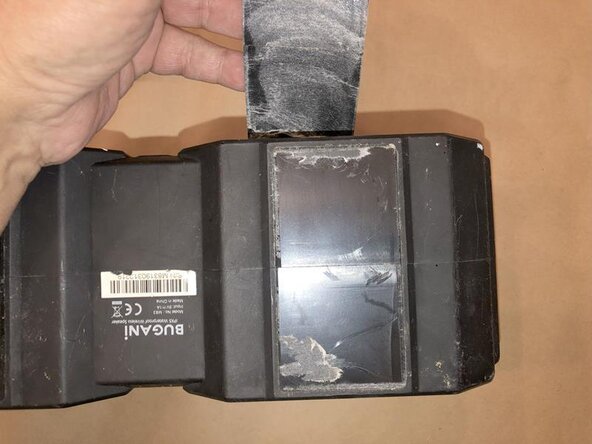
    • Once the glue is warmed up enough to soften use something like a putty knife and insert that between the rubber footing and the speaker case.

    • Keep pushing gently so as not to rip the rubber footing. Again, I do nto like to cause more damage :-)

    • If the putty handle should no longer slide easily, use more heat to soften the glue. Finally the rubber will come clean off without any rips in the rubber foot.

  10. Bugani M83 wireless speaker Battery Replacement: adım 10, 3 resimden 1. Bugani M83 wireless speaker Battery Replacement: adım 10, 3 resimden 2. Bugani M83 wireless speaker Battery Replacement: adım 10, 3 resimden 3.
    • Repeat the steps on the other side. Loosen the edge with a pick or similar

    • Apply just enough heat to soften the adhesive

    • Use a putty knife or similar tool to release the rubber footing form the case.

  11. Bugani M83 wireless speaker Battery Replacement: adım 11, 3 resimden 1. Bugani M83 wireless speaker Battery Replacement: adım 11, 3 resimden 2. Bugani M83 wireless speaker Battery Replacement: adım 11, 3 resimden 3.
    • Important part here is that here are no hidden screws or tabs that may hold the case together.

    • Next will focus on the membrane for the switches.

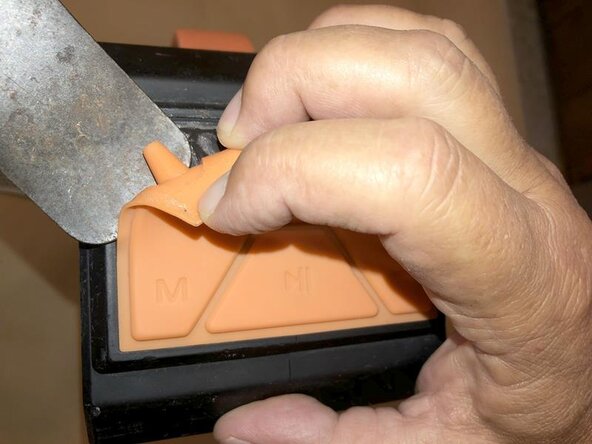
    • Using a pick or similar tool, gently loosen and lift an edge from the membrane away from the case. Yup, it's glued :-)

  12. Bugani M83 wireless speaker Battery Replacement: adım 12, 3 resimden 1. Bugani M83 wireless speaker Battery Replacement: adım 12, 3 resimden 2. Bugani M83 wireless speaker Battery Replacement: adım 12, 3 resimden 3.
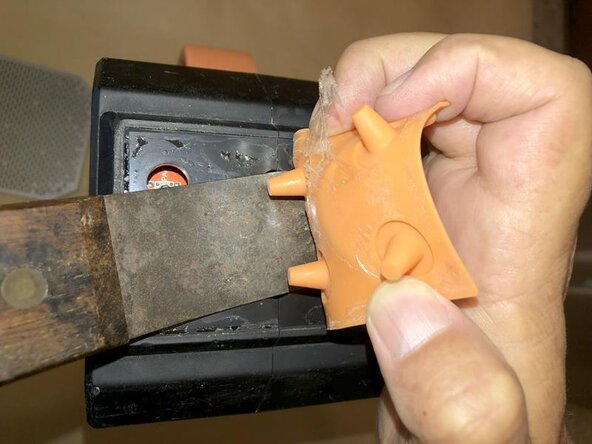
    • The adhesive on here is not as thick as it was on the rubber footing. Insert a putty knife, or similar tool, at one corner

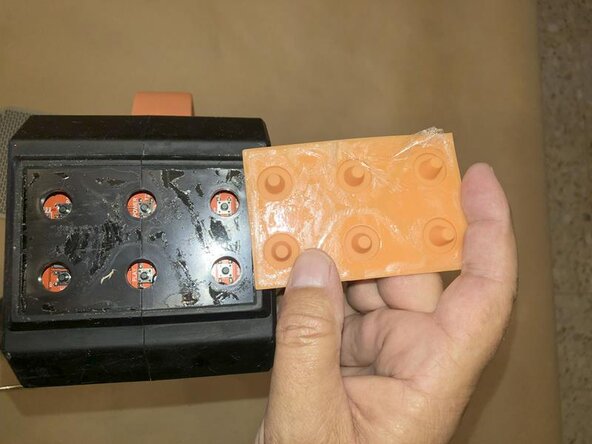
    • and keep slowly moving it forward to release the glue. There are 1/2"pegs in the membrane that reach through the case to the switches.

    • Avoid damaging those while using the putty knife when removing the membrane. Push the putty knife with one hand while you move the membrane with the other one

  13. Bugani M83 wireless speaker Battery Replacement: adım 13, 3 resimden 1. Bugani M83 wireless speaker Battery Replacement: adım 13, 3 resimden 2. Bugani M83 wireless speaker Battery Replacement: adım 13, 3 resimden 3.
    • Membrane was successfully removed without any damage. Again, no screws or tabs visible.

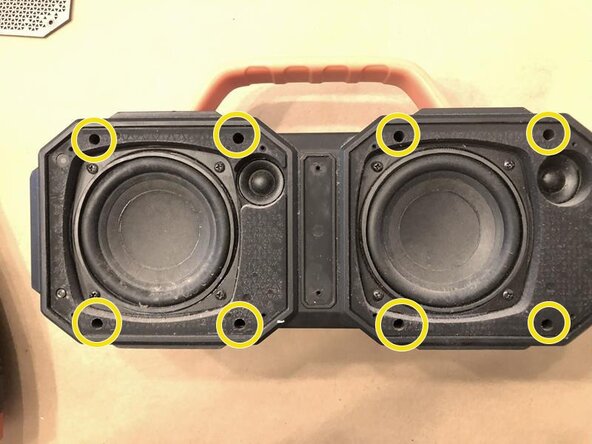
    • Since the screws that held the two speaker grilles, as well as the name tag, are two short to hold the case together, there had to be more. We found those in the deep recesses of the front cover.

    • to remove those, we use a Phillips #00 precision screwdriver

  14. Bugani M83 wireless speaker Battery Replacement: adım 14, 3 resimden 1. Bugani M83 wireless speaker Battery Replacement: adım 14, 3 resimden 2. Bugani M83 wireless speaker Battery Replacement: adım 14, 3 resimden 3.
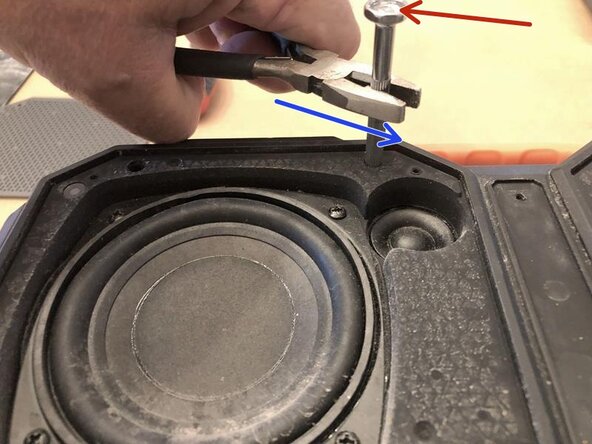
    • These screws are deep and are not very well visualized. You will need to go "by feel" to ensure the screwdriver is well engaged. Now is not the time to ruin the screwhead.

    • Sine these are deep, make sure the screwdriver is properly engaged into the screwhead.

    • Then apply some downward pressure on the screwdriver with your thumb and use a pair of pliers or similar tool, to loose the screws. Keep the downward pressure applied to avoid slipping the screwdriver out. Consider using a longer screwdriver to get more torque applied.

  15. Bugani M83 wireless speaker Battery Replacement: adım 15, 3 resimden 1. Bugani M83 wireless speaker Battery Replacement: adım 15, 3 resimden 2. Bugani M83 wireless speaker Battery Replacement: adım 15, 3 resimden 3.
    • Continue to loosen the rest of the screws.

    • Since these are fairly deep into the case, they may not all come immediately out. It may be necessary to tilt the device a bit to get all of the screws out. that way you know you got them all.

    • All 8 screws are identical with each other. They are not identical to the screws for the speaker grille. Keep those 2 sets separated.

  16. Bugani M83 wireless speaker Battery Replacement: adım 16, 3 resimden 1. Bugani M83 wireless speaker Battery Replacement: adım 16, 3 resimden 2. Bugani M83 wireless speaker Battery Replacement: adım 16, 3 resimden 3.
    • With the last 8 screws removed, the case can now be separated.

    • Amazingly enough, no further adhesive was being used on the device.

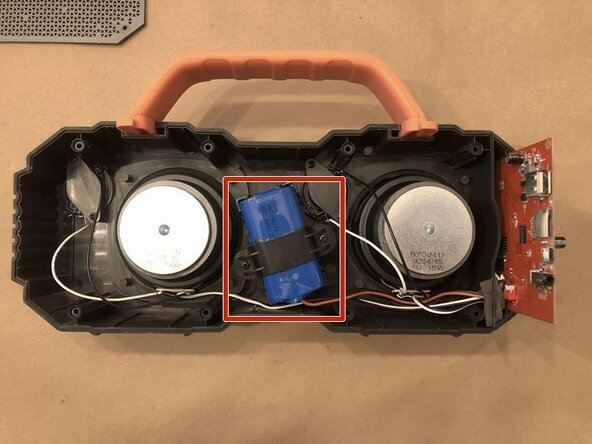
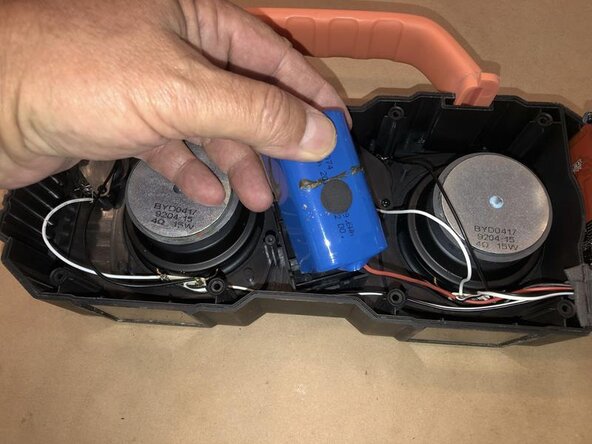
    • Now with the back cover removed, the inside of the speaker is clearly visible. Really not much there :-) The blue component is the battery. The control board is on the right and the rest are the speakers. Pretty clean and fairly well organized.

  17. Bugani M83 wireless speaker Battery Replacement: adım 17, 3 resimden 1. Bugani M83 wireless speaker Battery Replacement: adım 17, 3 resimden 2. Bugani M83 wireless speaker Battery Replacement: adım 17, 3 resimden 3.
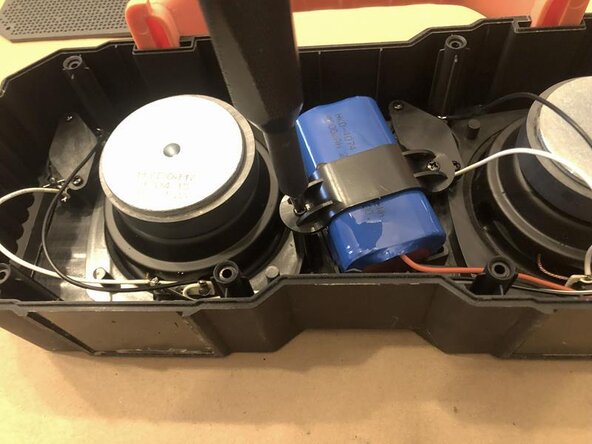
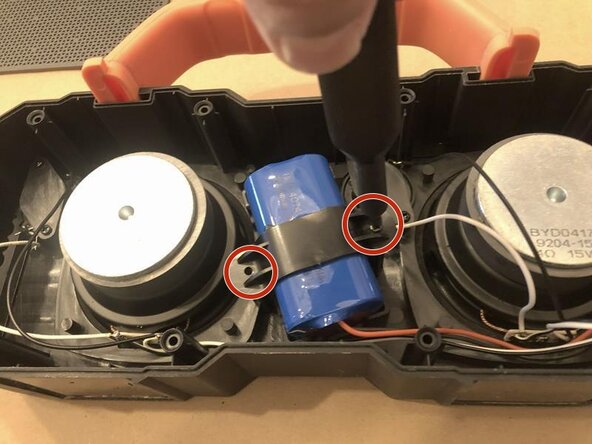
    • The battery is held in place via a plastic clamp.

    • Remove the 2 PH0 screws to remove the top of the clamp

    • and then the battery can simply be lifted out.

  18. Bugani M83 wireless speaker Battery Replacement: adım 18, 3 resimden 1. Bugani M83 wireless speaker Battery Replacement: adım 18, 3 resimden 2. Bugani M83 wireless speaker Battery Replacement: adım 18, 3 resimden 3.
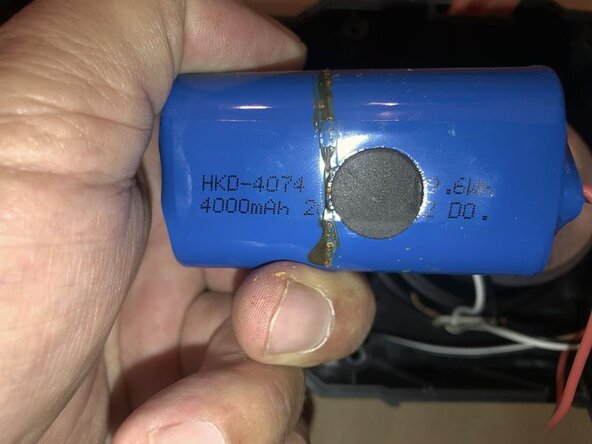
    • The battery is a HKD-4074 7.4v 29.6Wh 4000mAh and does seem to be a bit hard to find. Dimension are 40mm x 40mmx 70mm. We may just have to consider building our own :-)

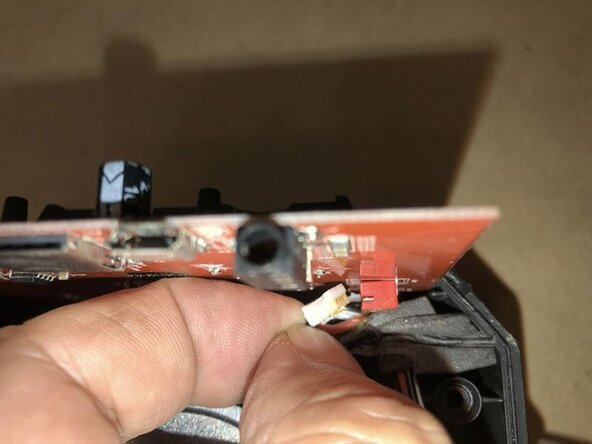
    • The battery is connect to the control board via a small connector.

    • Gently pull that out from the board connector. Pull on the connector and not the cable. Since the connector is fairly small, you want to make sure to not damage the cable or the board connector.

  19. Bugani M83 wireless speaker Battery Replacement: adım 19, 2 resimden 1. Bugani M83 wireless speaker Battery Replacement: adım 19, 2 resimden 2.
    • Once the connector is released from the board, pull the battery cable through the case.

    • Now the battery can be removed.

Sonuç

To reassemble your device, follow these instructions in reverse order.

A quick online search showed that the battery is available at some places, but the cost is pretty outrageous. According to my colleague, who is the owner of this, the original cost for this speaker was somewhere around the $110 USD at a large US retailer. The cost for a replacement battery is around $60 USD. No way! We will go ahead and build our own and safe some of our hard earned money. More to come on this one.

Repair is War on Entropy!

oldturkey03

Üyelik tarihi: 09/29/10

835.623 İtibar

123 adet Kılavuz yazıldı

0Kılavuz Yorumları

Yorum Ekle

İstatistikleri Görüntüle:

Son 24 Saat: 1

Son 7 gün: 8

Son 30 gün: 10

Her zaman: 17