Giriş
I recently had to change the battery of my Casio fx-570MS Scientific Calculator. I have been using this calculator since the 7th grade and found it difficult to part with just because the battery needed replacement.
Most engineers and aspiring engineers like myself also become very fond and attached to their equipment, including calculators.
The CASIO fx-570MS is not sold in North America, but it is a very popular model with international students coming to Canada and the United States from Asian, Middle Eastern, and North African countries. Such students will greatly appreciate a guide to replace the battery of their beloved calculator easily.
Also, most international students coming to Canada and the United States from developing countries are not in the habit of performing technical repairs while in their home countries. Semi-skilled and informal labour is readily available, often performing simple repairs at rates cheaper than buying a replacement. However, the dynamics change when in North America. Technical repairs often cost more than buying a replacement.
Given these devices' sentimental nature, as already explained, some may prefer to replace the battery and continue using their calculators. Given instructions are readily available.
Good Luck and Happy Fixing!!
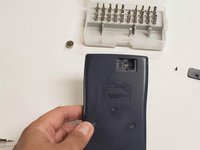
Neye ihtiyacın var
-
-
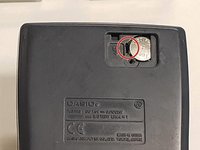
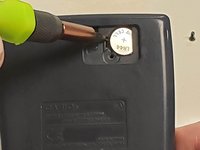
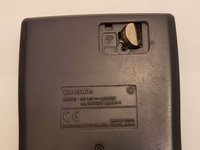
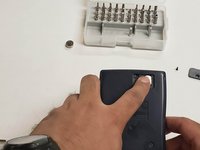
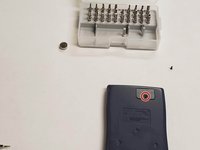
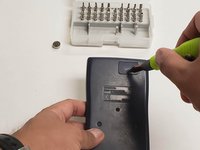
Remove the screw from the battery hatch on the top-right corner using a 1.5 mm slotted screwdriver.
-
Remove the battery hatch.
-
-
-
-
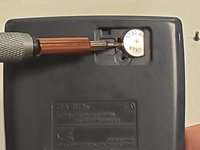
Insert a spudger into the dent to the left of the battery until it hits the bottom of the panel board.
-
To create leverage, gently push the spudger towards the bottom of the battery (pushing your hand downwards and towards the back cover if necessary) to lift the battery out of its compartment.
-
-
-
Make sure the flat side of the battery is facing upwards.
-
To finish inserting the new battery into the battery compartment, gently press the bulged corner with your finger until it slides into place.
-
-
-
Flip the calculator on its back and press the 'ON' button to power it up.
-
A zero will appear on the bottom right corner of the LED display.
-


 FixBot'a Sor








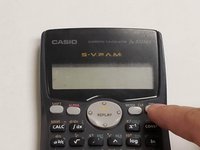
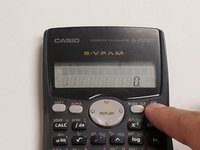
Your beloved CASIO fx-570MS Scientific Calculator is good to go for another few years.
İptal et: Bu kılavuzu tamamlamadım.
3 farklı kişi bu kılavuzu tamamladı.

Ekip

York University, Team S3-G40, Melo-Thaiss Fall 2020 York University, Team S3-G40, Melo-Thaiss Fall 2020 üyesi
YORK-MELO-THAISS-F20S3G40
1 Üye
5 adet Kılavuz yazıldı
