Ana içeriğe geç
Onarım Topluluğuna Katılın - Hesap Oluşturun

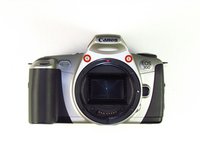
Canon EOS 300 Front Panel Replacement

Neye ihtiyacın var

    1. Canon EOS 300 Front Panel Replacement, Batteries: adım 1, 3 resimden 1. Canon EOS 300 Front Panel Replacement, Batteries: adım 1, 3 resimden 2. Canon EOS 300 Front Panel Replacement, Batteries: adım 1, 3 resimden 3.
      • Open up the battery door.

      FixBot'a Sor
      Yorum Ekle

    2. Canon EOS 300 Front Panel Replacement: adım 2, 2 resimden 1. Canon EOS 300 Front Panel Replacement: adım 2, 2 resimden 2.
      • Remove the batteries from the camera by sliding them out into your palm.

      FixBot'a Sor
      Yorum Ekle

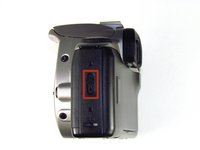
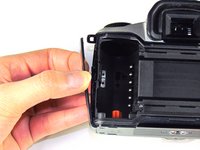
    1. Canon EOS 300 Front Panel Replacement, Side Panel with Lever: adım 3, 2 resimden 1. Canon EOS 300 Front Panel Replacement, Side Panel with Lever: adım 3, 2 resimden 2.
      • Release the side latch to open the back panel.

      FixBot'a Sor

      Yorum Ekle

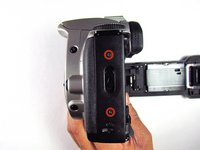
    2. Canon EOS 300 Front Panel Replacement: adım 4, 2 resimden 1. Canon EOS 300 Front Panel Replacement: adım 4, 2 resimden 2.
      • Remove the two black 4.5mm screws above and below the latch.

      FixBot'a Sor

      Yorum Ekle

    3. Canon EOS 300 Front Panel Replacement: adım 5, 2 resimden 1. Canon EOS 300 Front Panel Replacement: adım 5, 2 resimden 2.
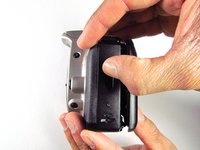
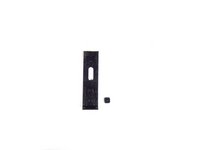
      • Using your finger, carefully pry open the side panel from the top of camera.

      • Pull panel downwards to remove.

      • Make sure to keep track of the small black piece of rubber under the latch.

      FixBot'a Sor

      Yorum Ekle

    1. Canon EOS 300 Front Panel Replacement, Front Panel: adım 6, 2 resimden 1. Canon EOS 300 Front Panel Replacement, Front Panel: adım 6, 2 resimden 2.
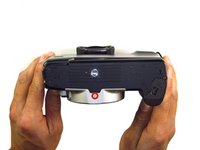
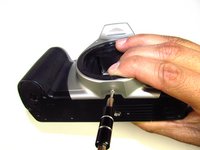
      • Remove the two silver 6mm Phillips #1 screws.

      FixBot'a Sor

      Yorum Ekle

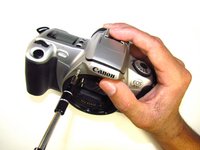
    2. Canon EOS 300 Front Panel Replacement: adım 7, 2 resimden 1. Canon EOS 300 Front Panel Replacement: adım 7, 2 resimden 2.
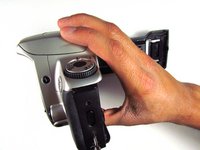
      • Flip camera over to the bottom.

      • Remove the one 5mm Phillips #1 silver screw.

      FixBot'a Sor

      Yorum Ekle

    3. Canon EOS 300 Front Panel Replacement: adım 8, 2 resimden 1. Canon EOS 300 Front Panel Replacement: adım 8, 2 resimden 2.
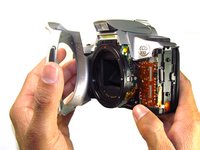
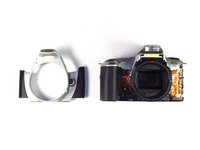
      • Remove the front panel by pulling away from the side with the lever.

      FixBot'a Sor

      Yorum Ekle

Sonuç

To reassemble your device, follow these instructions in reverse order.

İptal et: Bu kılavuzu tamamlamadım.

Bir başkası bu kılavuzu tamamladı.

Jordan Tang

Üyelik tarihi: 01/24/14

608 İtibar

5 adet Kılavuz yazıldı

Ekip

Cal Poly, Team 6-20, Maness Winter 2014 Cal Poly, Team 6-20, Maness Winter 2014 üyesi

CPSU-MANESS-W14S6G20

4 Üyeler

33 adet Kılavuz yazıldı

0Kılavuz Yorumları

Yorum Ekle

İstatistikleri Görüntüle:

Son 24 Saat: 0

Son 7 gün: 5

Son 30 gün: 27

Her zaman: 1,502