Giriş
Using these instructions, we'll make it easy and simple for you to replace the LCD screen in your Canon camera.
Neye ihtiyacın var
-
-
Locate the battery cover at the bottom of the camera.
-
Pull down on the black tab to open the cover.
-
-
-
-
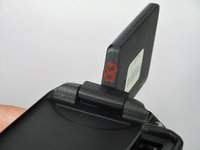
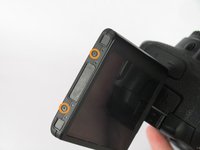
Remove the six screws on the housing of the LCD.
-
Four 3.1mm JIS screws on the side with the hinge.
-
Two 2.7mm JIS screws
-




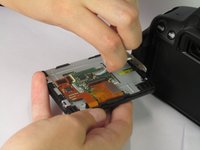
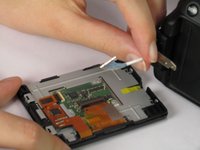
To reassemble your device, follow these instructions in reverse order.
İptal et: Bu kılavuzu tamamlamadım.
7 farklı kişi bu kılavuzu tamamladı.



Ekip

Cal Poly, Team 12-33, Maness Spring 2014 Cal Poly, Team 12-33, Maness Spring 2014 üyesi
CPSU-MANESS-S14S12G33
4 Üyeler
14 adet Kılavuz yazıldı
