Ana içeriğe geç
Onarım Topluluğuna Katılın - Hesap Oluşturun

Casio Exilim EX-Z850 Motherboard Replacement

Neye ihtiyacın var

    1. Casio Exilim EX-Z850 Motherboard Replacement, Motherboard: adım 1, 1 resimden 1.
      • Using the Phillips #00 screwdriver, remove the four screws from the side of the speaker.

      FixBot'a Sor

      Yorum Ekle

    2. Casio Exilim EX-Z850 Motherboard Replacement: adım 2, 1 resimden 1.
      • Using the Phillips #00 screwdriver, remove the four long screws from the bottom of the camera.

      • When reassembling the camera, the longer screws go on the bottom of the camera.

      FixBot'a Sor

      Yorum Ekle

    3. Casio Exilim EX-Z850 Motherboard Replacement: adım 3, 1 resimden 1.
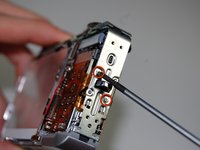
      • Using the Phillips #00 screwdriver, remove the four screws from the side opposite of the speaker.

      FixBot'a Sor

      Yorum Ekle

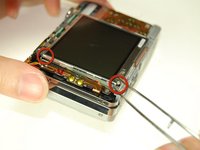
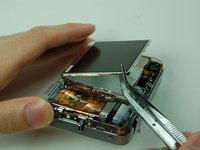
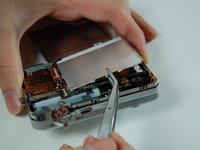
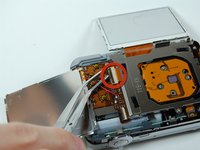
    4. Casio Exilim EX-Z850 Motherboard Replacement: adım 4, 3 resimden 1. Casio Exilim EX-Z850 Motherboard Replacement: adım 4, 3 resimden 2. Casio Exilim EX-Z850 Motherboard Replacement: adım 4, 3 resimden 3.
      Bu adımda kullanılan alet:
      Tweezers
      $4.99
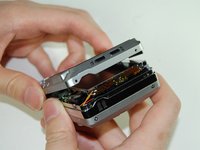
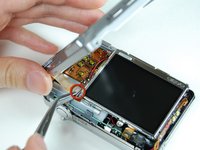
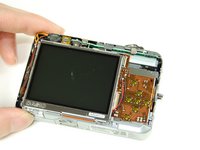
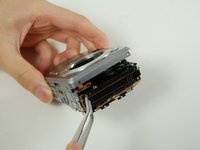
      • Pry open bottom casing gently after all screws have been removed.

      • With tweezers, carefully remove the ribbon from the LCD screen.

      • Set the bottom casing aside.

      FixBot'a Sor

      Yorum Ekle

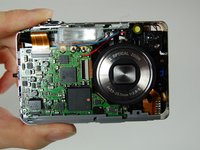
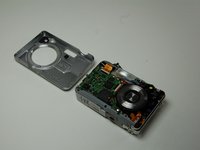
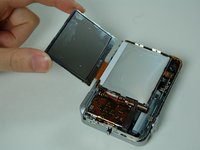
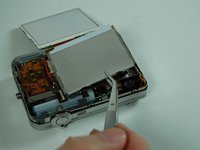
    5. Casio Exilim EX-Z850 Motherboard Replacement: adım 5, 3 resimden 1. Casio Exilim EX-Z850 Motherboard Replacement: adım 5, 3 resimden 2. Casio Exilim EX-Z850 Motherboard Replacement: adım 5, 3 resimden 3.
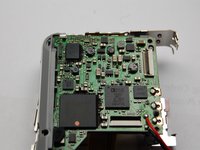
      • Pry apart the top casing using tweezers.

      • Set the top casing aside.

      • The bottom left screw on the board is orange and the longest screw.

      FixBot'a Sor

      Yorum Ekle

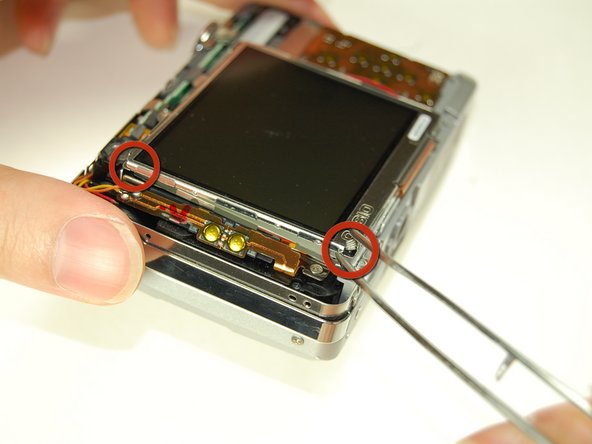
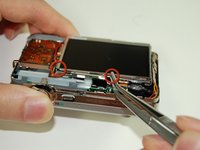
    6. Casio Exilim EX-Z850 Motherboard Replacement: adım 6, 2 resimden 1. Casio Exilim EX-Z850 Motherboard Replacement: adım 6, 2 resimden 2.
      • Carefully remove the pieces of black tape on the bottom of the LCD screen that attach it to the frame.

      • Use tweezers to pry the LCD screen off from the opening.

      FixBot'a Sor

      Yorum Ekle

    7. Casio Exilim EX-Z850 Motherboard Replacement: adım 7, 2 resimden 1. Casio Exilim EX-Z850 Motherboard Replacement: adım 7, 2 resimden 2.
      • Lift the LCD screen and move it to the other side.

      FixBot'a Sor

      Yorum Ekle

    8. Casio Exilim EX-Z850 Motherboard Replacement: adım 8, 2 resimden 1. Casio Exilim EX-Z850 Motherboard Replacement: adım 8, 2 resimden 2.
      • Using a pair of tweezers, pry off the LCD casing.

      FixBot'a Sor

      Yorum Ekle

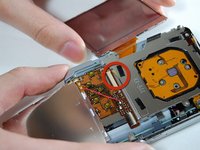
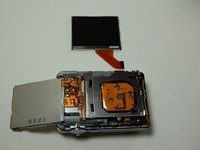
    9. Casio Exilim EX-Z850 Motherboard Replacement: adım 9, 3 resimden 1. Casio Exilim EX-Z850 Motherboard Replacement: adım 9, 3 resimden 2. Casio Exilim EX-Z850 Motherboard Replacement: adım 9, 3 resimden 3.
      • Flip open the connector holding the ribbon.

      • Use the tweezers to carefully pull out the LCD screen with the ribbon from the camera.

      FixBot'a Sor

      Yorum Ekle

    10. Casio Exilim EX-Z850 Motherboard Replacement: adım 10, 2 resimden 1. Casio Exilim EX-Z850 Motherboard Replacement: adım 10, 2 resimden 2.
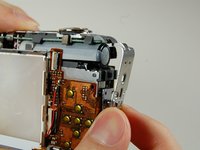
      • Using the Phillips #00 screwdriver, remove two screws on the side where the battery is located.

      • Remove the lanyard loop after the screws come off.

      • Pull the side casing so it becomes dislocated from the top of the camera frame.

      FixBot'a Sor

      Yorum Ekle

    11. Casio Exilim EX-Z850 Motherboard Replacement: adım 11, 2 resimden 1. Casio Exilim EX-Z850 Motherboard Replacement: adım 11, 2 resimden 2.
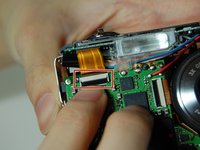
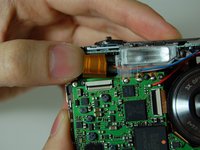
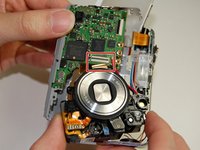
      • On the front of the camera near the flash, flip the connector holding the ribbon.

      • Remove the ribbon from the connector.

      FixBot'a Sor

      Yorum Ekle

    12. Casio Exilim EX-Z850 Motherboard Replacement: adım 12, 3 resimden 1. Casio Exilim EX-Z850 Motherboard Replacement: adım 12, 3 resimden 2. Casio Exilim EX-Z850 Motherboard Replacement: adım 12, 3 resimden 3.
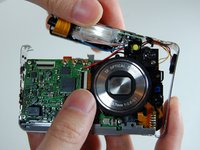
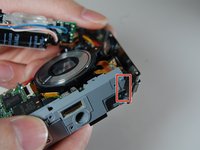
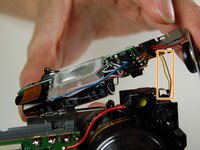
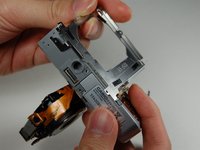
      • Carefully remove the L-shaped frame from the camera.

      • The L shaped frame is being held in by two plastic bumps and a metal tab at the bottom of the camera.

      • Pop the frame off the bumps and tabs.

      • Potential for device damage: Be careful not to pull off the yellow and orange wire soldered onto the camera.

      FixBot'a Sor

      Yorum Ekle

    13. Casio Exilim EX-Z850 Motherboard Replacement: adım 13, 2 resimden 1. Casio Exilim EX-Z850 Motherboard Replacement: adım 13, 2 resimden 2.
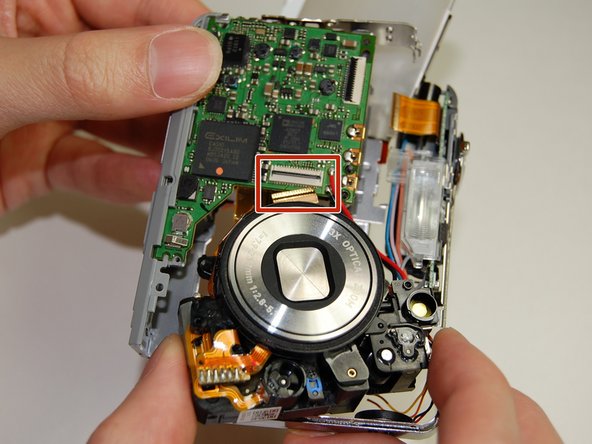
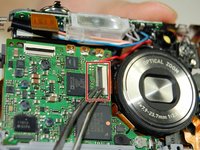
      • Flip the connector and remove the ribbon cable from the motherboard next to the lens.

      FixBot'a Sor

      Yorum Ekle

    14. Casio Exilim EX-Z850 Motherboard Replacement: adım 14, 2 resimden 1. Casio Exilim EX-Z850 Motherboard Replacement: adım 14, 2 resimden 2.
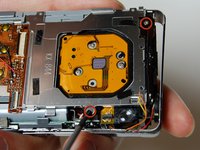
      • Remove the frame on the back side of the camera where the LCD screen was.

      • Use the Phillips #00 screwdriver to remove the two screws connecting the frame to the camera.

      • Slowly pry off the frame from the camera.

      • After removing the frame, a plastic piece with two yellow buttons should fall off.

      • Do not pull the plastic piece off as it is soldered to two wires: a yellow and orange one.

      FixBot'a Sor

      Yorum Ekle

    15. Casio Exilim EX-Z850 Motherboard Replacement: adım 15, 1 resimden 1.
      • On the back of the camera where the LCD screen was, remove the 3 screws located behind the lens using the Phillips #00 screwdriver.

      FixBot'a Sor

      Yorum Ekle

    16. Casio Exilim EX-Z850 Motherboard Replacement: adım 16, 1 resimden 1.
      • Remove the large orange ribbon previously held in by screws from the camera.

      FixBot'a Sor

      Yorum Ekle

    17. Casio Exilim EX-Z850 Motherboard Replacement: adım 17, 1 resimden 1.
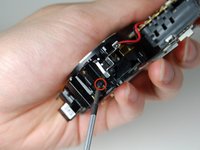
      • On the backside of the camera where the indicator lamp is located, remove the two screws using the Phillips #00 screwdriver.

      FixBot'a Sor

      Yorum Ekle

    18. Casio Exilim EX-Z850 Motherboard Replacement: adım 18, 3 resimden 1. Casio Exilim EX-Z850 Motherboard Replacement: adım 18, 3 resimden 2. Casio Exilim EX-Z850 Motherboard Replacement: adım 18, 3 resimden 3.
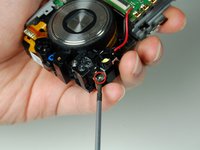
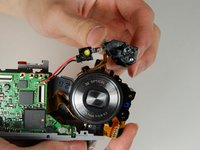
      • On the front side of the indicator lamp remove the screw using the Phillips #00 screwdriver.

      FixBot'a Sor

      Yorum Ekle

    19. Casio Exilim EX-Z850 Motherboard Replacement: adım 19, 2 resimden 1. Casio Exilim EX-Z850 Motherboard Replacement: adım 19, 2 resimden 2.
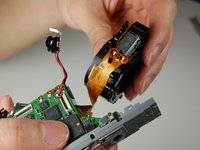
      • Desolder the lens from the motherboard.

      • Desolder the wire from the motherboard.

      • The motherboard is now detached from the rest of the camera.

      FixBot'a Sor

      Yorum Ekle

Sonuç

To reassemble your device, follow these instructions in reverse order.

İptal et: Bu kılavuzu tamamlamadım.

Bir başkası bu kılavuzu tamamladı.

Jennifer Roth

Üyelik tarihi: 01/28/11

162 İtibar

1 Kılavuz yazıldı

Ekip

Cal Poly, Team 4-38, Regan Winter 2011 Cal Poly, Team 4-38, Regan Winter 2011 üyesi

CPSU-REGAN-W11S4G38

4 Üyeler

28 adet Kılavuz yazıldı

0Kılavuz Yorumları

Yorum Ekle

İstatistikleri Görüntüle:

Son 24 Saat: 1

Son 7 gün: 8

Son 30 gün: 38

Her zaman: 4,502