Ana içeriğe geç
Onarım Topluluğuna Katılın - Hesap Oluşturun

Casio G'zOne Commando Verizon MIL-SPEC Camera Replacement

Neye ihtiyacın var

    1. Casio G'zOne Commando Verizon MIL-SPEC Camera Replacement, Battery: adım 1, 1 resimden 1.
      • Slide the slider on the back of the phone to the free position.

      FixBot'a Sor

      Yorum Ekle

    2. Casio G'zOne Commando Verizon MIL-SPEC Camera Replacement: adım 2, 1 resimden 1.
      • Using a plastic opening tool, gently lift open the back panel from bottom of the panel.

      FixBot'a Sor

      Yorum Ekle

    3. Casio G'zOne Commando Verizon MIL-SPEC Camera Replacement: adım 3, 2 resimden 1. Casio G'zOne Commando Verizon MIL-SPEC Camera Replacement: adım 3, 2 resimden 2.
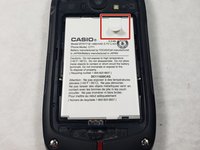
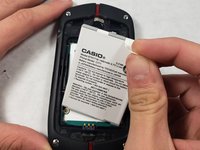
      • Pull the white battery tab upwards and remove the battery.

      FixBot'a Sor

      Yorum Ekle

    1. Casio G'zOne Commando Verizon MIL-SPEC Camera Replacement, Motherboard: adım 4, 1 resimden 1.
      • Remove the four 6mm Y0 screws from the corners of the device.

      FixBot'a Sor

      Yorum Ekle

    2. Casio G'zOne Commando Verizon MIL-SPEC Camera Replacement: adım 5, 1 resimden 1.
      • Remove the four 5mm Y0 screws from the back of the device.

      FixBot'a Sor

      Yorum Ekle

    3. Casio G'zOne Commando Verizon MIL-SPEC Camera Replacement: adım 6, 1 resimden 1.
      • Using a spudger, pry away the motherboard from its compartment, by inserting the spudger in the compartment and lifting upwards until fully out.

      FixBot'a Sor

      Yorum Ekle

    4. Casio G'zOne Commando Verizon MIL-SPEC Camera Replacement: adım 7, 1 resimden 1.
      • Lastly, using your hands, separate the motherboard from its compartment.

      FixBot'a Sor

      Yorum Ekle

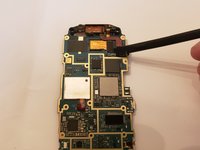
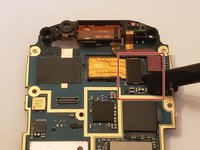
    1. Casio G'zOne Commando Verizon MIL-SPEC Camera Replacement, Camera: adım 8, 3 resimden 1. Casio G'zOne Commando Verizon MIL-SPEC Camera Replacement, Camera: adım 8, 3 resimden 2. Casio G'zOne Commando Verizon MIL-SPEC Camera Replacement, Camera: adım 8, 3 resimden 3.
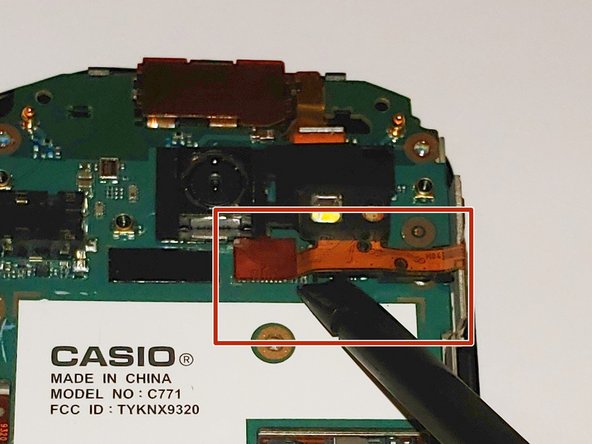
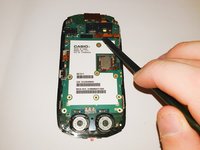
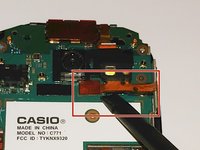
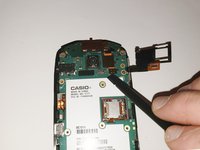
      • Using a spudger, gently lift up the orange connector.

      FixBot'a Sor

      Yorum Ekle

    2. Casio G'zOne Commando Verizon MIL-SPEC Camera Replacement: adım 9, 2 resimden 1. Casio G'zOne Commando Verizon MIL-SPEC Camera Replacement: adım 9, 2 resimden 2.
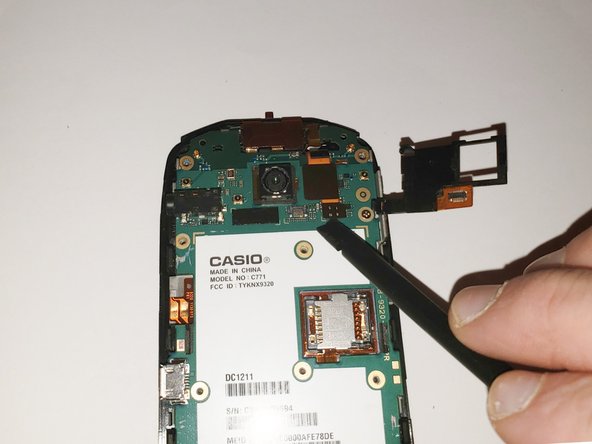
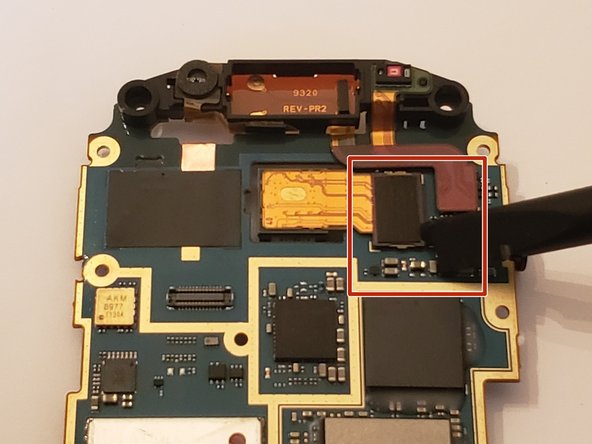
      • Flip over the motherboard

      • Using a spudger, lift up the small black connector and remove the camera.

      FixBot'a Sor

      Yorum Ekle

Sonuç

To reassemble your device, follow these instructions in reverse order.

İptal et: Bu kılavuzu tamamlamadım.

Zack Almeida

Üyelik tarihi: 10/24/18

392 İtibar

4 adet Kılavuz yazıldı

Ekip

UMass Dartmouth, Team S3-G7, Peak Fall 2018 UMass Dartmouth, Team S3-G7, Peak Fall 2018 üyesi

UMASSD-PEAK-F18S3G7

3 Üyeler

38 adet Kılavuz yazıldı

0Kılavuz Yorumları

Yorum Ekle

İstatistikleri Görüntüle:

Son 24 Saat: 0

Son 7 gün: 4

Son 30 gün: 29

Her zaman: 423