Ana içeriğe geç
Onarım Topluluğuna Katılın - Hesap Oluşturun

Casio MH-10M Battery Replacement

Neye ihtiyacın var

    1. Casio MH-10M Battery Replacement, BATTERY: adım 1, 1 resimden 1.
      • This is the calculator in question.

      • Features a black and white dot matrix screen.

      FixBot'a Sor

      Yorum Ekle

    2. Casio MH-10M Battery Replacement: adım 2, 2 resimden 1. Casio MH-10M Battery Replacement: adım 2, 2 resimden 2.
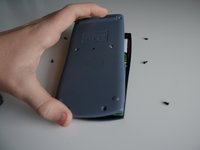
      • Turn the calculator over.

      • Locate the six screws on the rear of the device.

      • These are Philips #00 screws.

      • Keep the screws you remove in a safe place so they don't get lost.

      FixBot'a Sor

      Yorum Ekle

    3. Casio MH-10M Battery Replacement: adım 3, 2 resimden 1. Casio MH-10M Battery Replacement: adım 3, 2 resimden 2.
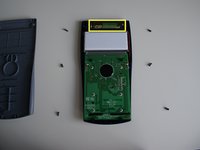
      • Once the screws are removed, carefully lift the back panel off, lifting the top end first.

      • Place the panel to one side.

      • You can now see the battery.

      FixBot'a Sor

      Yorum Ekle

    4. Casio MH-10M Battery Replacement: adım 4, 1 resimden 1.
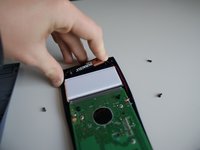
      • Remove the battery

      • Lift it up from the right hand side to avoid damaging the spring.

      • You may find this easier to do by prying it out with the screwdriver.

      FixBot'a Sor

      Yorum Ekle

    5. Casio MH-10M Battery Replacement: adım 5, 2 resimden 1. Casio MH-10M Battery Replacement: adım 5, 2 resimden 2.
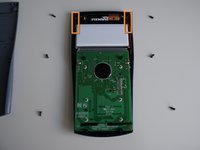
      • Now you can insert the new battery

      • Ensure you place it in spring-first.

      • Congratulations! You have replaced the battery.

      • When reassembling, take care not to trap the red or black wires in the screws as this would sever them, making the calculator unusable.

      • Once reassembled, the calculator will be turned on. Turn it off to save battery by pressing Shift --> AC.

      FixBot'a Sor

      Yorum Ekle

Sonuç

To reassemble your device, follow these instructions in reverse order, noting the two reassembly instructions in the last step.

İptal et: Bu kılavuzu tamamlamadım.

26 farklı kişi bu kılavuzu tamamladı.

Sam

Üyelik tarihi: 09/23/12

977 İtibar

1 Kılavuz yazıldı

3Kılavuz Yorumları

For some reason the two top screws made the calculator unstable, but removing them made it stable. Only occurred after removing the battery

Mida Galbraith - Yanıt Paylaş

what battery size is it? R03?

Humerdom - Yanıt Paylaş

Yorum Ekle

İstatistikleri Görüntüle:

Son 24 Saat: 2

Son 7 gün: 17

Son 30 gün: 57

Her zaman: 50,113