Ana içeriğe geç
Onarım Topluluğuna Katılın - Hesap Oluşturun

Casio WK-220 Black Keys Replacement

Neye ihtiyacın var

    1. Casio WK-220 Black Keys Replacement, White Keys: adım 1, 2 resimden 1. Casio WK-220 Black Keys Replacement, White Keys: adım 1, 2 resimden 2.
      • Place device face-down

      • Remove 23 16mm screws with Phillips #2 screwdriver

      FixBot'a Sor

      Yorum Ekle

    2. Casio WK-220 Black Keys Replacement: adım 2, 2 resimden 1. Casio WK-220 Black Keys Replacement: adım 2, 2 resimden 2.
      • Pry up long back panels with plastic opening tool

      • Remove panels

      FixBot'a Sor

      Yorum Ekle

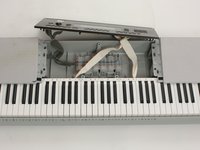
    3. Casio WK-220 Black Keys Replacement: adım 3, 1 resimden 1.
      • Turn device around so keys are face-up

      FixBot'a Sor

      Yorum Ekle

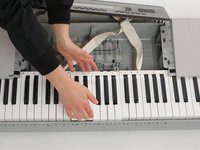
    4. Casio WK-220 Black Keys Replacement: adım 4, 2 resimden 1. Casio WK-220 Black Keys Replacement: adım 4, 2 resimden 2.
      • Pull back panel away from keyboard and out of the way

      FixBot'a Sor

      Yorum Ekle

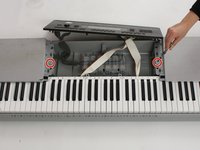
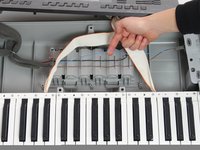
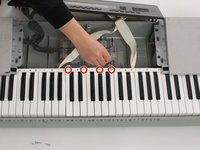
    5. Casio WK-220 Black Keys Replacement: adım 5, 3 resimden 1. Casio WK-220 Black Keys Replacement: adım 5, 3 resimden 2. Casio WK-220 Black Keys Replacement: adım 5, 3 resimden 3.
      • Remove speaker(s) if necessary to access desired key section(s)

      • Use Phillips #2 screwdriver to remove two 16 mm screws (circled in red)

      • Pop wires out of plastic holders so speaker can be moved out of the way

      • Move speaker out of the way

      • See speaker replacement guide for more detail on these steps

      FixBot'a Sor

      Yorum Ekle

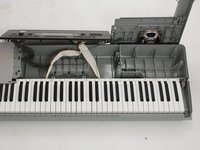
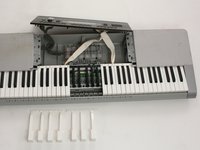
    6. Casio WK-220 Black Keys Replacement: adım 6, 3 resimden 1. Casio WK-220 Black Keys Replacement: adım 6, 3 resimden 2. Casio WK-220 Black Keys Replacement: adım 6, 3 resimden 3.
      • Remove 4 18 mm screws (circled in red) from desired key section using Philips #1 screwdriver

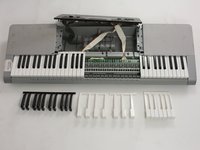
      • Gently push white keys away from screws and pull up to remove from keyboard. Repeat this with the black keys

      • Reassemble with new/cleaned keys

      FixBot'a Sor

      Yorum Ekle

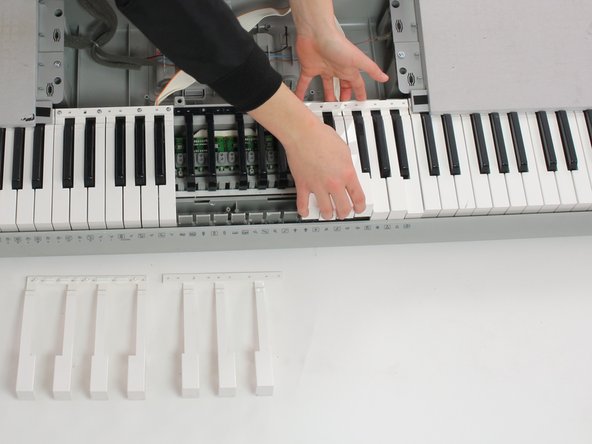
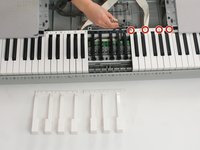
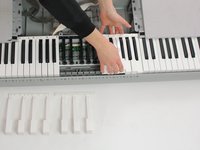
    1. Casio WK-220 Black Keys Replacement, Black Keys: adım 7, 2 resimden 1. Casio WK-220 Black Keys Replacement, Black Keys: adım 7, 2 resimden 2.
      • Remove second white section covering desired black section

      • Remove screws using Phillips #1 screwdriver

      • Push keys away from screws and pull up

      FixBot'a Sor

      Yorum Ekle

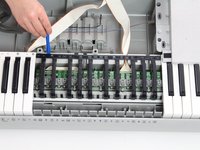
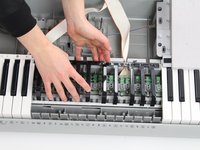
    2. Casio WK-220 Black Keys Replacement: adım 8, 3 resimden 1. Casio WK-220 Black Keys Replacement: adım 8, 3 resimden 2. Casio WK-220 Black Keys Replacement: adım 8, 3 resimden 3.
      • Use plastic opening tool to pry up black key section

      • Remove black key section

      • Reassemble with new/clean black key section

      FixBot'a Sor

      Yorum Ekle

Sonuç

To reassemble your device, follow these instructions in reverse order.

İptal et: Bu kılavuzu tamamlamadım.

Alexa

Üyelik tarihi: 01/24/17

705 İtibar

6 adet Kılavuz yazıldı

Ekip

Cal Poly, Team 10-2, Banghart Winter 2017 Cal Poly, Team 10-2, Banghart Winter 2017 üyesi

CPSU-BANGHART-W17S10G2

4 Üyeler

12 adet Kılavuz yazıldı

0Kılavuz Yorumları

Yorum Ekle

İstatistikleri Görüntüle:

Son 24 Saat: 2

Son 7 gün: 11

Son 30 gün: 43

Her zaman: 1,169