Ana içeriğe geç
Onarım Topluluğuna Katılın - Hesap Oluşturun

Compaq Mini 110 Display Assembly Replacement

Neye ihtiyacın var

  1. Compaq Mini 110 Display Assembly Replacement, Battery: adım 1, 2 resimden 1. Compaq Mini 110 Display Assembly Replacement, Battery: adım 1, 2 resimden 2.
    • Locate the battery and the battery tabs on the bottom of the Compaq Mini.

    FixBot'a Sor

    Yorum Ekle

  2. Compaq Mini 110 Display Assembly Replacement: adım 2, 3 resimden 1. Compaq Mini 110 Display Assembly Replacement: adım 2, 3 resimden 2. Compaq Mini 110 Display Assembly Replacement: adım 2, 3 resimden 3.
    • Push both tabs inward simultaneously and slide the battery out.

    FixBot'a Sor

    Yorum Ekle

  3. Compaq Mini 110 Display Assembly Replacement, RAM: adım 3, 2 resimden 1. Compaq Mini 110 Display Assembly Replacement, RAM: adım 3, 2 resimden 2.
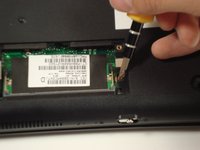
    • Use a Philips #0 screwdriver to unscrew the two screws covering the memory compartment on the bottom of the laptop and remove the cover.

    FixBot'a Sor

    Yorum Ekle

  4. Compaq Mini 110 Display Assembly Replacement: adım 4, 1 resimden 1.
    • Push out the side tabs simultaneously and pull out the old RAM module.

    • When inserting a new RAM stick, be sure to evenly insert the gold pins in the same orientation that the old module was removed. While sliding the module in, press the side tabs in place.

    FixBot'a Sor

    Yorum Ekle

  5. Compaq Mini 110 Display Assembly Replacement, Keyboard: adım 5, 2 resimden 1. Compaq Mini 110 Display Assembly Replacement, Keyboard: adım 5, 2 resimden 2.
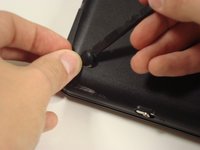
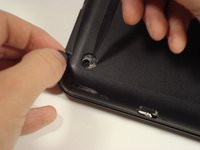
    • Remove the rubber pads located on the corners of your Compaq Mini.

    • There may be junk underneath it. This is residue left from the glue that held on the rubber pad. Just scrape it away to find the screw.

    FixBot'a Sor

    Yorum Ekle

  6. Compaq Mini 110 Display Assembly Replacement: adım 6, 2 resimden 1. Compaq Mini 110 Display Assembly Replacement: adım 6, 2 resimden 2.
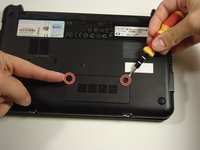
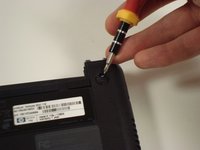
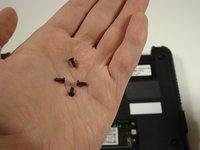
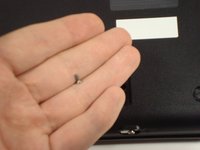
    • Unscrew all the corner screws. There are four total, one under each rubber pad.

    FixBot'a Sor

    Yorum Ekle

  7. Compaq Mini 110 Display Assembly Replacement: adım 7, 2 resimden 1. Compaq Mini 110 Display Assembly Replacement: adım 7, 2 resimden 2.
    • Unscrew the screw for the bottom case located in the RAM compartment.

    FixBot'a Sor

    Yorum Ekle

  8. Compaq Mini 110 Display Assembly Replacement: adım 8, 2 resimden 1. Compaq Mini 110 Display Assembly Replacement: adım 8, 2 resimden 2.
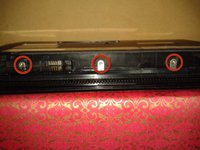
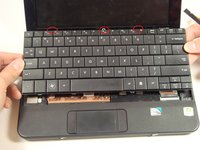
    • Remove the three screws in the silver tabs at the back of the keyboard.

    • These are located at the back of the base under the screen.

    • Lift the keyboard away from the laptop.

    FixBot'a Sor

    Yorum Ekle

  9. Compaq Mini 110 Display Assembly Replacement, Hard Drive: adım 9, 1 resimden 1.
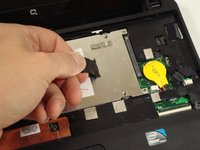
    • Remove the three screws holding the panel in place.

    FixBot'a Sor

    Yorum Ekle

  10. Compaq Mini 110 Display Assembly Replacement: adım 10, 2 resimden 1. Compaq Mini 110 Display Assembly Replacement: adım 10, 2 resimden 2.
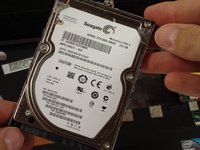
    • Pull up on the tab to remove the hard drive.

    FixBot'a Sor

    Yorum Ekle

  11. Compaq Mini 110 Display Assembly Replacement, Top Cover: adım 11, 1 resimden 1.
    • Remove the eight screws that are from the plastic top cover.

    FixBot'a Sor

    Yorum Ekle

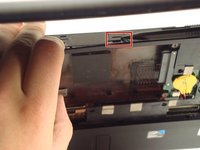
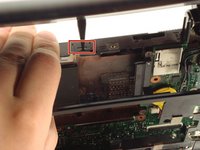
  12. Compaq Mini 110 Display Assembly Replacement: adım 12, 3 resimden 1. Compaq Mini 110 Display Assembly Replacement: adım 12, 3 resimden 2. Compaq Mini 110 Display Assembly Replacement: adım 12, 3 resimden 3.
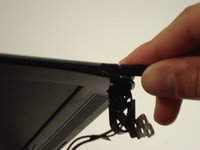
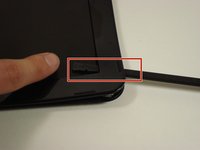
    • Pry up the top plastic cover using a spudger.

    • These two tabs under the screen need to be pushed in with a spudger.

    FixBot'a Sor

    Yorum Ekle

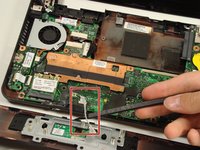
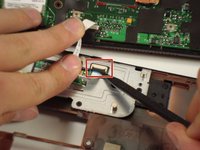
  13. Compaq Mini 110 Display Assembly Replacement: adım 13, 2 resimden 1. Compaq Mini 110 Display Assembly Replacement: adım 13, 2 resimden 2.
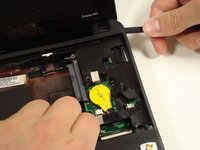
    • Remove the cable by carefully pulling it up.

    • Be careful when lifting up the cover because the track pad is still attached.

    FixBot'a Sor

    Yorum Ekle

  14. Compaq Mini 110 Display Assembly Replacement, Display Assembly: adım 14, 3 resimden 1. Compaq Mini 110 Display Assembly Replacement, Display Assembly: adım 14, 3 resimden 2. Compaq Mini 110 Display Assembly Replacement, Display Assembly: adım 14, 3 resimden 3.
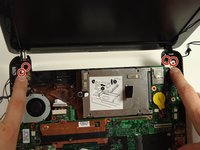
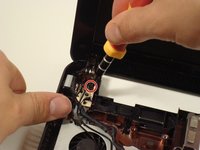
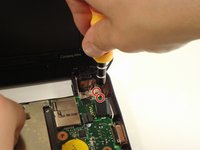
    • Remove the four screws that keep the bottom of the hinges attached to the base.

    FixBot'a Sor

    Yorum Ekle

  15. Compaq Mini 110 Display Assembly Replacement: adım 15, 3 resimden 1. Compaq Mini 110 Display Assembly Replacement: adım 15, 3 resimden 2. Compaq Mini 110 Display Assembly Replacement: adım 15, 3 resimden 3.
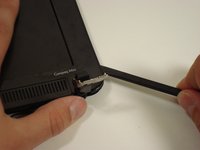
    • Pry off the top plastic cover of the display assembly.

    • The spudger may go all the way through to the screen-side of the cover. This is not a problem and won't damage anything.

    • There is adhesive tape holding the cover on.

    FixBot'a Sor

    Yorum Ekle

Sonuç

To reassemble your device, follow these instructions in reverse order.

İptal et: Bu kılavuzu tamamlamadım.

5 farklı kişi bu kılavuzu tamamladı.

alea

Üyelik tarihi: 10/06/10

1.429 İtibar

14 adet Kılavuz yazıldı

Ekip

Cal Poly, Team 22-2, Maness Fall 2010 Cal Poly, Team 22-2, Maness Fall 2010 üyesi

CPSU-MANESS-F10S22G2

6 Üyeler

20 adet Kılavuz yazıldı

0Kılavuz Yorumları

Yorum Ekle

İstatistikleri Görüntüle:

Son 24 Saat: 4

Son 7 gün: 13

Son 30 gün: 34

Her zaman: 7,737