Ana içeriğe geç
Onarım Topluluğuna Katılın - Hesap Oluşturun

DR.J Professional HI-04 Lamp Replacement

Neye ihtiyacın var

  1. DR.J Professional HI-04 Lamp Replacement, Motherboard: adım 1, 3 resimden 1. DR.J Professional HI-04 Lamp Replacement, Motherboard: adım 1, 3 resimden 2. DR.J Professional HI-04 Lamp Replacement, Motherboard: adım 1, 3 resimden 3.
    • Flip the projector so that the bottom is facing up.

    • Remove the eight 10.0 mm screws with a Phillips #0 screwdriver.

    • The screws are set deep in the holes. Be careful not to drop the screws.

    • Remove the two 20.0 mm screws with a Phillips #0 screwdriver.

  2. DR.J Professional HI-04 Lamp Replacement: adım 2, 3 resimden 1. DR.J Professional HI-04 Lamp Replacement: adım 2, 3 resimden 2. DR.J Professional HI-04 Lamp Replacement: adım 2, 3 resimden 3.
    • Flip the projector so it is upright.

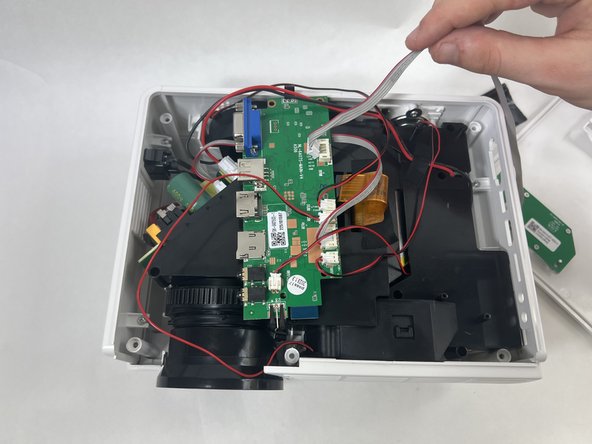
    • Remove the top case of the projector.

    • The top case should come off fairly easily but be gentle while removing it.

    • Don't yank the top case off as there are cables attached to the motherboard and the top case.

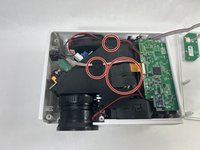
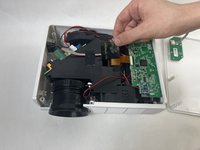
  3. DR.J Professional HI-04 Lamp Replacement: adım 3, 2 resimden 1. DR.J Professional HI-04 Lamp Replacement: adım 3, 2 resimden 2.
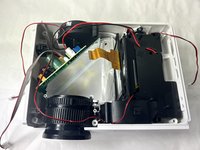
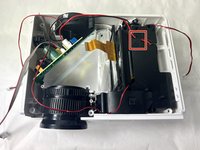
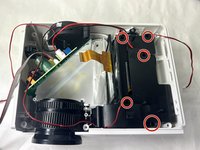
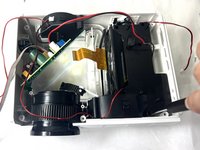
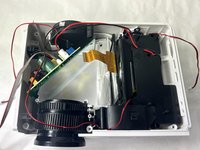
    • Remove the three pieces of tape securing cables.

    • Keep the tape for reassembly.

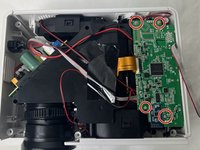
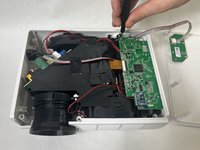
  4. DR.J Professional HI-04 Lamp Replacement: adım 4, 2 resimden 1. DR.J Professional HI-04 Lamp Replacement: adım 4, 2 resimden 2.
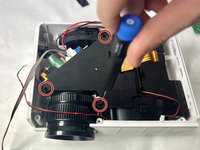
    • Use a Phillips #0 screwdriver to remove the four 15.0 mm screws from the motherboard.

    • Be sure to not drop the screws in the device as they can be difficult to recover.

  5. DR.J Professional HI-04 Lamp Replacement: adım 5, 2 resimden 1. DR.J Professional HI-04 Lamp Replacement: adım 5, 2 resimden 2.
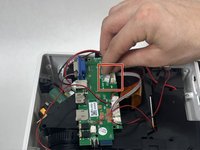
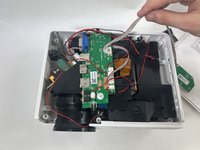
    • Squeeze the tab against the connector, and pull the connector straight out from the socket.

    • The cable will come out easily so do not pull too hard.

  6. DR.J Professional HI-04 Lamp Replacement: adım 6, 2 resimden 1. DR.J Professional HI-04 Lamp Replacement: adım 6, 2 resimden 2.
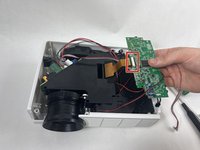
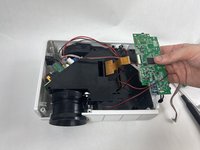
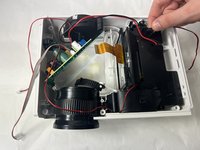
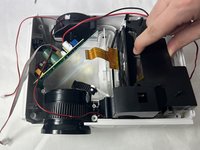
    • Lift the motherboard from the device.

    • Use the tip of a spudger or your fingernail to flip up the small locking flap of the ZIF connector.

    • Pull the cable from the connector.

  7. DR.J Professional HI-04 Lamp Replacement: adım 7, 2 resimden 1. DR.J Professional HI-04 Lamp Replacement: adım 7, 2 resimden 2.
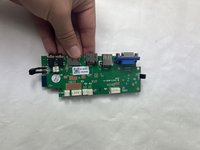
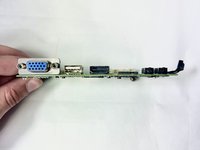
    • Set down the motherboard safely.

  8. DR.J Professional HI-04 Lamp Replacement, Lamp: adım 8, 2 resimden 1. DR.J Professional HI-04 Lamp Replacement, Lamp: adım 8, 2 resimden 2.
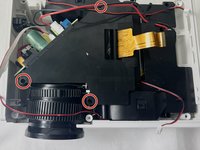
    • Use a Phillips #0 screwdriver to remove the three 15.0 mm screws from the black cover.

    • The screws are set deep in the holes, so be careful to not drop the screws, as they can be difficult to recover.

  9. DR.J Professional HI-04 Lamp Replacement: adım 9, 2 resimden 1. DR.J Professional HI-04 Lamp Replacement: adım 9, 2 resimden 2.
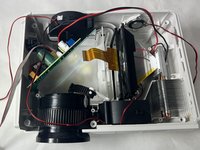
    • Gently remove the black cover.

  10. DR.J Professional HI-04 Lamp Replacement: adım 10, 2 resimden 1. DR.J Professional HI-04 Lamp Replacement: adım 10, 2 resimden 2.
    • Remove the single piece of black tape.

    • Save the tape for reassembly.

  11. DR.J Professional HI-04 Lamp Replacement: adım 11, 2 resimden 1. DR.J Professional HI-04 Lamp Replacement: adım 11, 2 resimden 2.
    • Use a Phillips #0 screwdriver to remove five 10.0 mm screws.

  12. DR.J Professional HI-04 Lamp Replacement: adım 12, 3 resimden 1. DR.J Professional HI-04 Lamp Replacement: adım 12, 3 resimden 2. DR.J Professional HI-04 Lamp Replacement: adım 12, 3 resimden 3.
    • Gently remove the black cover.

  13. DR.J Professional HI-04 Lamp Replacement: adım 13, 2 resimden 1. DR.J Professional HI-04 Lamp Replacement: adım 13, 2 resimden 2.
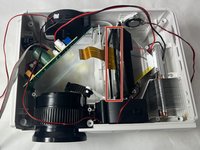
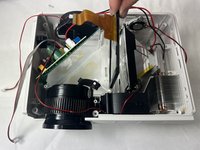
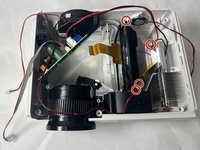
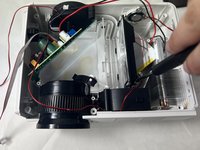
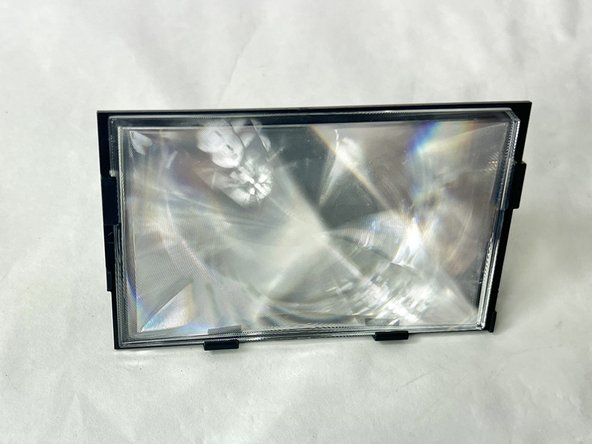
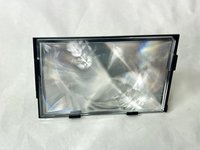
    • Remove the glass object with the orange ribbon cable connector.

    • Be careful removing object as it is fragile and can easily break.

  14. DR.J Professional HI-04 Lamp Replacement: adım 14, 2 resimden 1. DR.J Professional HI-04 Lamp Replacement: adım 14, 2 resimden 2.
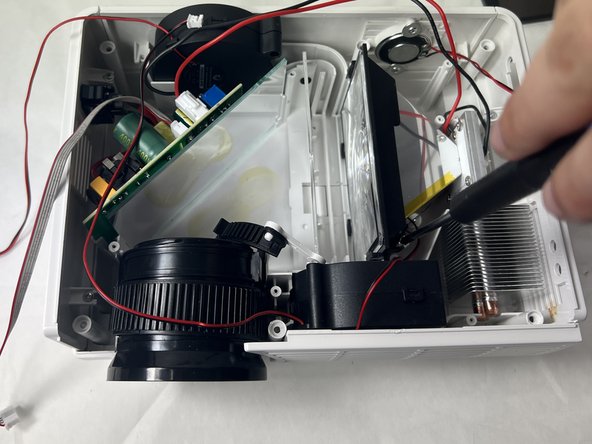
    • Use a Phillips #0 to remove four 10.0 mm screws from the lamp.

  15. DR.J Professional HI-04 Lamp Replacement: adım 15, 2 resimden 1. DR.J Professional HI-04 Lamp Replacement: adım 15, 2 resimden 2.
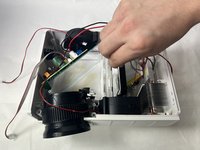
    • Gently slide the lamp out from the projector case.

Sonuç

To reassemble your device, follow these instructions in reverse order.

2 farklı kişi bu kılavuzu tamamladı.

Baron Dutra

Üyelik tarihi: 11/01/23

825 İtibar

4 adet Kılavuz yazıldı

Ekip

UMass Dartmouth, Team 1-5, Petersen Fall 2023 UMass Dartmouth, Team 1-5, Petersen Fall 2023 üyesi

UMASSD-PETERSEN-F23S1G5

4 Üyeler

5 adet Kılavuz yazıldı

3Kılavuz Yorumları

Hi Do you know what type of lamp can ne used for replacement please

Chilijon - Yanıt Paylaş
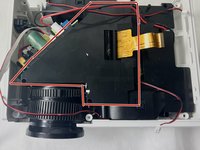
Where can I purchase this lamp to replace in the unit or what is the model number of the lamp so I can search it out?

Dave Haddad - Yanıt Paylaş

MTDM3025-03 is lamp part number

KCrane - Yanıt Paylaş

Yorum Ekle

İstatistikleri Görüntüle:

Son 24 Saat: 2

Son 7 gün: 18

Son 30 gün: 60

Her zaman: 1,808