Giriş
If the Wi-Fi connection to your computer doesn’t hold, you may be experiencing a malfunction of your Wi-Fi module. This guide will show you how to remove the Wi-Fi module for the Dell Inspiron 15R 5537.
The Wi-Fi module is located underneath the keyboard and is connected by two antenna cables. A malfunctioning Wi-Fi module can result in connection issues to the wireless network. This issue doesn’t completely disable your laptop, however, it does cause an inconvenience. A quick fix can be to use ethernet to connect to Wi-Fi or purchase an external Wi-Fi adapter.
It is important to make sure that the antenna cables are properly connected to your Wi-Fi module and that the wires aren’t frayed.
Before beginning this guide, make sure your laptop is powered off and disconnected from any external power source.
Neye ihtiyacın var
-
-
-
Close the display and turn over the computer to see the battery locking tabs.
 FixBot'a Sor
-
-
-
Pull both of the locking tabs outwards until they both click to release the battery.
-
Pull the battery out by lifting it from the top and sliding it forward.
-
-
-
-
-
Turn the laptop over so that the keyboard is facing up.
-
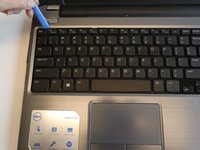
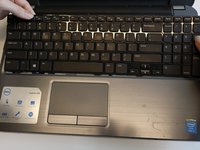
Use an opening tool to pry the keyboard from the base of the laptop.
-
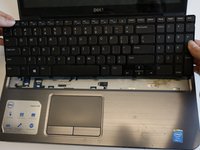
Once the top of the keyboard is released, slide the keyboard upwards.
-
-
-
-
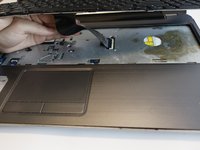
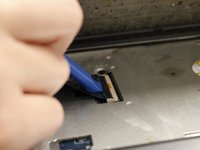
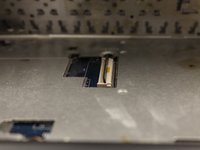
Use an opening tool to remove the keyboard ribbon from the latch by lifting the tab on top.
-
Once lifted, disconnect the ribbon and replace with a new keyboard.
-
-
-
-
-
Once the keyboard is removed, the Wi-Fi module will be accessible.
-
-
-
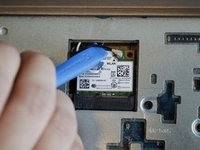
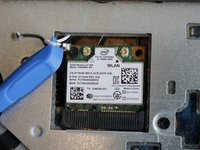
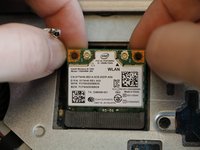
Use the opening tool to lift both antenna cables upward from the Wi-Fi module.
-
-
-
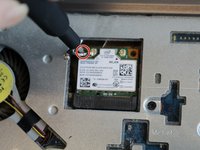
Remove the 3mm Phillips #000 screw securing the Wi-Fi module.
-
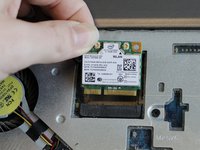
Lift the Wi-Fi module up and out of the laptop.
-
-








To reassemble your device, follow these instructions in reverse order.

Ekip

Embry-Riddle Aeronautical University, Team S6-G5, Salas Fall 2019 Embry-Riddle Aeronautical University, Team S6-G5, Salas Fall 2019 üyesi
ERAU-SALAS-F19S6G5
4 Üyeler
60 adet Kılavuz yazıldı
