Giriş
This guide will show how to access and replace RAM in this laptop. A couple of screws need to be removed but it is otherwise very simple.
Neye ihtiyacın var
-
-
-
Flip the laptop upside down.
-
Remove the two 4.5 mm Phillips #0 screws on the access panel door.
 FixBot'a Sor
-
-
-
Using the plastic opening tool, loosen the panel access door, starting at the center.
-
Remove the panel.
-
-
-
-
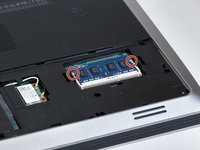
Locate the RAM.
-
Locate the clips securing the RAM.
-
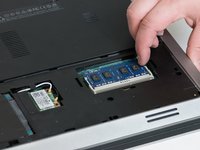
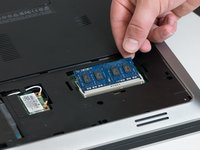
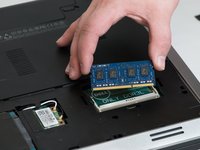
Slide the holding clips outward.
-
-




To reassemble your device, follow these instructions in reverse order.
İptal et: Bu kılavuzu tamamlamadım.
4 farklı kişi bu kılavuzu tamamladı.

Ekip

Washington State, Team S2-G2, Lobnitz Spring 2018 Washington State, Team S2-G2, Lobnitz Spring 2018 üyesi
WSU-LOBNITZ-S18S2G2
6 Üyeler
40 adet Kılavuz yazıldı
