Giriş
This repair process includes the removal of small pieces from the computer, therefore you should have a place to store all the small removable screws. This will make the repair process quicker and easier.
Neye ihtiyacın var
-
-
-
Turn off notebook
-
Set the notebook upside down with the battery facing away from you.
-
Locate the unlock and release sliding tabs on the bottom right and left hand corners of the battery respectively.
 FixBot'a Sor
-
-
-
Slide the right tab to the right to unlock the battery.
-
Slide and hold the the left tab to the left to release the battery from the unit.
-
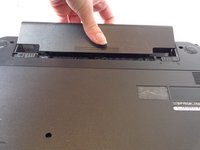
Finally, remove the battery by sliding it away from the unit and yourself.
-
-
-
-
-
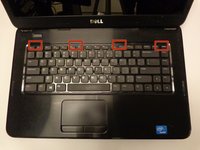
Locate the four tabs along the top edge of the keyboard.
-
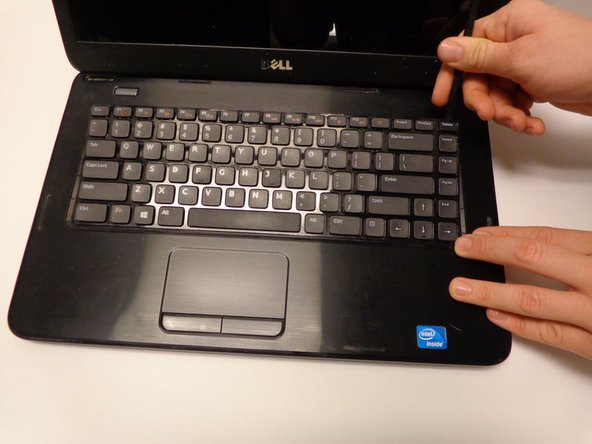
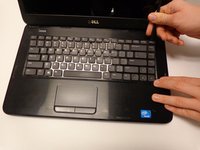
Using the spudger, push the tabs away from the keyboard and pull the keyboard up away from the laptop.
-
-
-
-
Slide the keyboard forward towards the screen to release the bottom tabs.
-
-
-
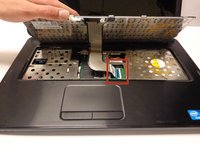
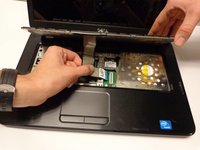
Carefully lift the board up and locate the connecting cable.
-
Gently pull the end of the cable free from the port on the laptop.
-
-
-
-
-
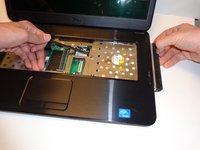
Push the optical drive from the inside a little bit to dislodge it.
-
Grab the drive with your hand from the outside and slide it free.
-








To reassemble your device, follow these instructions in reverse order.
İptal et: Bu kılavuzu tamamlamadım.
5 farklı kişi bu kılavuzu tamamladı.

Ekip

USF Tampa, Team 16-2, Watkins Winter 2015 USF Tampa, Team 16-2, Watkins Winter 2015 üyesi
USFT-WATKINS-W15S16G2
3 Üyeler
15 adet Kılavuz yazıldı
1Rehber Yorum
...screaming.....i love my dell 3520 it is awesome, it is still holding up.."hooray!!!!
