Ana içeriğe geç
Onarım Topluluğuna Katılın - Hesap Oluşturun

Dell Optiplex SX280 Upper Fan Replacement

Neye ihtiyacın var

    1. Dell Optiplex SX280 Upper Fan Replacement, Panel Cover: adım 1, 1 resimden 1.
      • Make sure the computer is turned off, by selecting the start menu and choosing “Shut Down”.

      • Ensure all cables, speakers and other devices are unplugged and turned off before opening the computer case.

      FixBot'a Sor

      Yorum Ekle

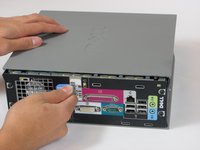
    2. Dell Optiplex SX280 Upper Fan Replacement: adım 2, 2 resimden 1. Dell Optiplex SX280 Upper Fan Replacement: adım 2, 2 resimden 2.
      • Lay the computer on its side; you will see a blue knob.

      • Turn this knob 90 deg clockwise.

      FixBot'a Sor

      Yorum Ekle

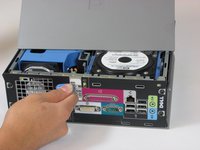
    3. Dell Optiplex SX280 Upper Fan Replacement: adım 3, 2 resimden 1. Dell Optiplex SX280 Upper Fan Replacement: adım 3, 2 resimden 2.
      • Slide the panel case forward about 1/2 inch while knob is turned.

      • Lift panel case off computer.

      FixBot'a Sor

      Yorum Ekle

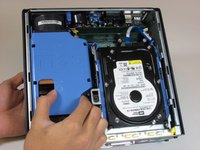
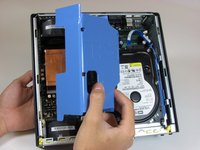
    1. Dell Optiplex SX280 Upper Fan Replacement, Upper Fan: adım 4, 2 resimden 1. Dell Optiplex SX280 Upper Fan Replacement, Upper Fan: adım 4, 2 resimden 2.
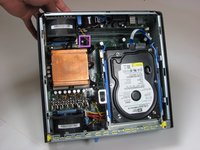
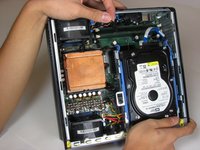
      • Remove the large blue cover from the computer. There are no screws or tabs holding it in place.

      FixBot'a Sor

      Yorum Ekle

    2. Dell Optiplex SX280 Upper Fan Replacement: adım 5, 2 resimden 1. Dell Optiplex SX280 Upper Fan Replacement: adım 5, 2 resimden 2.
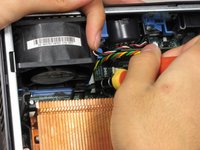
      • Remove the power supply that connects the upper fan to the motherboard. The power supply has black, red, green and yellow wires.

      FixBot'a Sor

      Yorum Ekle

    3. Dell Optiplex SX280 Upper Fan Replacement: adım 6, 2 resimden 1. Dell Optiplex SX280 Upper Fan Replacement: adım 6, 2 resimden 2.
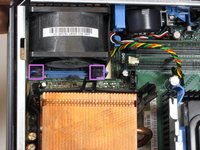
      • Remove the rubber grommets from the base of the fan. A screwdriver or spudger may be useful.

      FixBot'a Sor

      Yorum Ekle

    4. Dell Optiplex SX280 Upper Fan Replacement: adım 7, 1 resimden 1.
      • Pull the upper fan out of the computer.

      FixBot'a Sor

      Yorum Ekle

Sonuç

To reassemble your device, follow these instructions in reverse order.

İptal et: Bu kılavuzu tamamlamadım.

7 farklı kişi bu kılavuzu tamamladı.

Tom

Üyelik tarihi: 10/04/10

850 İtibar

7 adet Kılavuz yazıldı

Ekip

Cal Poly, Team 22-4, Maness Fall 2010 Cal Poly, Team 22-4, Maness Fall 2010 üyesi

CPSU-MANESS-F10S22G4

4 Üyeler

112 adet Kılavuz yazıldı

0Kılavuz Yorumları

Yorum Ekle

İstatistikleri Görüntüle:

Son 24 Saat: 1

Son 7 gün: 4

Son 30 gün: 34

Her zaman: 5,681