Ana içeriğe geç
Onarım Topluluğuna Katılın - Hesap Oluşturun

Dell Vostro 1700 RAM Replacement

Neye ihtiyacın var

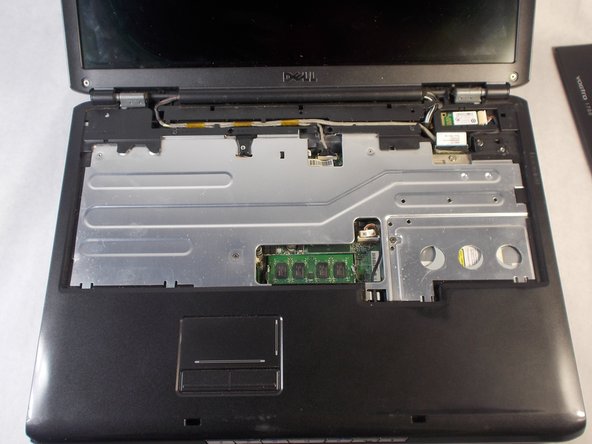
    1. Dell Vostro 1700 RAM Replacement, Keyboard: adım 1, 3 resimden 1. Dell Vostro 1700 RAM Replacement, Keyboard: adım 1, 3 resimden 2. Dell Vostro 1700 RAM Replacement, Keyboard: adım 1, 3 resimden 3.
      • Use the Plastic Opening Tools to pry off the tab located on the right side of the top face plate.

      FixBot'a Sor

      Yorum Ekle

    2. Dell Vostro 1700 RAM Replacement: adım 2, 1 resimden 1.
      • Lift the plate off the laptop from right to left.

      • Pull the plate out and remove it.

      FixBot'a Sor

      Yorum Ekle

    3. Dell Vostro 1700 RAM Replacement: adım 3, 2 resimden 1. Dell Vostro 1700 RAM Replacement: adım 3, 2 resimden 2.
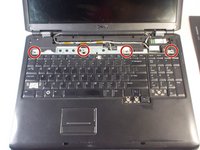
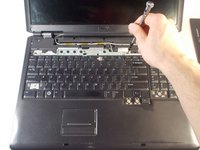
      • Remove the four 3mm Phillips #0 screws.

      FixBot'a Sor

      Yorum Ekle

    4. Dell Vostro 1700 RAM Replacement: adım 4, 2 resimden 1. Dell Vostro 1700 RAM Replacement: adım 4, 2 resimden 2.
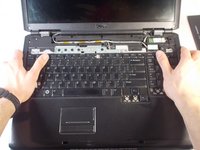
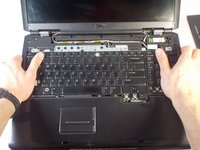
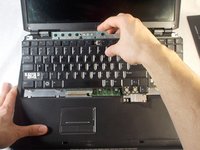
      • Grasp the laptop with both hands as shown.

      • Push the keyboard upwards with your thumbs to disconnect it.

      FixBot'a Sor

      Yorum Ekle

    5. Dell Vostro 1700 RAM Replacement: adım 5, 2 resimden 1. Dell Vostro 1700 RAM Replacement: adım 5, 2 resimden 2.
      • Lift the keyboard from the laptop and remove it.

      • Ensure the connector is fully disconnected before lifting the keyboard out.

      FixBot'a Sor

      Yorum Ekle

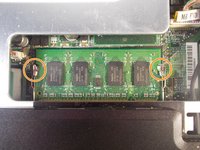
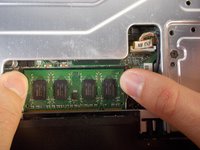
    1. Dell Vostro 1700 RAM Replacement, RAM: adım 6, 3 resimden 1. Dell Vostro 1700 RAM Replacement, RAM: adım 6, 3 resimden 2. Dell Vostro 1700 RAM Replacement, RAM: adım 6, 3 resimden 3.
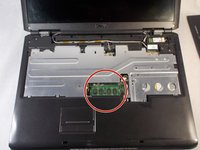
      • Dislodge the RAM from its slot.

      • Push the retaining clips outward with your fingers.

      FixBot'a Sor

      Yorum Ekle

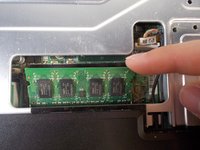
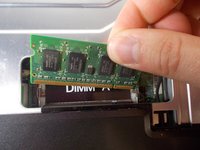
    2. Dell Vostro 1700 RAM Replacement: adım 7, 3 resimden 1. Dell Vostro 1700 RAM Replacement: adım 7, 3 resimden 2. Dell Vostro 1700 RAM Replacement: adım 7, 3 resimden 3.
      • Pull the RAM chip up and out.

      FixBot'a Sor

      Yorum Ekle

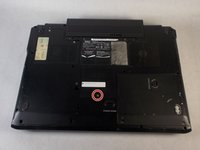
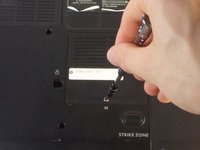
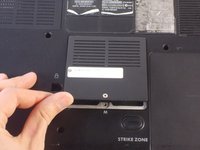
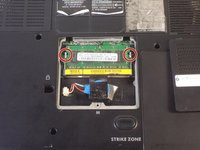
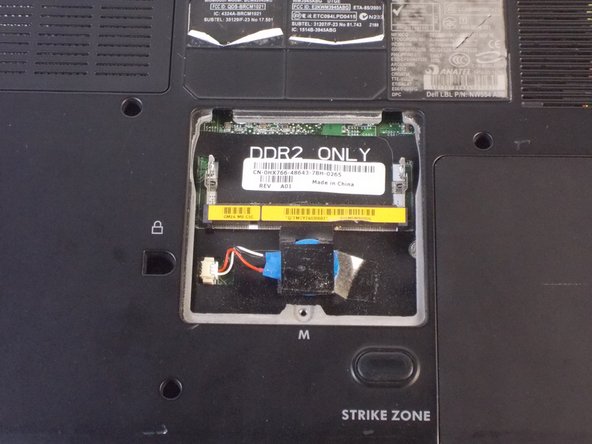
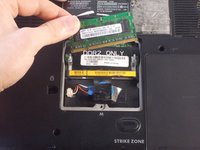
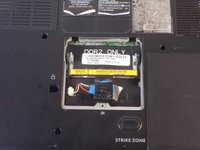
    3. Dell Vostro 1700 RAM Replacement: adım 8, 3 resimden 1. Dell Vostro 1700 RAM Replacement: adım 8, 3 resimden 2. Dell Vostro 1700 RAM Replacement: adım 8, 3 resimden 3.
      • Flip the laptop so under side is facing upwards.

      • Remove the 4.5mm Phillips #1 screw from the RAM cover.

      • Lift off the cover.

      FixBot'a Sor

      Yorum Ekle

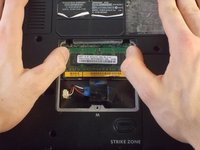
    4. Dell Vostro 1700 RAM Replacement: adım 9, 2 resimden 1. Dell Vostro 1700 RAM Replacement: adım 9, 2 resimden 2.
      • Dislodge the RAM from its slot by pushing outwards on the retaining clips.

      FixBot'a Sor

      Yorum Ekle

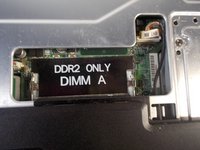
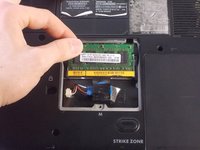
    5. Dell Vostro 1700 RAM Replacement: adım 10, 3 resimden 1. Dell Vostro 1700 RAM Replacement: adım 10, 3 resimden 2. Dell Vostro 1700 RAM Replacement: adım 10, 3 resimden 3.
      • Lift the RAM chip up and out of the slot.

      FixBot'a Sor

      Yorum Ekle

Sonuç

To reassemble your device, follow these instructions in reverse order.

İptal et: Bu kılavuzu tamamlamadım.

2 farklı kişi bu kılavuzu tamamladı.

Nathan Valm

Üyelik tarihi: 03/20/18

735 İtibar

5 adet Kılavuz yazıldı

Ekip

UMass Dartmouth, Team S3-G1, Peak Spring 2018 UMass Dartmouth, Team S3-G1, Peak Spring 2018 üyesi

UMASSD-PEAK-S18S3G1

3 Üyeler

5 adet Kılavuz yazıldı

0Kılavuz Yorumları

Yorum Ekle

İstatistikleri Görüntüle:

Son 24 Saat: 0

Son 7 gün: 9

Son 30 gün: 28

Her zaman: 1,397