Ana içeriğe geç
Onarım Topluluğuna Katılın - Hesap Oluşturun

Dell Vostro V13 Sound Card Replacement

Neye ihtiyacın var

    1. Dell Vostro V13 Sound Card Replacement, Back Cover: adım 1, 3 resimden 1. Dell Vostro V13 Sound Card Replacement, Back Cover: adım 1, 3 resimden 2. Dell Vostro V13 Sound Card Replacement, Back Cover: adım 1, 3 resimden 3.
      • Back up the memory to an external drive and power off the laptop before starting.

      • Flip the laptop over so the vents are facing you.

      • Remove the six 5.0 mm Phillips #1 screws using the magnetic driver.

      • Remove the two 5.0 mm Phillips #1 screws on the back side of the laptop.

      FixBot'a Sor

      Yorum Ekle

    2. Dell Vostro V13 Sound Card Replacement: adım 2, 3 resimden 1. Dell Vostro V13 Sound Card Replacement: adım 2, 3 resimden 2. Dell Vostro V13 Sound Card Replacement: adım 2, 3 resimden 3.
      • Slide out the SD and MicroSD holders.

      • If you are having trouble sliding them out, use the plastic opening tool.

      FixBot'a Sor

      Yorum Ekle

    3. Dell Vostro V13 Sound Card Replacement: adım 3, 3 resimden 1. Dell Vostro V13 Sound Card Replacement: adım 3, 3 resimden 2. Dell Vostro V13 Sound Card Replacement: adım 3, 3 resimden 3.
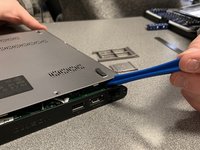
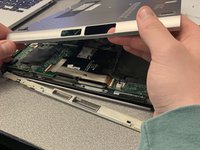
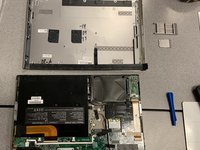
      • Slide the plastic opening tool around the perimeter of the laptop until the cover pops off.

      • Pull the back cover off.

      FixBot'a Sor

      Yorum Ekle

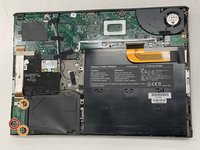
    4. Dell Vostro V13 Sound Card Replacement: adım 4, 2 resimden 1. Dell Vostro V13 Sound Card Replacement: adım 4, 2 resimden 2.
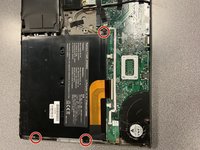
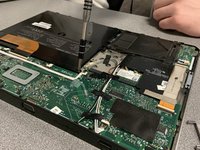
      • Remove the three black 3.9 mm Phillips #1 screws holding the battery in place.

      FixBot'a Sor

      Yorum Ekle

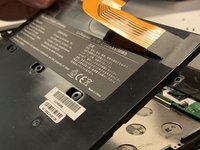
    5. Dell Vostro V13 Sound Card Replacement: adım 5, 3 resimden 1. Dell Vostro V13 Sound Card Replacement: adım 5, 3 resimden 2. Dell Vostro V13 Sound Card Replacement: adım 5, 3 resimden 3.
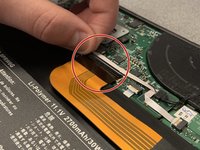
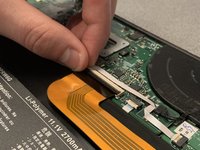
      • Flip up the clip of the ribbon connector.

      • Pull the strip out to disconnect the battery.

      FixBot'a Sor

      Yorum Ekle

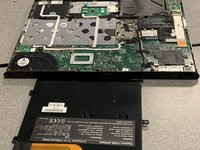
    6. Dell Vostro V13 Sound Card Replacement: adım 6, 2 resimden 1. Dell Vostro V13 Sound Card Replacement: adım 6, 2 resimden 2.
      • Remove the battery.

      • Removing the battery allows you to work safely.

      FixBot'a Sor

      Yorum Ekle

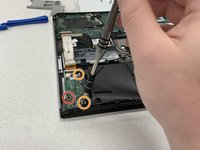
    1. Dell Vostro V13 Sound Card Replacement, Sound Card: adım 7, 2 resimden 1. Dell Vostro V13 Sound Card Replacement, Sound Card: adım 7, 2 resimden 2.
      • Remove the black 3.0 mm Phillips #1 screw.

      • Remove the two 5.1 mm silver Phillips #1 screws.

      FixBot'a Sor

      Yorum Ekle

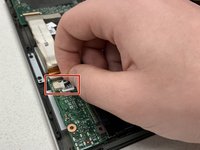
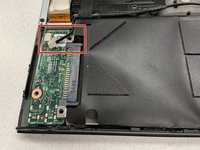
    2. Dell Vostro V13 Sound Card Replacement: adım 8, 2 resimden 1. Dell Vostro V13 Sound Card Replacement: adım 8, 2 resimden 2.
      • Disconnect the white plug on the top left corner of the sound card.

      FixBot'a Sor

      Yorum Ekle

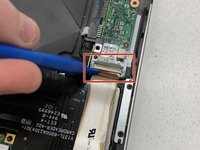
    3. Dell Vostro V13 Sound Card Replacement: adım 9, 2 resimden 1. Dell Vostro V13 Sound Card Replacement: adım 9, 2 resimden 2.
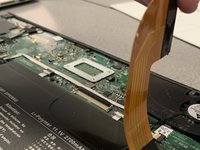
      • Use the plastic opening tool to flip the ribbon connector up.

      FixBot'a Sor

      Yorum Ekle

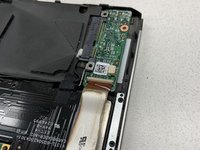
    4. Dell Vostro V13 Sound Card Replacement: adım 10, 2 resimden 1. Dell Vostro V13 Sound Card Replacement: adım 10, 2 resimden 2.
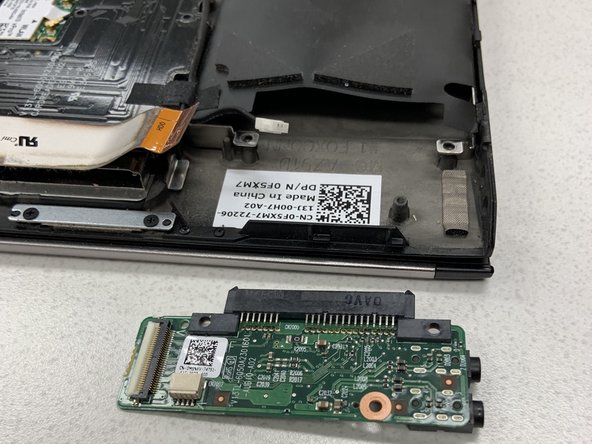
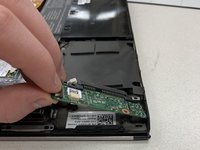
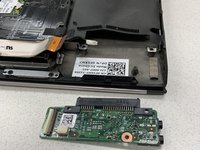
      • Pull the sound card out of the laptop.

      FixBot'a Sor

      Yorum Ekle

Sonuç

To reassemble your device, follow these instructions in reverse order.

İptal et: Bu kılavuzu tamamlamadım.

0Kılavuz Yorumları

Yorum Ekle

İstatistikleri Görüntüle:

Son 24 Saat: 0

Son 7 gün: 3

Son 30 gün: 38

Her zaman: 1,005