Ana içeriğe geç
Onarım Topluluğuna Katılın - Hesap Oluşturun

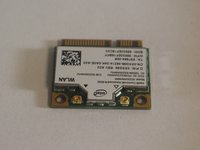
Dell XPS 13 L321X Wireless Card Replacement

Neye ihtiyacın var

    1. Dell XPS 13 L321X Wireless Card Replacement, Wireless Card: adım 1, 2 resimden 1. Dell XPS 13 L321X Wireless Card Replacement, Wireless Card: adım 1, 2 resimden 2.
      • Remove ten 3mm screws from the back cover with a T5 screwdriver.

      FixBot'a Sor

      Yorum Ekle

    2. Dell XPS 13 L321X Wireless Card Replacement: adım 2, 2 resimden 1. Dell XPS 13 L321X Wireless Card Replacement: adım 2, 2 resimden 2.
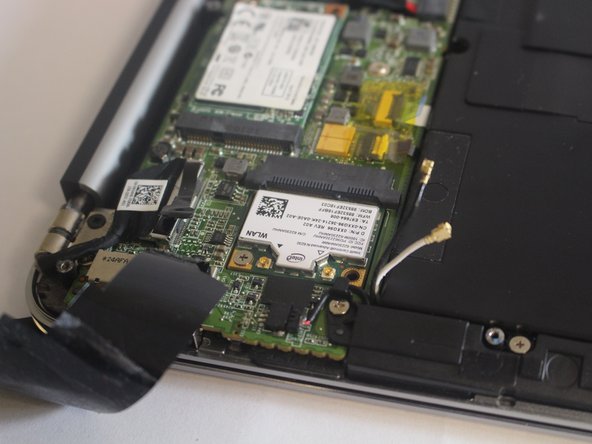
      • Remove the black tape covering the RAM and wireless card with your hands.

      FixBot'a Sor

      Yorum Ekle

    3. Dell XPS 13 L321X Wireless Card Replacement: adım 3, 2 resimden 1. Dell XPS 13 L321X Wireless Card Replacement: adım 3, 2 resimden 2.
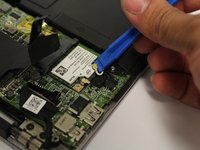
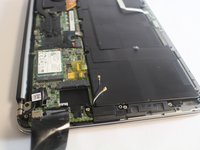
      • Use a plastic iFixit opening tool to remove the two wires connected to the wireless card.

      FixBot'a Sor

      Yorum Ekle

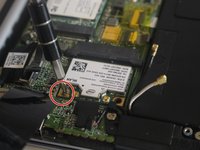
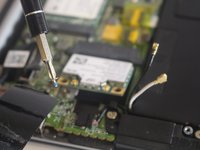
    4. Dell XPS 13 L321X Wireless Card Replacement: adım 4, 2 resimden 1. Dell XPS 13 L321X Wireless Card Replacement: adım 4, 2 resimden 2.
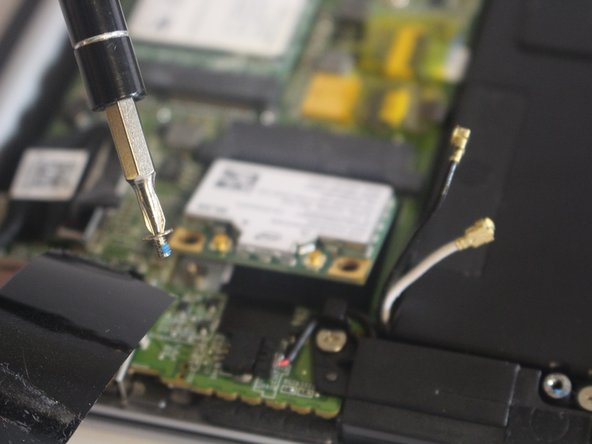
      • Use a PH00 screwdriver to remove the one 3mm screw that holds the wireless card in place.

      FixBot'a Sor

      Yorum Ekle

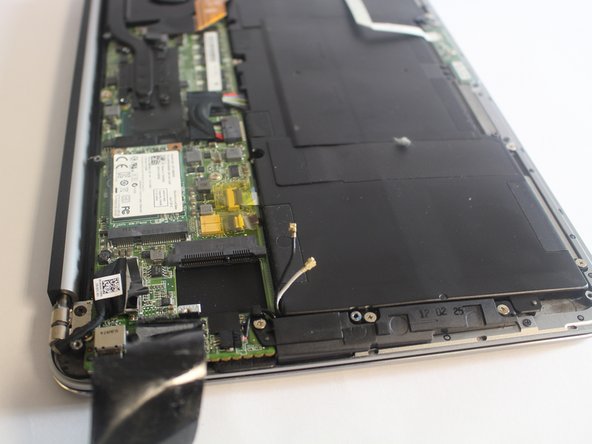
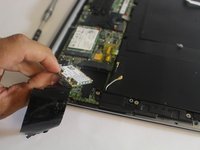
    5. Dell XPS 13 L321X Wireless Card Replacement: adım 5, 3 resimden 1. Dell XPS 13 L321X Wireless Card Replacement: adım 5, 3 resimden 2. Dell XPS 13 L321X Wireless Card Replacement: adım 5, 3 resimden 3.
      • Use your hand to remove the wireless card.

      FixBot'a Sor

      Yorum Ekle

Bitiş Çizgisi

İptal et: Bu kılavuzu tamamlamadım.

Bir başkası bu kılavuzu tamamladı.

Molly Skinner

Üyelik tarihi: 02/15/17

270 İtibar

2 adet Kılavuz yazıldı

Ekip

USF Tampa, Team S6-G3, Lacy Spring 2017 USF Tampa, Team S6-G3, Lacy Spring 2017 üyesi

USFT-LACY-S17S6G3

4 Üyeler

49 adet Kılavuz yazıldı

0Kılavuz Yorumları

Yorum Ekle

İstatistikleri Görüntüle:

Son 24 Saat: 0

Son 7 gün: 5

Son 30 gün: 28

Her zaman: 1,151