Ana içeriğe geç
Onarım Topluluğuna Katılın - Hesap Oluşturun

Disassembling Power Mac G4 M5183 DVD-ROM Drive

Neye ihtiyacın var

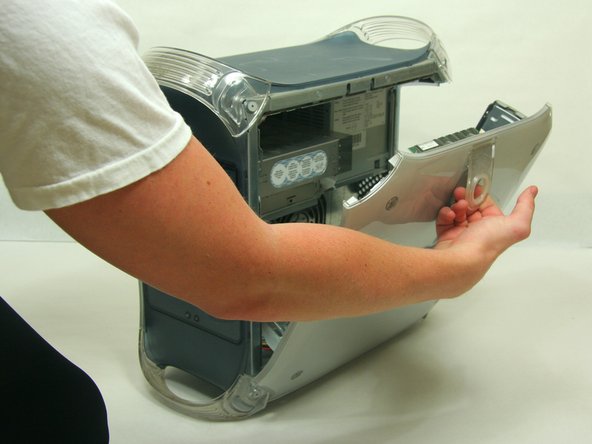
    1. Disassembling Power Mac G4 M5183 DVD-ROM Drive, Opening PowerMac G4 M5183 Case: adım 1, 2 resimden 1. Disassembling Power Mac G4 M5183 DVD-ROM Drive, Opening PowerMac G4 M5183 Case: adım 1, 2 resimden 2.
      • Pull on outer latch.

      • Lower door until it is level with your work surface.

      • Before working on the computer make sure it is not plugged into a power supply, then touch a metal object. This discharges static electricity, which could damage the computer.

      FixBot'a Sor

      Yorum Ekle

    1. Disassembling Power Mac G4 M5183 DVD-ROM Drive, DVD-ROM Drive: adım 2, 2 resimden 1. Disassembling Power Mac G4 M5183 DVD-ROM Drive, DVD-ROM Drive: adım 2, 2 resimden 2.
      • Removing the faceplate.

      • On the inside of the case, find the two plastic tabs.

      • While depressing the tabs, remove the faceplate by pulling and rotating outward.

      FixBot'a Sor

      Yorum Ekle

    2. Disassembling Power Mac G4 M5183 DVD-ROM Drive: adım 3, 1 resimden 1.
      • Remove the two screws on the front of the drive with the Phillips #1 screwdriver.

      FixBot'a Sor

      Yorum Ekle

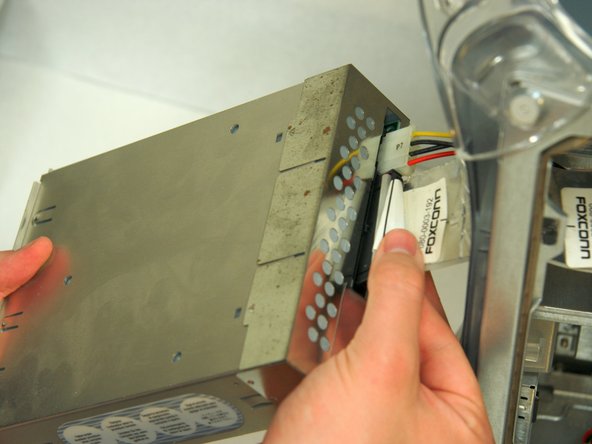
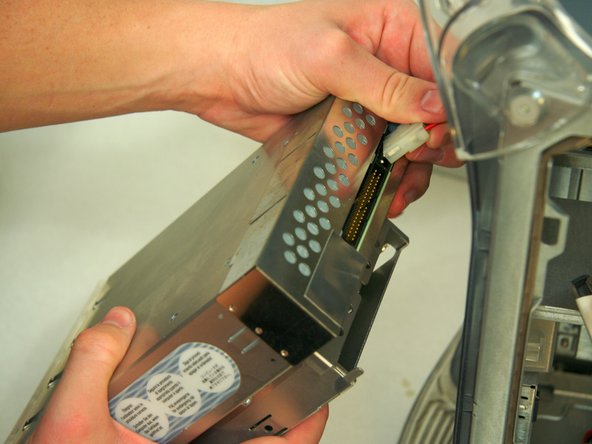
    3. Disassembling Power Mac G4 M5183 DVD-ROM Drive: adım 4, 3 resimden 1. Disassembling Power Mac G4 M5183 DVD-ROM Drive: adım 4, 3 resimden 2. Disassembling Power Mac G4 M5183 DVD-ROM Drive: adım 4, 3 resimden 3.
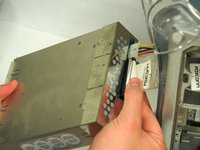
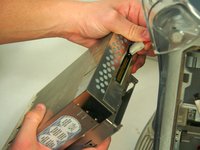
      • Pull the drive out to allow access to the power and ribbon cables. Do not fully remove.

      • Remove both the power and ribbon cable.

      FixBot'a Sor

      Yorum Ekle

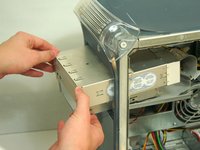
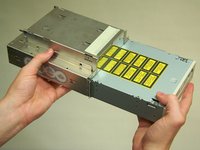
    1. Disassembling Power Mac G4 M5183 DVD-ROM Drive, DVD-ROM Drive: adım 5, 3 resimden 1. Disassembling Power Mac G4 M5183 DVD-ROM Drive, DVD-ROM Drive: adım 5, 3 resimden 2. Disassembling Power Mac G4 M5183 DVD-ROM Drive, DVD-ROM Drive: adım 5, 3 resimden 3.
      • Remove DVD drive from the drive bay.

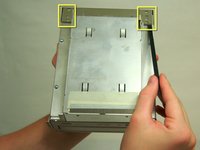
      • Lift the two metal tabs on the back of the shielding and remove.

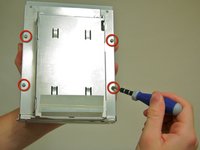
      • Remove the four screws on the bottom of the drive with the Phillips #1 screwdriver.

      • Slide out DVD drive.

      FixBot'a Sor

      Yorum Ekle

Sonuç

To reassemble your device, follow these instructions in reverse order.

İptal et: Bu kılavuzu tamamlamadım.

12 farklı kişi bu kılavuzu tamamladı.

Stephen Scruggs

Üyelik tarihi: 01/20/10

2.283 İtibar

2 adet Kılavuz yazıldı

Ekip

Cal Poly, Team 13-24, Maness Winter 2010 Cal Poly, Team 13-24, Maness Winter 2010 üyesi

CPSU-MANESS-W10S13G24

4 Üyeler

79 adet Kılavuz yazıldı

0Kılavuz Yorumları

Yorum Ekle

İstatistikleri Görüntüle:

Son 24 Saat: 2

Son 7 gün: 12

Son 30 gün: 63

Her zaman: 12,298