Ana içeriğe geç
Onarım Topluluğuna Katılın - Hesap Oluşturun

Dremel 4000 Power Cord Replacement

Neye ihtiyacın var

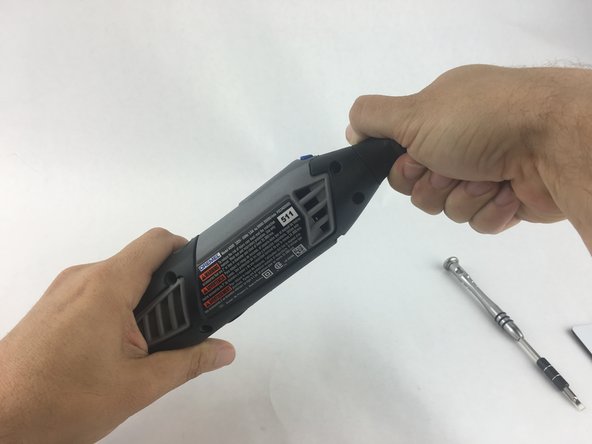
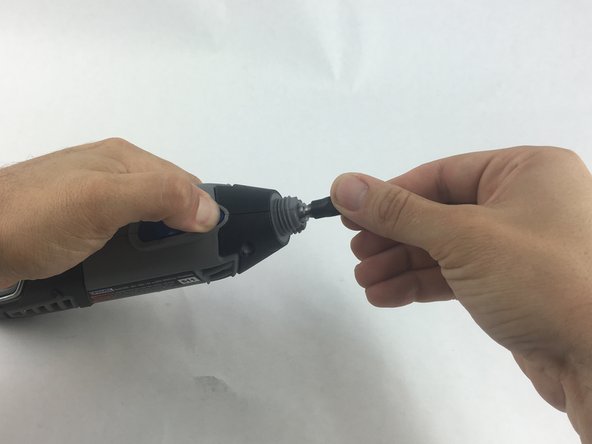
    1. Dremel 4000 Power Cord Replacement, Back Case: adım 1, 2 resimden 1. Dremel 4000 Power Cord Replacement, Back Case: adım 1, 2 resimden 2.
      • Start by removing the housing cap by unscrewing it.

      • Next, unscrew the now exposed collet nut while holding down the shaft lock button.

      • To remove the collet nut, you may need to use the small open-end wrench provided with the Dremel.

      FixBot'a Sor

      Yorum Ekle

    2. Dremel 4000 Power Cord Replacement: adım 2, 1 resimden 1.
      • Using your hands, carefully remove hanger from casing.

      FixBot'a Sor

      Yorum Ekle

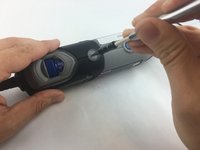
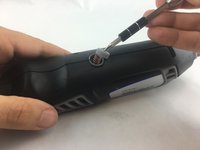
    3. Dremel 4000 Power Cord Replacement: adım 3, 2 resimden 1. Dremel 4000 Power Cord Replacement: adım 3, 2 resimden 2.
      • Remove the brush caps (one on each side) by using a flathead screwdriver bit.

      • The brush caps are spring loaded.

      FixBot'a Sor

      Yorum Ekle

    4. Dremel 4000 Power Cord Replacement: adım 4, 1 resimden 1.
      • Using the Torx 15 screwdriver tip, remove the 5 screws (12.5 mm) that hold the casing together.

      FixBot'a Sor

      Yorum Ekle

    5. Dremel 4000 Power Cord Replacement: adım 5, 1 resimden 1.
      • Use a plastic opening tool to gently wedge apart the hard plastic threads.

      FixBot'a Sor

      Yorum Ekle

    6. Dremel 4000 Power Cord Replacement: adım 6, 1 resimden 1.
      • Use your hands to carefully remove the back casing so that none of the components fall out.

      FixBot'a Sor

      Yorum Ekle

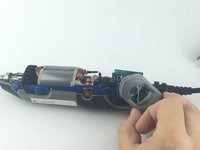
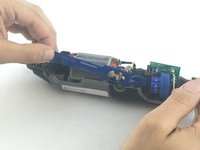
    1. Dremel 4000 Power Cord Replacement, Power Cord: adım 7, 2 resimden 1. Dremel 4000 Power Cord Replacement, Power Cord: adım 7, 2 resimden 2.
      • To clear access to the electrical assembly, remove the variable speed dial cap and blue power lever, and set them aside.

      FixBot'a Sor

      Yorum Ekle

    2. Dremel 4000 Power Cord Replacement: adım 8, 1 resimden 1.
      • Using your fingers, carefully pull the circuit board from the casing. This will make it easier to remove the power cord.

      FixBot'a Sor

      Yorum Ekle

    3. Dremel 4000 Power Cord Replacement: adım 9, 1 resimden 1.
      • Each wire is fed through a small opening on the circuit board and held with a flat head screw.

      • Loosen the screw just enough to remove the wire by gently pulling it with your hand.

      FixBot'a Sor

      Yorum Ekle

    4. Dremel 4000 Power Cord Replacement: adım 10, 1 resimden 1.
      • Carefully remove both wires from circuit board with your hands.

      • Take careful note of which side has the black wire and which has the white wire.

      FixBot'a Sor

      Yorum Ekle

Sonuç

To reassemble your device, follow these instructions in reverse order.

İptal et: Bu kılavuzu tamamlamadım.

5 farklı kişi bu kılavuzu tamamladı.

John Cobb

Üyelik tarihi: 01/20/16

1.842 İtibar

4 adet Kılavuz yazıldı

Ekip

USF Tampa, Team 15-4, Remmell Spring 2016 USF Tampa, Team 15-4, Remmell Spring 2016 üyesi

USFT-REMMELL-S16S15G4

4 Üyeler

17 adet Kılavuz yazıldı

1Rehber Yorum

Super handy guide after my guide dog decided to chew through the cable!

Geoff Palmer - Yanıt Paylaş

Yorum Ekle

İstatistikleri Görüntüle:

Son 24 Saat: 2

Son 7 gün: 16

Son 30 gün: 91

Her zaman: 7,558