Ana içeriğe geç
Onarım Topluluğuna Katılın - Hesap Oluşturun

Epson PowerLite 83+ Fan Replacement

Neye ihtiyacın var

  1. Epson PowerLite 83+ Fan Replacement, Motherboard: adım 1, 3 resimden 1. Epson PowerLite 83+ Fan Replacement, Motherboard: adım 1, 3 resimden 2. Epson PowerLite 83+ Fan Replacement, Motherboard: adım 1, 3 resimden 3.
    • Remove the eight 5mm Phillips #2 screws securing the projector's bottom cover.

    • A long shank Phillips #2 screwdriver is required to reach the screws.

    FixBot'a Sor

    Yorum Ekle

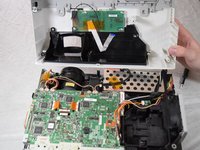
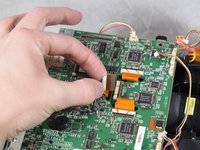
  2. Epson PowerLite 83+ Fan Replacement: adım 2, 3 resimden 1. Epson PowerLite 83+ Fan Replacement: adım 2, 3 resimden 2. Epson PowerLite 83+ Fan Replacement: adım 2, 3 resimden 3.
    • Flip the projector over and lift the top cover from the rear of the projector.

    • Two cables are connected at the front that prevent full removal.

    • Disconnect the slide cover JST connector. Grip the connector and rock it back and forth while apply gentle pressure.

    FixBot'a Sor

    Yorum Ekle

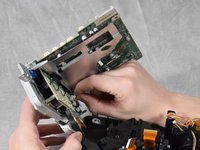
  3. Epson PowerLite 83+ Fan Replacement: adım 3, 2 resimden 1. Epson PowerLite 83+ Fan Replacement: adım 3, 2 resimden 2.
    • Using a spudger, lift the ribbon cable's locking tab along the length of the cable.

    • Remove the ribbon cable from the connector and place the projector's top cover aside.

    FixBot'a Sor

    Yorum Ekle

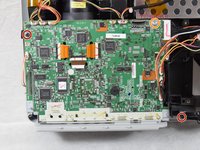
  4. Epson PowerLite 83+ Fan Replacement: adım 4, 3 resimden 1. Epson PowerLite 83+ Fan Replacement: adım 4, 3 resimden 2. Epson PowerLite 83+ Fan Replacement: adım 4, 3 resimden 3.
    • Remove the two 6 mm Phillips #2 screws.

    • Remove the single silver 5 mm Phillips #2 screw.

    FixBot'a Sor

    Yorum Ekle

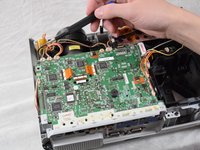
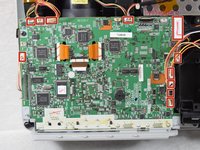
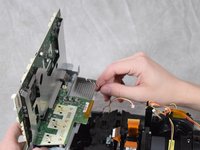
  5. Epson PowerLite 83+ Fan Replacement: adım 5, 3 resimden 1. Epson PowerLite 83+ Fan Replacement: adım 5, 3 resimden 2. Epson PowerLite 83+ Fan Replacement: adım 5, 3 resimden 3.
    • Using your fingernails or a spudger, remove the eleven JST connectors attached to the motherboard.

    FixBot'a Sor

    Yorum Ekle

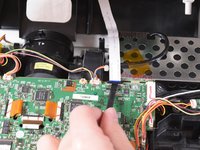
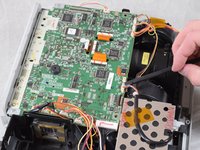
  6. Epson PowerLite 83+ Fan Replacement: adım 6, 2 resimden 1. Epson PowerLite 83+ Fan Replacement: adım 6, 2 resimden 2.
    • Using a spudger, flip up the plastic locking tabs and gently remove the three ribbon cables from their connectors.

    FixBot'a Sor

    Yorum Ekle

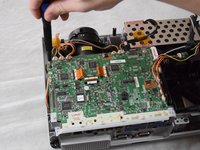
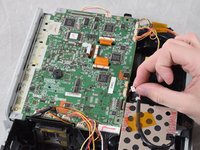
  7. Epson PowerLite 83+ Fan Replacement: adım 7, 2 resimden 1. Epson PowerLite 83+ Fan Replacement: adım 7, 2 resimden 2.
    • Ensure all JST connectors are clear of the motherboard and that the ribbon cables freely move in their motherboard cutouts.

    • Lift the motherboard from the front side of the projector to clear the ribbon cables.

    • Disconnect the speaker's JST connector on the underside of the motherboard using your fingernails.

    • Remove the motherboard from the case.

    FixBot'a Sor

    Yorum Ekle

  8. Epson PowerLite 83+ Fan Replacement, Exhaust Fan: adım 8, 2 resimden 1. Epson PowerLite 83+ Fan Replacement, Exhaust Fan: adım 8, 2 resimden 2.
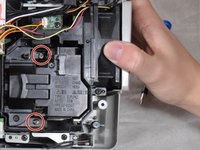
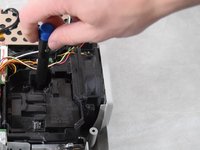
    • Loosen the two captive Phillips #2 screws securing the lamp.

    • Captive screws should not be removed. They are secured to the lamp itself with retaining rings and will be removed along with the lamp.

    FixBot'a Sor

    Yorum Ekle

  9. Epson PowerLite 83+ Fan Replacement: adım 9, 1 resimden 1.
    • Hold onto the indented areas of the lamp with your fingers and gently pull it upwards to remove it from the casing.

    FixBot'a Sor

    Yorum Ekle

  10. Epson PowerLite 83+ Fan Replacement: adım 10, 3 resimden 1. Epson PowerLite 83+ Fan Replacement: adım 10, 3 resimden 2. Epson PowerLite 83+ Fan Replacement: adım 10, 3 resimden 3.
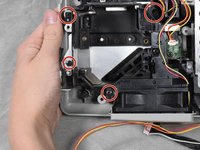
    • Remove the four 6 mm Phillips #2 screws.

    • Lift the fan bracket straight up to remove it from the casing.

    FixBot'a Sor

    Yorum Ekle

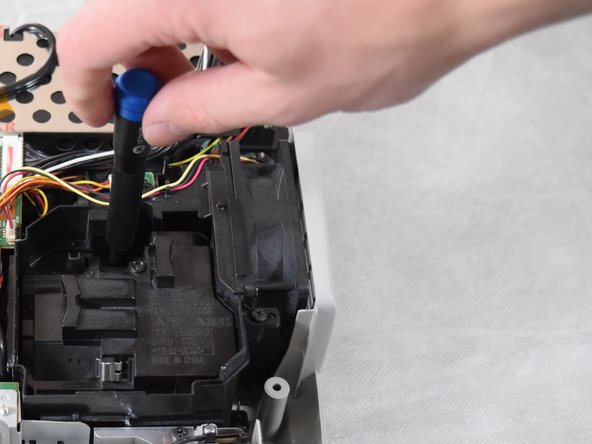
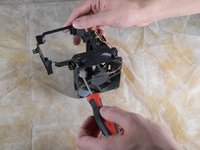
  11. Epson PowerLite 83+ Fan Replacement: adım 11, 2 resimden 1. Epson PowerLite 83+ Fan Replacement: adım 11, 2 resimden 2.
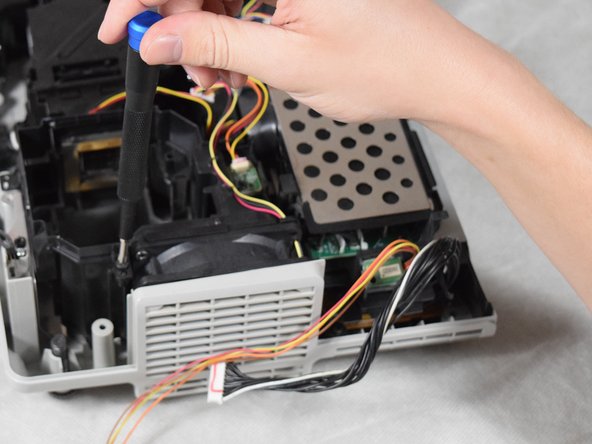
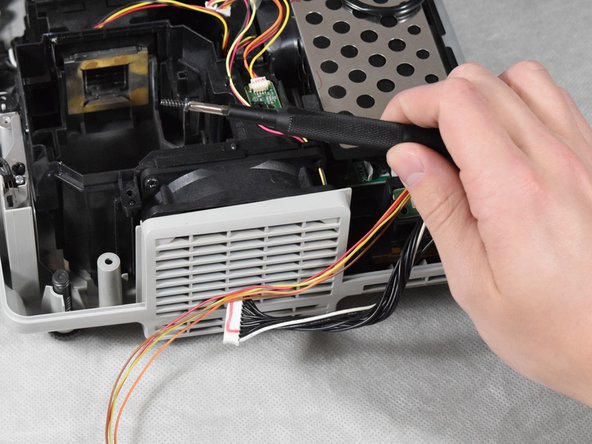
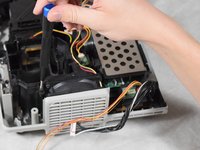
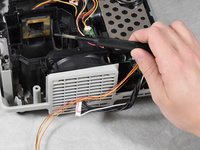
    • Remove the two 6 mm Phillips #2 screws.

    • A long, thin shank Phillips #2 screwdriver is required to remove the screws.

    FixBot'a Sor

    Yorum Ekle

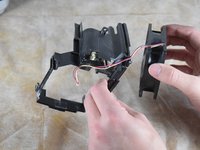
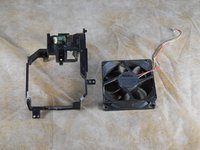
  12. Epson PowerLite 83+ Fan Replacement: adım 12, 2 resimden 1. Epson PowerLite 83+ Fan Replacement: adım 12, 2 resimden 2.
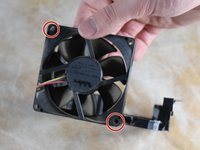
    • Remove the exhaust fan from the bracket.

    FixBot'a Sor

    Yorum Ekle

Sonuç

To reassemble your device, follow these instructions in reverse order.

İptal et: Bu kılavuzu tamamlamadım.

Billy Fox

Üyelik tarihi: 02/22/22

467 İtibar

3 adet Kılavuz yazıldı

Ekip

Clemson, Team 2-4, Hunter Spring 2022 Clemson, Team 2-4, Hunter Spring 2022 üyesi

CLEM-HUNTER-S22S2G4

4 Üyeler

6 adet Kılavuz yazıldı

0Kılavuz Yorumları

Yorum Ekle

İstatistikleri Görüntüle:

Son 24 Saat: 0

Son 7 gün: 4

Son 30 gün: 25

Her zaman: 525