Giriş
This guide will show you how to replace a battery in a car FOB, which is needed to unlock/lock your vehicle and easily access it. There is also a remote start feature on the FOB, so fixing it benefits the user in many ways. Fixing the FOB is safe and easy, there is no safety risk involved. The only requirement for this fix is purchasing new batteries, which can be found in any drug store for a very inexpensive price.
Neye ihtiyacın var
-
-
-
Use a small and thin object, like a penny or other coin, to pry open the FOB. It will separate into two pieces.
-
-
-
-
Identify which part of the FOB holds the battery. You should be able to clearly see the circular batteries in one half.
-
-
-
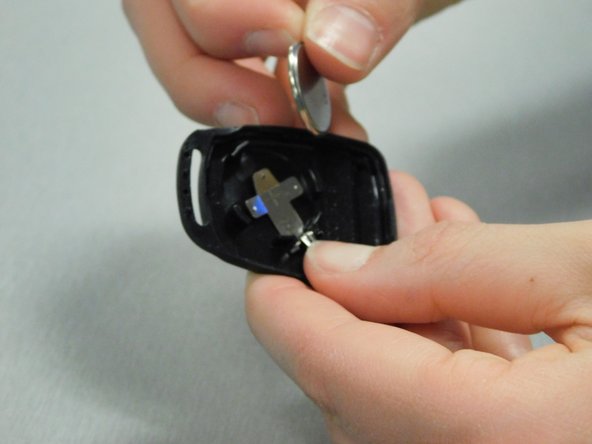
Insert the new CR2016 batteries with the positive side facing down, and make sure the batteries are secure under the prongs.
-

 FixBot'a Sor




İptal et: Bu kılavuzu tamamlamadım.
Bir başkası bu kılavuzu tamamladı.

Ekip

University of Delaware, Team S10-G3, McGuire Spring 2018 University of Delaware, Team S10-G3, McGuire Spring 2018 üyesi
UD-MCGUIRE-S18S10G3
2 Üyeler
2 adet Kılavuz yazıldı
