Ana içeriğe geç
Onarım Topluluğuna Katılın - Hesap Oluşturun

Framework Laptop 12 Pre-built Quick Start Guide

  1. Framework Laptop 12 Pre-built Quick Start Guide, Unbox your Framework Laptop: adım 1, 2 resimden 1. Framework Laptop 12 Pre-built Quick Start Guide, Unbox your Framework Laptop: adım 1, 2 resimden 2.
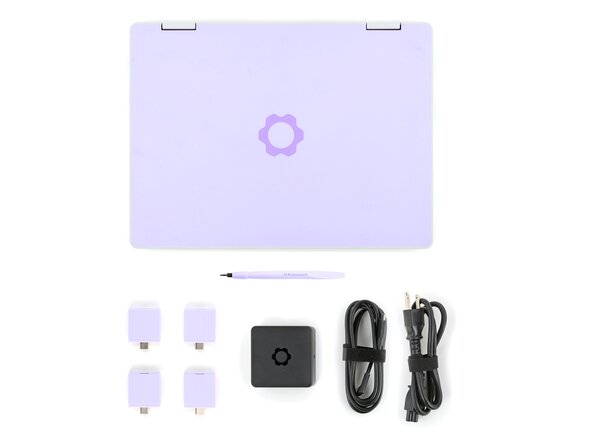
    • Unbox your Framework Laptop and make sure you've received all the items:

    • Framework Laptop 12

    • Framework Screwdriver

    • Expansion Cards you selected during purchase

    • Framework Power Adapter, USB-C Cable, and AC Cable

  2. Framework Laptop 12 Pre-built Quick Start Guide, Set your laptop on a clean surface: adım 2, 1 resimden 1.
    • Set your Framework Laptop face-down on a clean work surface.

  3. Framework Laptop 12 Pre-built Quick Start Guide, Install the Expansion Cards: adım 3, 3 resimden 1. Framework Laptop 12 Pre-built Quick Start Guide, Install the Expansion Cards: adım 3, 3 resimden 2. Framework Laptop 12 Pre-built Quick Start Guide, Install the Expansion Cards: adım 3, 3 resimden 3.
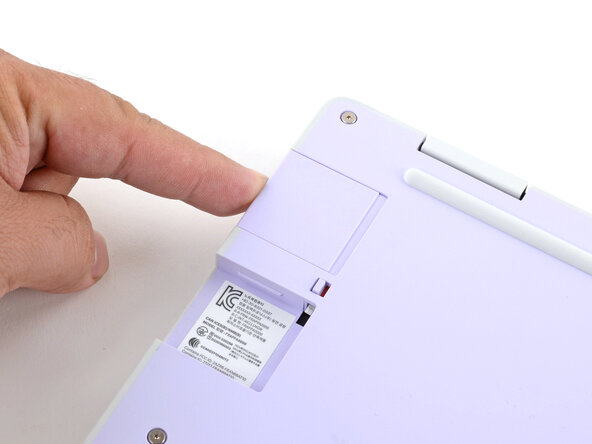
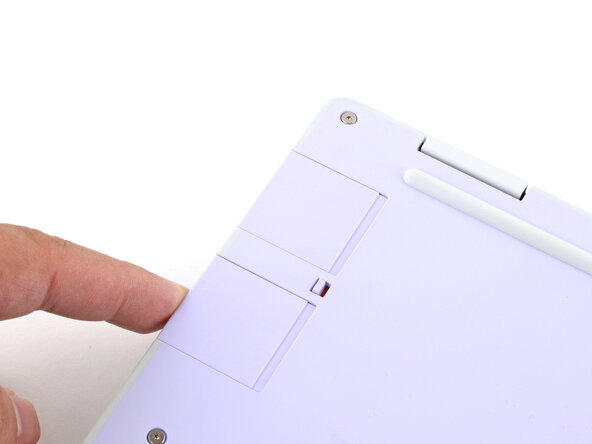
    • Slide an Expansion Card into the Expansion Card slot.

    • All official Expansion Cards work fully in all slots, so you can install them however you wish!

    • You don't need to unlock the latches to install the Expansion Cards—only when you want to remove them.

    • The Expansion Cards should click in place, and the front edge should be flush with the laptop.

    • Repeat the procedure with the remaining expansion cards.

  4. Framework Laptop 12 Pre-built Quick Start Guide, Lock the Expansion Card slots: adım 4, 2 resimden 1. Framework Laptop 12 Pre-built Quick Start Guide, Lock the Expansion Card slots: adım 4, 2 resimden 2.
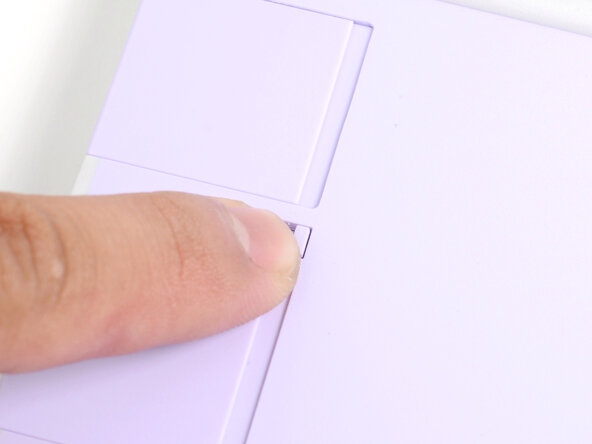
    • If there's a red bar showing under each Expansion Card latch, use your finger to flip the latch and lock the Expansion Card into its slot.

    • Locking the Expansion Card slots help keep the cards in place when you unplug cables from them.

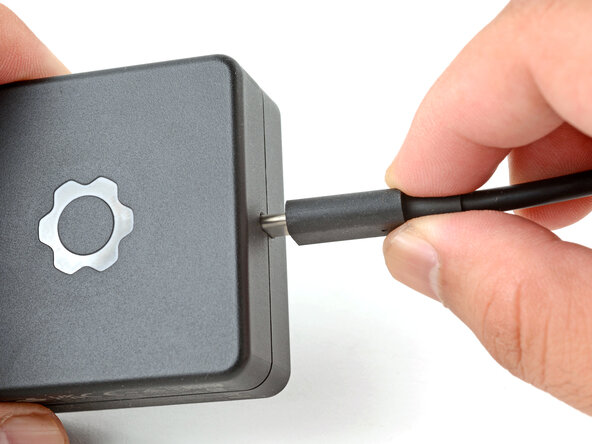
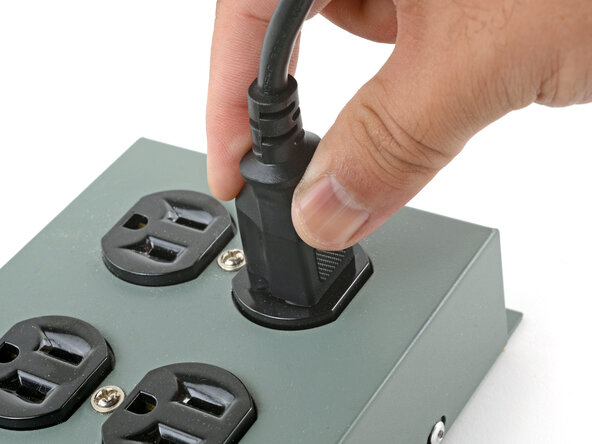
  5. Framework Laptop 12 Pre-built Quick Start Guide, Assemble the Framework Power Adapter: adım 5, 3 resimden 1. Framework Laptop 12 Pre-built Quick Start Guide, Assemble the Framework Power Adapter: adım 5, 3 resimden 2. Framework Laptop 12 Pre-built Quick Start Guide, Assemble the Framework Power Adapter: adım 5, 3 resimden 3.
    • Plug the AC Cable into the Power Adapter.

    • Plug the USB-C Cable into the Power Adapter.

    • You can plug either end of the USB-C cable into the adapter.

    • Plug the AC Cable into a power outlet.

  6. Framework Laptop 12 Pre-built Quick Start Guide, Plug in the laptop: adım 6, 1 resimden 1.
    • Your Framework Laptop ships in shipping mode, where the battery is disabled until you plug the laptop in for the first time.

    • Plug the USB-C cable into any USB-C port on your laptop.

  7. Framework Laptop 12 Pre-built Quick Start Guide, Turn on the laptop: adım 7, 1 resimden 1.
    • Your Framework Laptop is ready for use! Open the lid and press the power button along the right edge of the laptop.

Sonuç

For drivers, firmware, and software updates, check out this page.

If you need help, contact Framework support.

Arthur Shi

Üyelik tarihi: 01/03/18

333.836 İtibar

847 adet Kılavuz yazıldı

Ekip

iFixit iFixit üyesi

Staff

123 Üyeler

25.502 adet Kılavuz yazıldı

0Kılavuz Yorumları

Yorum Ekle

İstatistikleri Görüntüle:

Son 24 Saat: 0

Son 7 gün: 6

Son 30 gün: 21

Her zaman: 398