Giriş
Replacing the battery for the Fujitsu Lifebook U810 is a simple process that does not require a toolkit of any kind. This guide helps repair a short battery life for the device and can improve the overall lifespan. You can find a new battery online by searching the model number and corresponding part for the U810 model.
-
-
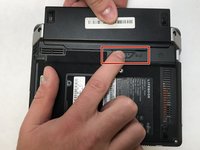
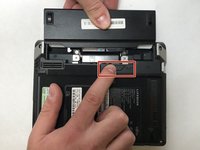
Flip the Lifebook so it's underside is showing and you see a small latch with the lock symbol on the right side.
 FixBot'a Sor
-
-
-
-
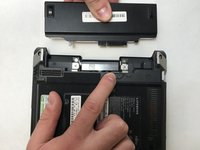
Hold the latch in the unlocked position and with your other hand pull the battery straight out from the back of the device.
-


To reassemble your device, follow these instructions in reverse order.

Ekip

UC Davis, Team S4-G7, Lore Fall 2018 UC Davis, Team S4-G7, Lore Fall 2018 üyesi
UCD-LORE-F18S4G7
3 Üyeler
4 adet Kılavuz yazıldı
