Ana içeriğe geç
Onarım Topluluğuna Katılın - Hesap Oluşturun

Fujitsu Lifebook S6120 PCI Adapter Replacement

Neye ihtiyacın var

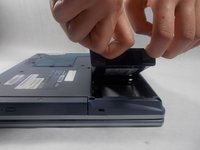
  1. Fujitsu Lifebook S6120 PCI Adapter Replacement, Battery: adım 1, 3 resimden 1. Fujitsu Lifebook S6120 PCI Adapter Replacement, Battery: adım 1, 3 resimden 2. Fujitsu Lifebook S6120 PCI Adapter Replacement, Battery: adım 1, 3 resimden 3.
    • To prevent injury, make sure the laptop is unplugged and turned off before removing the battery.

    • Push the two tabs in towards the laptop.

    • Lift the battery up and out from the frame of the laptop.

    FixBot'a Sor

    Yorum Ekle

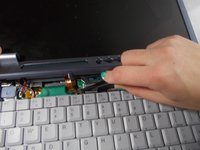
  2. Fujitsu Lifebook S6120 PCI Adapter Replacement, Hinge Cover: adım 2, 2 resimden 1. Fujitsu Lifebook S6120 PCI Adapter Replacement, Hinge Cover: adım 2, 2 resimden 2.
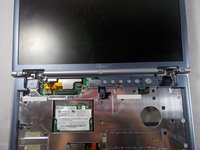
    • Use a plastic opening tool to lift the back of the hinge cover on the left and right sides of the computer.

    FixBot'a Sor

    Yorum Ekle

  3. Fujitsu Lifebook S6120 PCI Adapter Replacement: adım 3, 1 resimden 1.
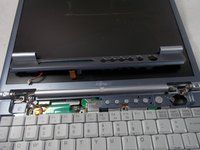
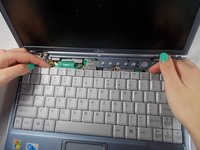
    • Lift the hinge cover.

    • The hinge cover is connected to the motherboard by a ribbon cable. To prevent damage, lift hinge cover slowly.

    FixBot'a Sor

    Yorum Ekle

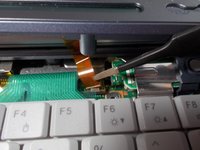
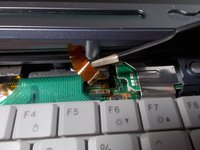
  4. Fujitsu Lifebook S6120 PCI Adapter Replacement: adım 4, 3 resimden 1. Fujitsu Lifebook S6120 PCI Adapter Replacement: adım 4, 3 resimden 2. Fujitsu Lifebook S6120 PCI Adapter Replacement: adım 4, 3 resimden 3.
    Bu adımda kullanılan alet:
    Tweezers
    $4.99
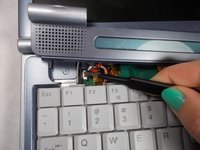
    • Use the tweezers to disconnect the ribbon cable from the motherboard.

    FixBot'a Sor

    Yorum Ekle

  5. Fujitsu Lifebook S6120 PCI Adapter Replacement: adım 5, 3 resimden 1. Fujitsu Lifebook S6120 PCI Adapter Replacement: adım 5, 3 resimden 2. Fujitsu Lifebook S6120 PCI Adapter Replacement: adım 5, 3 resimden 3.
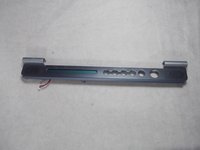
    • With the tweezers detach hinge cover cables from the motherboard.

    • Remove hinge cover.

    FixBot'a Sor

    Yorum Ekle

  6. Fujitsu Lifebook S6120 PCI Adapter Replacement, Keyboard: adım 6, 3 resimden 1. Fujitsu Lifebook S6120 PCI Adapter Replacement, Keyboard: adım 6, 3 resimden 2. Fujitsu Lifebook S6120 PCI Adapter Replacement, Keyboard: adım 6, 3 resimden 3.
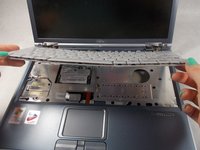
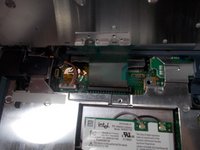
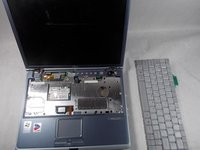
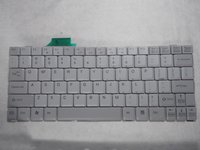
    • Lift keyboard enough to show the ribbon cable.

    • The keyboard has a ribbon cable attached to the motherboard. Lift keyboard carefully to prevent damage.

    FixBot'a Sor

    Yorum Ekle

  7. Fujitsu Lifebook S6120 PCI Adapter Replacement: adım 7, 3 resimden 1. Fujitsu Lifebook S6120 PCI Adapter Replacement: adım 7, 3 resimden 2. Fujitsu Lifebook S6120 PCI Adapter Replacement: adım 7, 3 resimden 3.
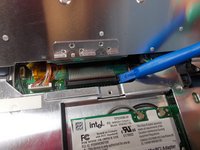
    • Use a plastic opening tool to release the ribbon cable from the motherboard.

    FixBot'a Sor

    Yorum Ekle

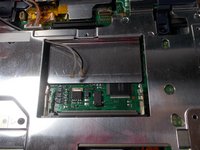
  8. Fujitsu Lifebook S6120 PCI Adapter Replacement, PCI Adapter: adım 8, 3 resimden 1. Fujitsu Lifebook S6120 PCI Adapter Replacement, PCI Adapter: adım 8, 3 resimden 2. Fujitsu Lifebook S6120 PCI Adapter Replacement, PCI Adapter: adım 8, 3 resimden 3.
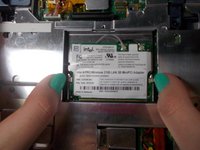
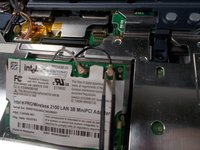
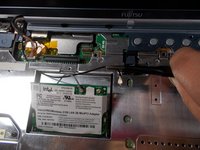
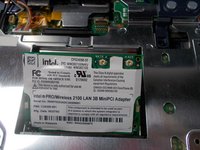
    • Push the secure clips outward.

    • The Adapter should pop up.

    FixBot'a Sor

    Yorum Ekle

  9. Fujitsu Lifebook S6120 PCI Adapter Replacement: adım 9, 3 resimden 1. Fujitsu Lifebook S6120 PCI Adapter Replacement: adım 9, 3 resimden 2. Fujitsu Lifebook S6120 PCI Adapter Replacement: adım 9, 3 resimden 3.
    Bu adımda kullanılan alet:
    Tweezers
    $4.99
    • Use tweezers to remove the wires from the Adapter.

    FixBot'a Sor

    Yorum Ekle

  10. Fujitsu Lifebook S6120 PCI Adapter Replacement: adım 10, 2 resimden 1. Fujitsu Lifebook S6120 PCI Adapter Replacement: adım 10, 2 resimden 2.
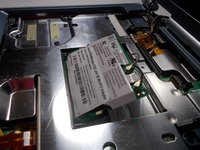
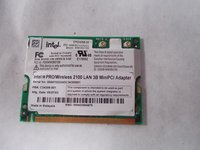
    • Take out the Adapter and carefully pull the wires out from the metal casing.

    FixBot'a Sor

    Yorum Ekle

Sonuç

To reassemble your device, follow these instructions in reverse order.

İptal et: Bu kılavuzu tamamlamadım.

Jaimie Nakamura

Üyelik tarihi: 03/20/18

235 İtibar

2 adet Kılavuz yazıldı

Ekip

UMass Dartmouth, Team S5-G5, Peak Spring 2018 UMass Dartmouth, Team S5-G5, Peak Spring 2018 üyesi

UMASSD-PEAK-S18S5G5

3 Üyeler

18 adet Kılavuz yazıldı

1Rehber Yorum

Je suis vraiment intéressé merci.

Ravi de la leçon.

Jean Fella - Yanıt Paylaş

Yorum Ekle

İstatistikleri Görüntüle:

Son 24 Saat: 2

Son 7 gün: 4

Son 30 gün: 27

Her zaman: 1,279