Ana içeriğe geç
Onarım Topluluğuna Katılın - Hesap Oluşturun

Game Boy Color Speaker Replacement

Neye ihtiyacın var

    1. Game Boy Color Speaker Replacement, Battery: adım 1, 3 resimden 1. Game Boy Color Speaker Replacement, Battery: adım 1, 3 resimden 2. Game Boy Color Speaker Replacement, Battery: adım 1, 3 resimden 3.
      • Remove any games in the system before beginning.

      • Press up on the battery holder tab on the back to lift it up and remove it

      FixBot'a Sor

      Yorum Ekle

    2. Game Boy Color Speaker Replacement, Removing the back shell: adım 2, 2 resimden 1. Game Boy Color Speaker Replacement, Removing the back shell: adım 2, 2 resimden 2.
      • Using a Y1 screwdriver, remove the six screws on the back of the device.

      FixBot'a Sor

      Yorum Ekle

    3. Game Boy Color Speaker Replacement, Removing the motherboard: adım 3, 1 resimden 1.
      • When reassembling, make sure to align the power switch with the corresponding piece of plastic inside the shell. If not aligned it will stop you from screwing it back together and will break if force is applied.

      • Don't yet unsolder the speaker, as you'll be unable to remove it until the motherboard comes off.

      • Remove the 3 PH0 Phillips screws near the bottom of the device.

      FixBot'a Sor

      Yorum Ekle

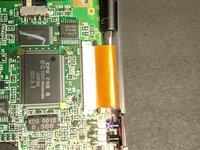
    4. Game Boy Color Speaker Replacement, Display Ribbon Cable: adım 4, 3 resimden 1. Game Boy Color Speaker Replacement, Display Ribbon Cable: adım 4, 3 resimden 2. Game Boy Color Speaker Replacement, Display Ribbon Cable: adım 4, 3 resimden 3.
      • Push up on the two dark grey pieces of plastic on the display ribbon cable bracket.

      • Make sure they are in a position similar to the one in the second image. Then they are fully extended.

      • Be very careful pushing on these as they are fragile and will break easily. If they do, the display cable will no longer be as secure and could have a bad connection.

      FixBot'a Sor

      Yorum Ekle

    5. Game Boy Color Speaker Replacement: adım 5, 2 resimden 1. Game Boy Color Speaker Replacement: adım 5, 2 resimden 2.
      • Using a spudger, screwdriver or other long thin object, gently pull the ribbon cable out of the bracket.

      FixBot'a Sor

      Yorum Ekle

    6. Game Boy Color Speaker Replacement, Speaker: adım 6, 2 resimden 1. Game Boy Color Speaker Replacement, Speaker: adım 6, 2 resimden 2.
      • If the speaker is simply dirty, clean it and the speaker holes in the case. Then, reassemble it and test the speakers. If they still don't work then continue on.

      • Once you've removed the motherboard, you are now free to desolder the speaker wires and replace it with a new one.

      • Make sure to keep the same polarity as the original, as otherwise it may sound a bit different. However, it likely doesn't matter and won't damage anything if the polarity is reversed.

      FixBot'a Sor

      Yorum Ekle

Sonuç

To reassemble your device, follow these instructions in reverse order.

İptal et: Bu kılavuzu tamamlamadım.

11 farklı kişi bu kılavuzu tamamladı.

Finn Dooley

Üyelik tarihi: 03/09/22

419 İtibar

1 Kılavuz yazıldı

0Kılavuz Yorumları

Yorum Ekle

İstatistikleri Görüntüle:

Son 24 Saat: 8

Son 7 gün: 66

Son 30 gün: 231

Her zaman: 11,462