Ana içeriğe geç
Onarım Topluluğuna Katılın - Hesap Oluşturun

Game Boy Micro Buttons Replacement

Görüntüleme: 32 B

İstatistikleri görüntüle:

Son 24 Saat:
5
Son 7 Gün:
55
Son 30 Gün:
239
Her zaman:
31.921
Yorumlar: 14

9 comments on steps, 5 guide comments.

Go to guide comments
Tamamlandı: 9

9 kişi bu kılavuzu "tamamlandı" olarak işaretledi. Sıradaki sen olacak mısın?

Sık Kullanılanlar: 9

9 kişi bu kılavuzu favorilerine ekledi (ve abone oldu). Sıradaki sen olacak mısın?

Gerekli Süre: 30 dakika
Zorluk: Orta
Tutarsız Görseller

Bu kılavuzdaki görselleri ön koşullarla daha tutarlı olacak şekilde güncellemek, kusursuzluğunuza katkıda bulunacaktır.

Game Boy Micro Buttons Replacement

Use the following guide to replace buttons in the device.

Neye ihtiyacın var

Aletler

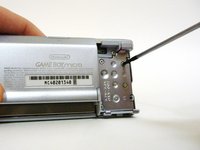
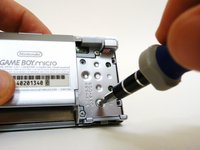
    1. Game Boy Micro Buttons Replacement, Remove the Cover: adım 1, 2 resimden 1. Game Boy Micro Buttons Replacement, Remove the Cover: adım 1, 2 resimden 2.
      • Remove the Phillips #00 screw on the side of the Game Boy closest to the directional pad.

      • Once the screw has been loosened, lift the cover off the back of the device.

      FixBot'a Sor

      Yorum Ekle

    1. Game Boy Micro Buttons Replacement, Faceplate: adım 2, 2 resimden 1. Game Boy Micro Buttons Replacement, Faceplate: adım 2, 2 resimden 2.
      • Locate the two circular holes on the side of the Game Boy nearest to the directional pad.

      FixBot'a Sor

      Yorum Ekle

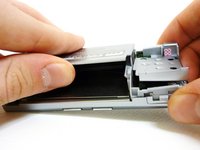
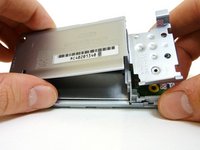
    2. Game Boy Micro Buttons Replacement: adım 3, 3 resimden 1. Game Boy Micro Buttons Replacement: adım 3, 3 resimden 2. Game Boy Micro Buttons Replacement: adım 3, 3 resimden 3.
      • Straighten the end of a paper clip and push it into each of the circular holes.

      • You may hear a faint click afterwards.

      • Use the paper clip to lever the faceplate off from the unit.

      FixBot'a Sor

      Yorum Ekle

    1. Game Boy Micro Buttons Replacement, Unscrew the Outer Cover: adım 4, 2 resimden 1. Game Boy Micro Buttons Replacement, Unscrew the Outer Cover: adım 4, 2 resimden 2.
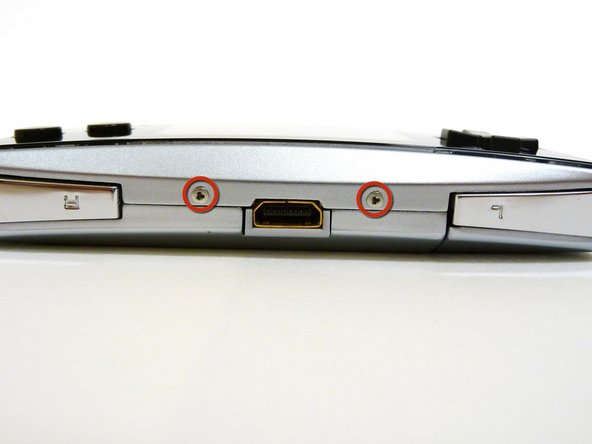
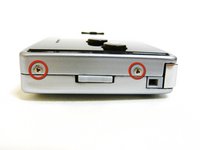
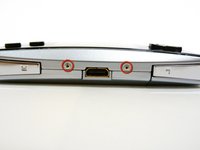
      • Remove the two tri-wing screws on the top of the Game Boy and the two screws next to the volume/contrast switch.

      FixBot'a Sor

      Yorum Ekle

    2. Game Boy Micro Buttons Replacement: adım 5, 3 resimden 1. Game Boy Micro Buttons Replacement: adım 5, 3 resimden 2. Game Boy Micro Buttons Replacement: adım 5, 3 resimden 3.
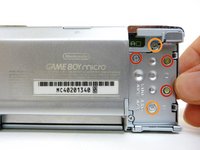
      • Remove the three Phillips #00 screws.

      • Remove the two tri-wing screws.

      FixBot'a Sor

      Yorum Ekle

    3. Game Boy Micro Buttons Replacement: adım 6, 3 resimden 1. Game Boy Micro Buttons Replacement: adım 6, 3 resimden 2. Game Boy Micro Buttons Replacement: adım 6, 3 resimden 3.
      • Lift the back cover off of the Game Boy.

      FixBot'a Sor

      Yorum Ekle

    4. Game Boy Micro Buttons Replacement: adım 7, 3 resimden 1. Game Boy Micro Buttons Replacement: adım 7, 3 resimden 2. Game Boy Micro Buttons Replacement: adım 7, 3 resimden 3.
      • Remove the two Phillips #00 screws from the plastic frame.

      • As you are pulling off the plastic frame, the shoulder buttons and the volume switch may fall out of the device.

      • Underneath each shoulder button is a small spring. Do not lose them.

      FixBot'a Sor

      Yorum Ekle

    5. Game Boy Micro Buttons Replacement: adım 8, 2 resimden 1. Game Boy Micro Buttons Replacement: adım 8, 2 resimden 2.
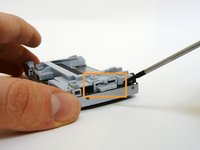
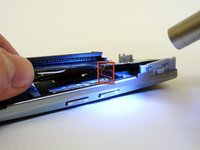
      • With a spudger, depress the small clip on the lower right corner of the plastic guard.

      • Grab the edges of the plastic frame and lift the frame off the motherboard.

      FixBot'a Sor

      Yorum Ekle

    6. Game Boy Micro Buttons Replacement: adım 9, 1 resimden 1.
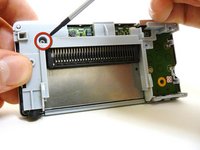
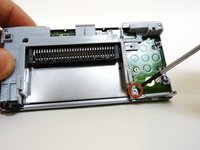
      • Remove the two gold Phillips #00 screws from the motherboard.

      FixBot'a Sor

      Yorum Ekle

    7. Game Boy Micro Buttons Replacement: adım 10, 2 resimden 1. Game Boy Micro Buttons Replacement: adım 10, 2 resimden 2.
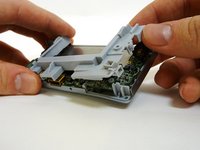
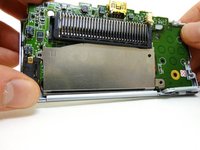
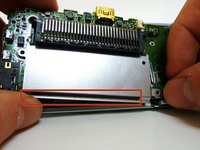
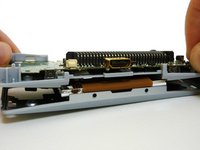
      • With one hand, gently slide the top left end of the motherboard up and out of the front case.

      • With your other hand, pull out the EMI shield until the tab comes out of the front case.

      • Once the tab is pulled out from the bottom, slide the EMI shield down and out of the device.

      FixBot'a Sor

      Yorum Ekle

    8. Game Boy Micro Buttons Replacement: adım 11, 3 resimden 1. Game Boy Micro Buttons Replacement: adım 11, 3 resimden 2. Game Boy Micro Buttons Replacement: adım 11, 3 resimden 3.
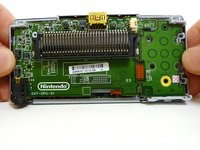
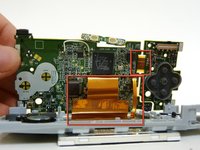
      • The entire motherboard is now accessible.

      • Take extreme care when working with the motherboard to avoid damaging the device and its components.

      • A small ribbon cable connects the start and select buttons to the motherboard. It can rip very easily, so do not pull on it.

      • Lift the motherboard and the front plastic cover assembly off of the front case.

      • Once the front case is removed, the plastic on/off switch will fall out of place.

      FixBot'a Sor

      Yorum Ekle

    9. Game Boy Micro Buttons Replacement: adım 12, 3 resimden 1. Game Boy Micro Buttons Replacement: adım 12, 3 resimden 2. Game Boy Micro Buttons Replacement: adım 12, 3 resimden 3.
      Bu adımda kullanılan alet:
      Tweezers
      $4.99
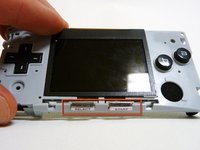
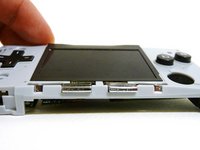
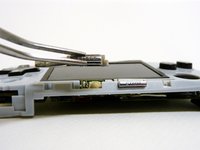
      • When you remove the motherboard from the front case, the start and select buttons may fall out.

      • If the buttons do not fall out, remove them with a pair of tweezers.

      FixBot'a Sor

      Yorum Ekle

    10. Game Boy Micro Buttons Replacement: adım 13, 3 resimden 1. Game Boy Micro Buttons Replacement: adım 13, 3 resimden 2. Game Boy Micro Buttons Replacement: adım 13, 3 resimden 3.
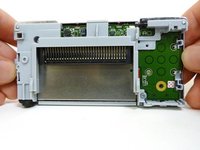
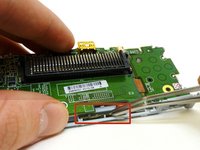
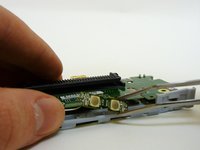
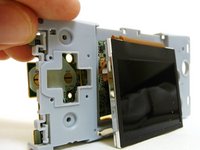
      • Without the front case, you will be left with the motherboard and the plastic mount. The LCD screen is attached to the motherboard by a ribbon and can fall off the plastic mount.

      • Using metal tweezers, grab the start/select board and slide it out gently.

      FixBot'a Sor

      Yorum Ekle

    11. Game Boy Micro Buttons Replacement: adım 14, 2 resimden 1. Game Boy Micro Buttons Replacement: adım 14, 2 resimden 2.
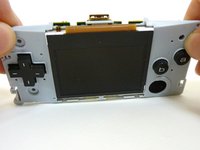
      • Lift the entire motherboard assembly off the plastic guard.

      • Take caution not to damage any of the gold ribbon cables on the motherboard.

      • The LCD screen is the only thing connecting the motherboard and plastic guard.

      FixBot'a Sor

      Yorum Ekle

    12. Game Boy Micro Buttons Replacement: adım 15, 2 resimden 1. Game Boy Micro Buttons Replacement: adım 15, 2 resimden 2.
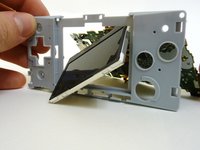
      • To remove the LCD screen, carefully angle it until it is diagonal to the square hole in the plastic guard and slide it out.

      • It is now possible to remove the entire motherboard assembly from the plastic guard.

      FixBot'a Sor

      Yorum Ekle

    13. Game Boy Micro Buttons Replacement: adım 16, 3 resimden 1. Game Boy Micro Buttons Replacement: adım 16, 3 resimden 2. Game Boy Micro Buttons Replacement: adım 16, 3 resimden 3.
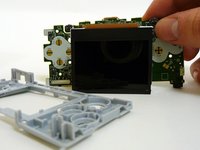
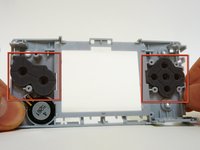
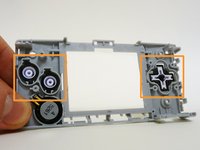
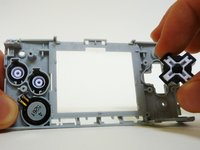
      • On the plastic guard, there are two rubber pads that cover the buttons. Remove them.

      • These pads rest on the motherboard and sometimes stick to it. If they do, peel them off.

      • With the rubber pads off, you may use your fingers to remove the buttons to clean or replace them.

      • When returning the buttons to the guard, they have to be put back in exactly the way they were pulled out.

      FixBot'a Sor

      Yorum Ekle

Sonuç

To reassemble your device, follow these instructions in reverse order.

İptal et: Bu kılavuzu tamamlamadım.

9 farklı kişi bu kılavuzu tamamladı.

Jack

Üyelik tarihi: 01/21/10

411 İtibar

3 adet Kılavuz yazıldı

Ekip

Cal Poly, Team 8-46, Regan Winter 2010 Cal Poly, Team 8-46, Regan Winter 2010 üyesi

CPSU-REGAN-W10S8G46

5 Üyeler

60 adet Kılavuz yazıldı

5Kılavuz Yorumları

Buenas abra el modo de reparar o puentear la placa de los botones start y selec ya que el flex se rompió

Good open the way to repairing or bypassing the plate and start buttons selec since the flex broke

Jesus Briones - Yanıt Paylaş

Con ayuda de un cúter pela la terminales y solda nuevamente debes verificar si el flex tiene dos placas por ambos lados o solo es una

eshemoc - Yanıt Paylaş
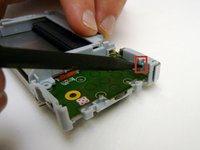
Any one know the right size shoulder buttons are for replacement ? Are they the same size as a ds lite R and L button ?

Philip Fuentes - Yanıt Paylaş

Un tornillo se barrió, algún consejo para quitarlo?

Velfell Ackerman - Yanıt Paylaş

Why are the outer shell screws SO FINNICKY? I had heard about the GB Micro being a hard device to disassemble, but the outer screws (four small ones) never go all the way in and I cannot figure out why.

DisasterEXE - Yanıt Paylaş

Yorum Ekle

İstatistikleri Görüntüle:

Son 24 Saat: 5

Son 7 gün: 55

Son 30 gün: 239

Her zaman: 31,921